108
7000056136-0
EN
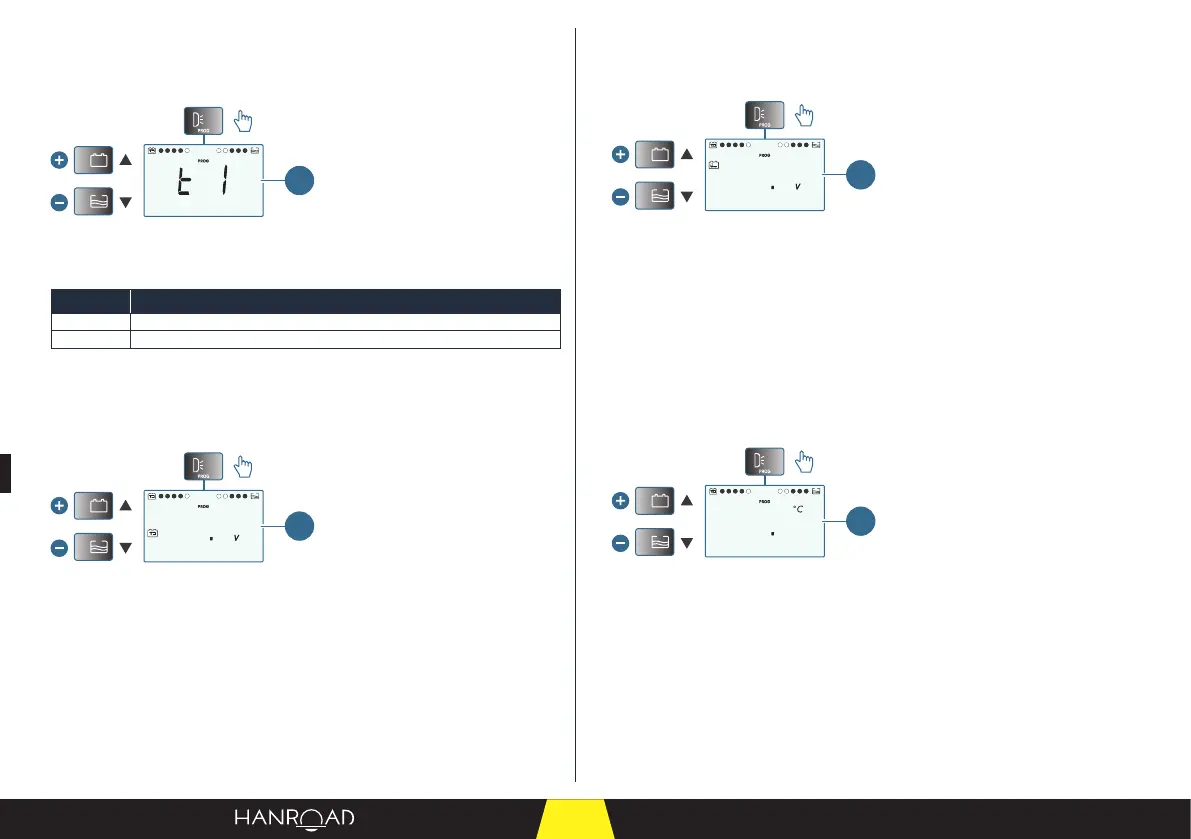
"Acoustic alarms" menu
■ Press the user programming button again to display the "Acoustic alarms"
menu.
1
1 "Acoustic alarms" menu
■ Change the value using the (▲) and (▼) keys.
Value Description
t0 Acoustic alarms disabled
t1 Acoustic alarms enabled
"Cabin battery alarm threshold setting" menu
■ Press the user programming button again to display the "Cabin battery
alarm threshold setting" menu.
5
13
1
1 "Cabin battery alarm threshold setting" menu
This menu lets you adjust the trigger threshold of the cabin battery low voltage
alarm.
– Max. value: ±0.5 V in 0.1 V increments.
■ Change the value using the (▲) and (▼) keys.
"Engine battery alarm threshold setting" menu
■ Press the user programming button again to display the "Engine battery
alarm threshold setting" menu.
8
12
1
1 "Engine battery alarm threshold setting" menu
This menu lets you adjust the trigger threshold of the engine battery low voltage
alarm.
– Max. value: ±0.5 V in 0.1 V increments.
■ Change the value using the (▲) and (▼) keys.
"Inside temperature alarm threshold setting" menu
■ Press the user programming button again to display the "Inside temperature
alarm threshold setting" menu.
5
23
int.
T
1
1 "Inside temperature alarm threshold setting" menu
This menu lets you adjust the alarm threshold for the inside temperature.
– Adjustment in 0.5°C increments.
■ Change the value using the (▲) and (▼) keys.



 To Next Page