114
7000056136-0
EN
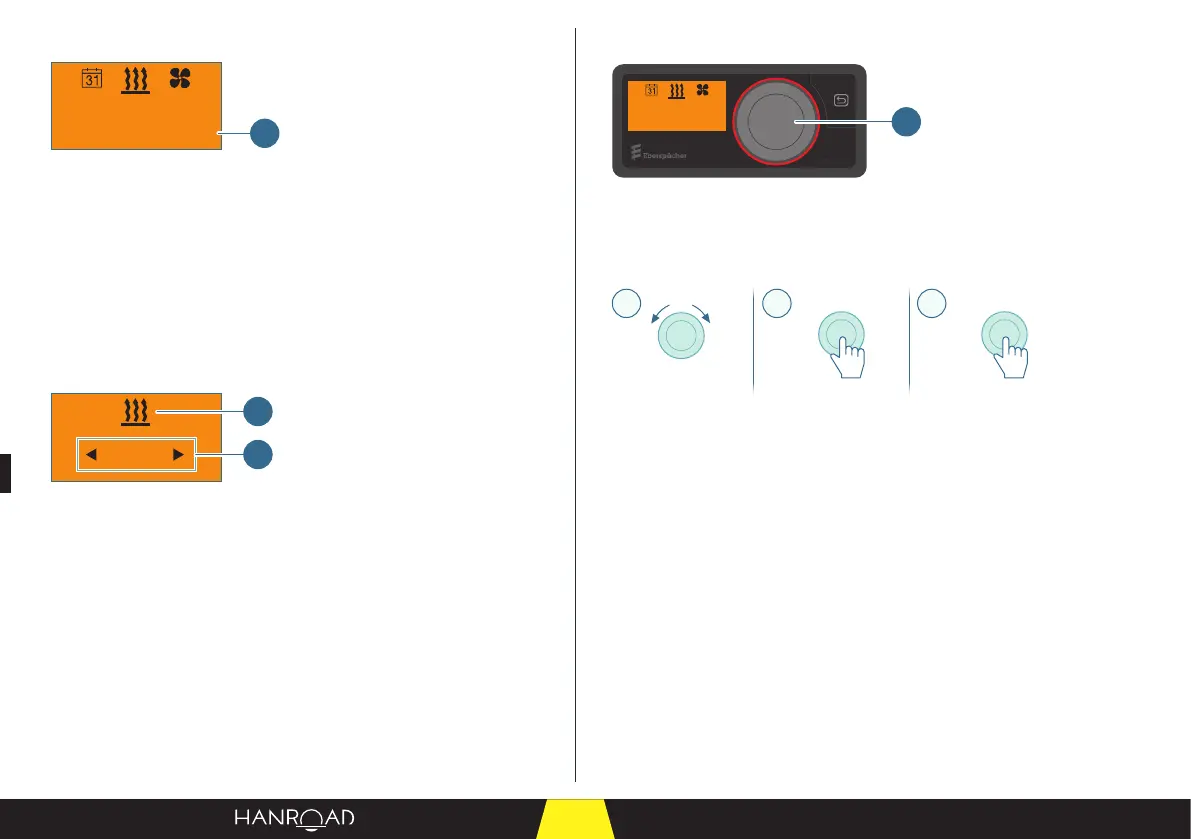
Status bar
22°C20min
1
1 Status bar
The status bar displays dierent information depending on which menu is
active:
– Heating.
– Ventilation.
– Settings.
– Timer.
– ...
Input area
20 min
2
1
1 Menu bar
2 Input area
The pictogram of the selected menu appears in the middle of the menu bar
display.
The related setting values ash in the input eld.
5.6.2 - Description of the control knob
22°C20min
1
1 Control knob
The control knob is used to operate, select and program functions and values.
Operation of the control knob
CBA
> 2s< 2s
A Rotating the control knob
B Short press (< 2 seconds)
C Long press (> 2 seconds)
Turning (A) the control knob selects a value or function in a menu.
– Turning to the right increases a value or selects the menu item directly to the
right.
– Turning to the le decreases a value or selects the menu item directly to the
le.
A short press (B) on the control knob conrms the ashing menu item or the
value displayed on the screen.
A long press (C) on the control knob initiates an immediate heating request. The
default operating time is set to 30 minutes.
A long press (C) on the control knob during operation immediately stops all
active functions.



 To Next Page