118
7000056136-0
EN
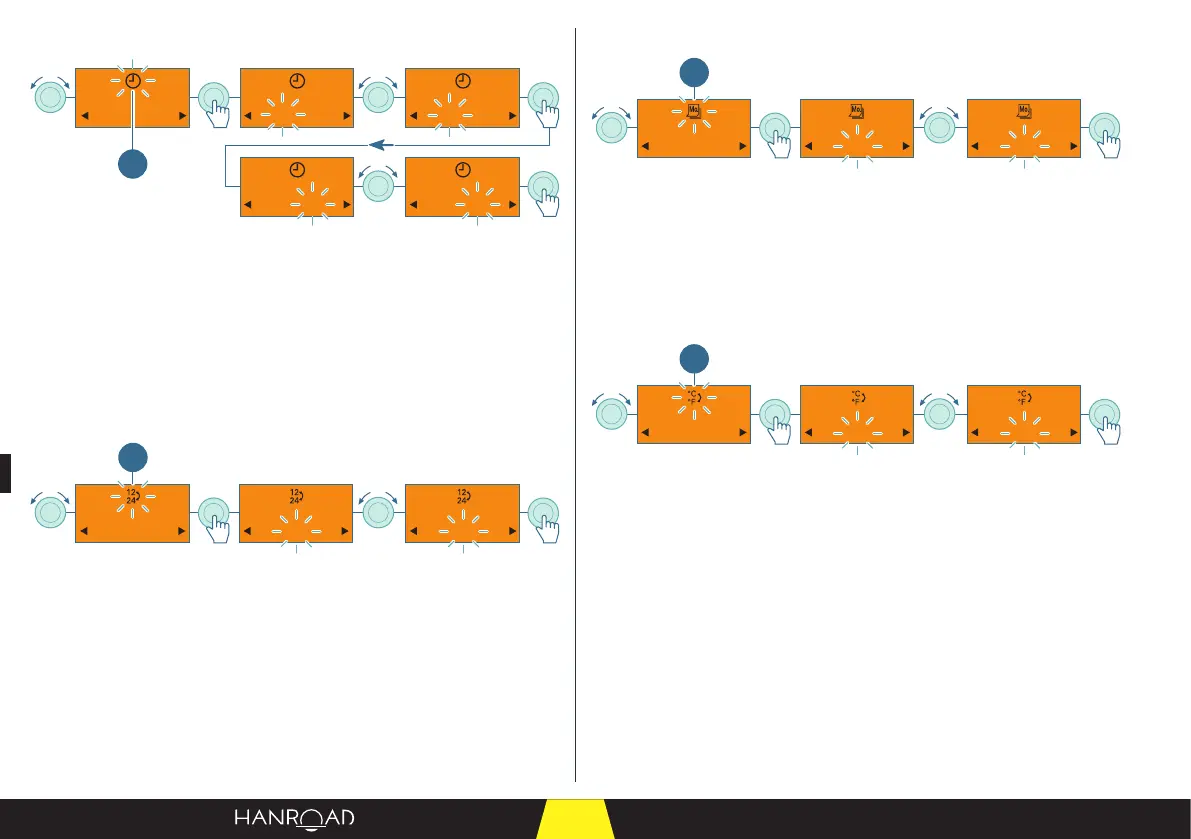
Setting the hours
00 : 00 00 : 00 10 : 00
10 : 00 10 : 10
1
1 Setting the hours
■ Select the time setting by turning the control knob.
■ Press the control knob to conrm.
■ Set the hour by turning the control knob.
■ Press the control knob to conrm.
■ Set the minutes by turning the control knob.
■ Press the control knob to conrm.
Setting the time format 12h/24h
24h12h 12h
1
1 Setting the time format
■ Select the time format setting by turning the control knob.
■ Press the control knob to conrm.
■ Set the time format by turning the control knob.
■ Press the control knob to conrm.
Setting the day of the week
Lu. Lu. Ma.
1
1 Setting the day of the week
■ Select the day of the week setting by turning the control knob.
■ Press the control knob to conrm.
■ Select the day of the week by turning the control knob.
■ Press the control knob to conrm.
Setting the temperature format
°F °F °C
1
1 Setting the temperature format
■ Select the temperature format setting by turning the control knob.
■ Press the control knob to conrm.
■ Select the temperature format by turning the control knob.
■ Press the control knob to conrm.



 To Next Page