121
7000056136-0
EN
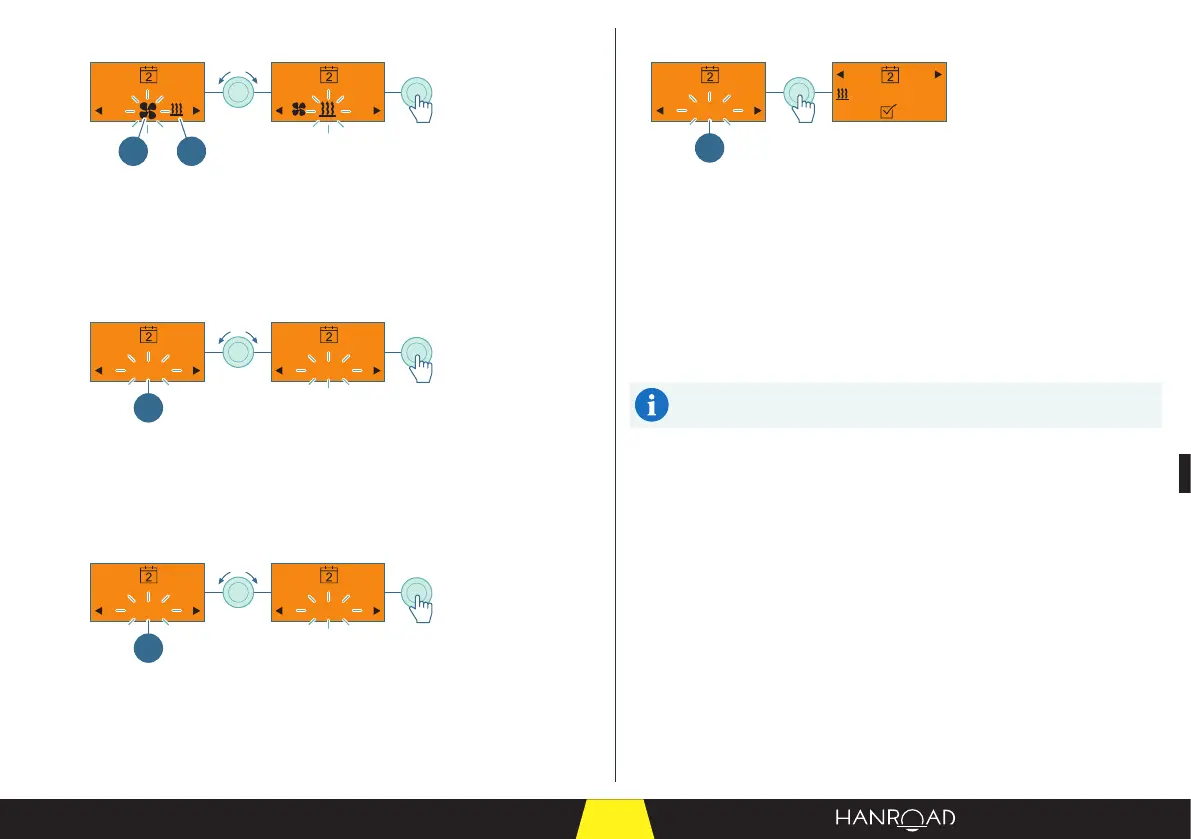
Selecting heating or ventilation
2 1
1 Heating mode
2 Ventilation mode
■ Select heating or ventilation mode by turning the control knob.
■ Press the control knob to conrm.
Setting the temperature for heating
19° 19°20°
1
1 Heating temperature
■ Set the heating temperature by turning the control knob.
■ Press the control knob to conrm.
Setting the operating time
20min 19°90min
1
1 Operating duration
■ Set the operating time by turning the control knob.
■ Press the control knob to conrm.
Validating the programming
OK
10:10
Mo-Fr
90min
20°
1
1 Validating the programming
■ Press the control knob to start programming.
The timer is active.
The programmed data are displayed:
– Mode of operation: heating.
– Days of the week: Monday to Friday.
– Start time: 10h10.
– Operating duration: 90 minutes.
The conguration of the other 2 timers (T1, T3) is done in the same
way.



 To Next Page