2-2
Chapter 2: Label Design
Label Design Guide
The label design guide dialog box is opened automatically when a new label design is created. The label design guide
can be used to create a simple label layout with images and/or text. The label guide steps you through the process of
creating your new design.
Label Design Guide - Step 1
Step one in the label design guide allows you to select your label type. If the label that you want to use appears in
the window, you can just click Next. If you want a different label, click Select Label.
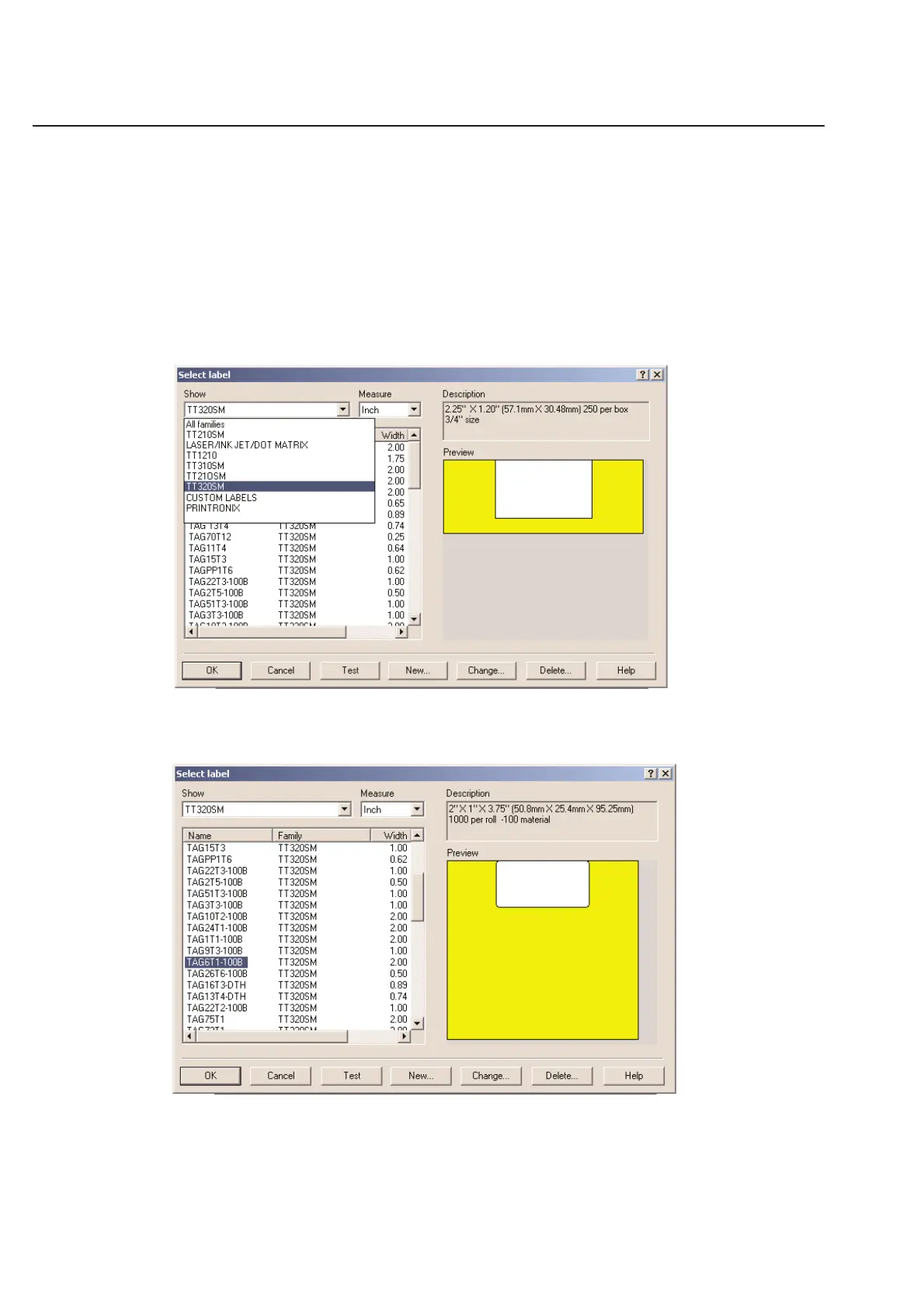
Click the down arrow next to Show and select the printer type you will be using.
Next, choose your label part number (Within the printer category selected) click once on the label to be selected and
then click on OK.
You will be returned to the label design guide Step 1 and then click Next.



 To Next Page