5-1
Chapter 5: Label Definitions
Chapter 5: Label Definitions
TagPrint uses Label Definitions to store information about each label. Label preferences are stored in a labels database
and new labels can be easily added. The label design contains all the information that the printer needs in order to
print each label type.
Choosing a Label Definition
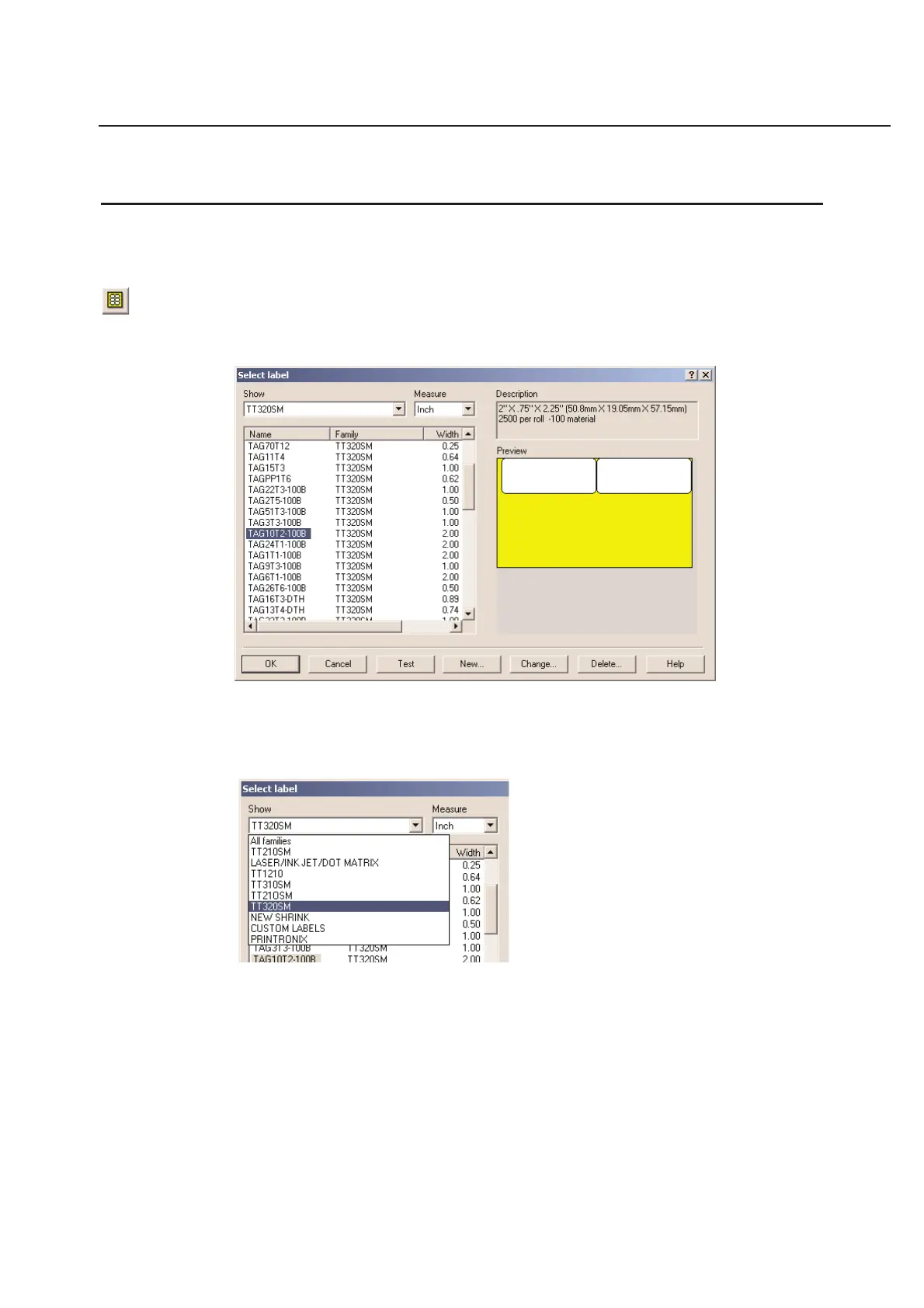
You can choose a label by selecting Select Label... in the File menu. A dialog box will appear where you may choose
a certain label. This dialog box is also used for maintenance of the labels database.
Selecting a Family
A family is a group of labels that belong together. For instance, all the labels that can be printed on the
HellermannTyton TT320SM printer are listed under the TT320SM family.
You can change the family in the Show window by clicking on the pull down menu tab located to the right of the
current label family. Once the pull down menu is open, you may select the label family you desire to use. This will
make it easier to find the label you are looking for.
Selecting a Label Design
The list in the dialog box contains all the labels within the selected family. By clicking the buttons in the header of the
list, the labels can be sorted on name, family, width, and height in ascending or descending order.



 To Next Page