3-15
Chapter 3: Table
Importing Text Files into the Datatable
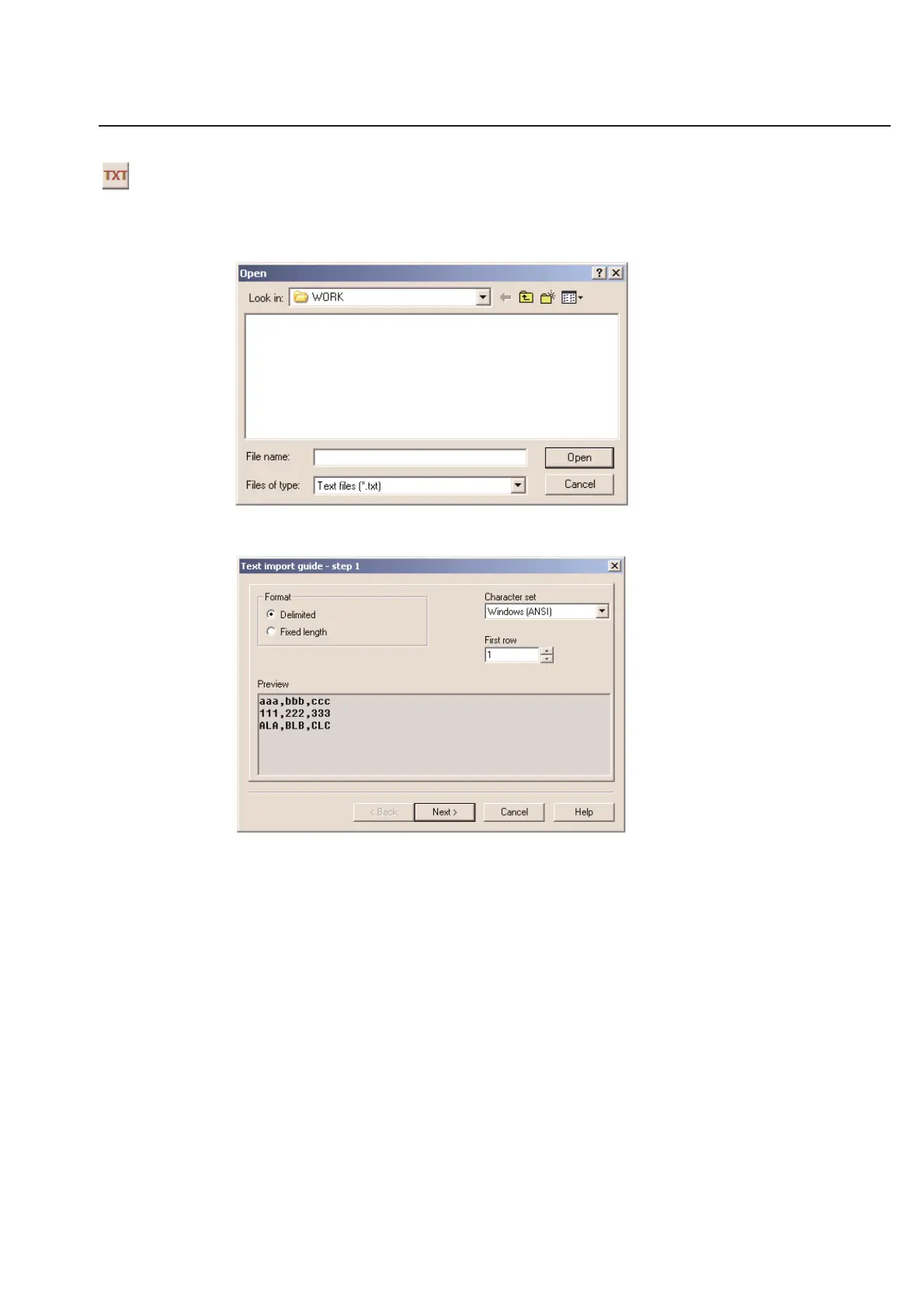
From an open table, click on the TXT icon at the top of the screen. You can click on the specific cell, in the
datatable, that you wish to select the starting position of the imported data. When clicking on the TXT icon, the
following menu will appear.
Select the path and file name of the text file you wish to import. The following Text import guide - step 1 screen
will appear.
TagPrint Pro can import ASCII text that is in a Fixed length format or a Delimited format. Click Next if everything
seems correct in the preview and you will be brought to the Text import guide - step 2 screen.



 To Next Page