3-19
Chapter 3: Table
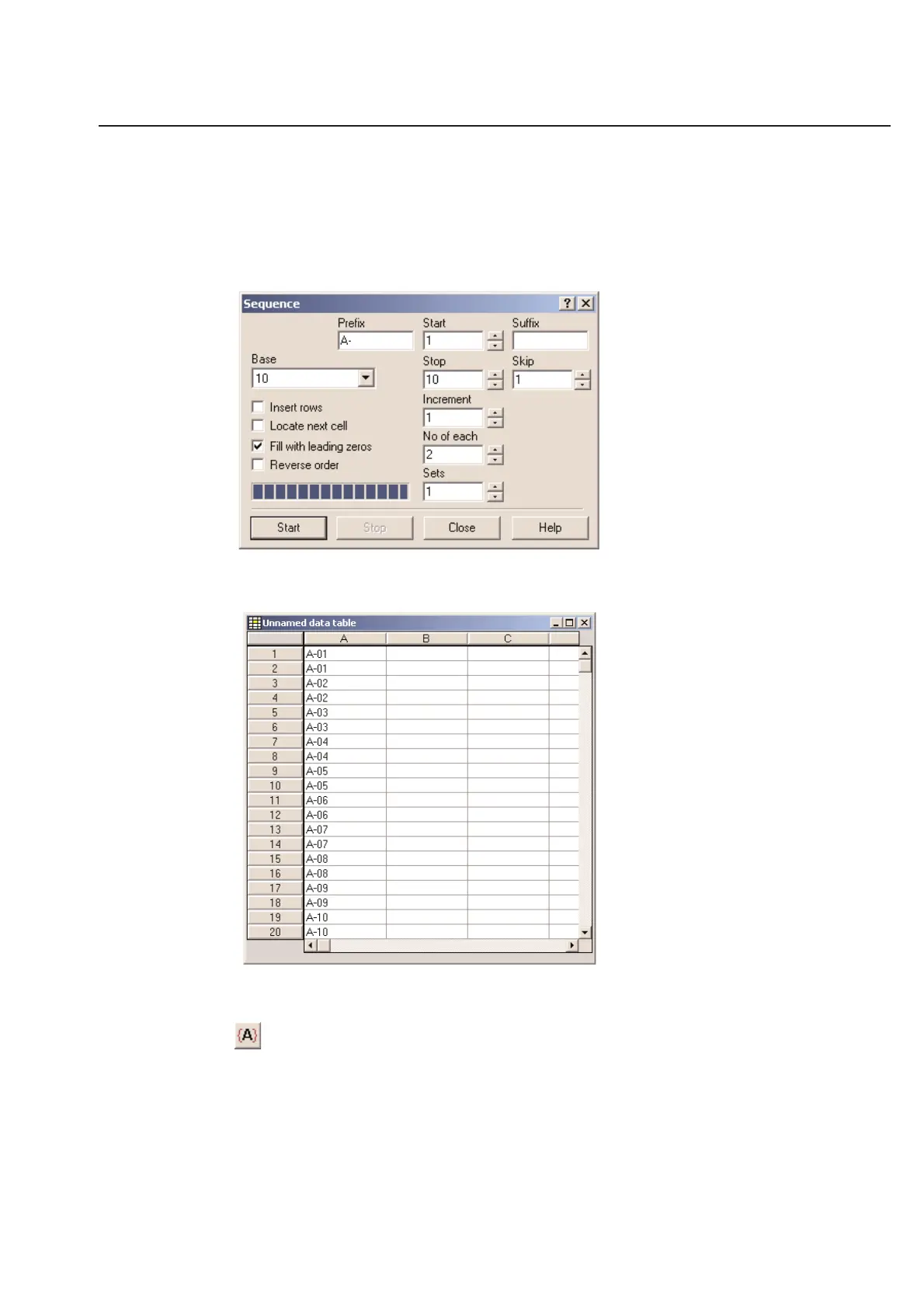
Locate next cell - If you check this option, the software will place your cursor at the bottom of your sequence. If you
leave this option unchecked, the software will leave your cursor at the top of the sequence.
Fill with leading zeros - This option will allow you to keep the same number of digits for your entire sequence by
filling the extra space with zeros. (Example: If you are doing a sequence from 1 to 1000, this option will make
the software insert 0001 to 1000. Notice the extra zeros in front of the one!)
Insert your information and then click Start.
The data will then import to the data table. Then click on Close.
To view the Serial Number in the unnamed label design. First click once on the unnamed label design side of your
split screen. Look at the top row of icons at the top portion of the screen.
Click on this icon once to toggle the field codes. Clicking this icon will allow you to either see which field is
represented by the field or what data is represented in that field from the table.



 To Next Page