Chapter 3
3.2. Configuration of the Heska Element COAG
™
Analyzer
(mg/dL) and grams per deciliter (g/dL). By default, the fibrinogen results are re-
ported in grams per liter.
Add-sample notification
Change the frequency of beeps when a test is ready for the
sample. Possible choices are: once, every 10 seconds, every 30 seconds and
every minute. By default, the user is notified only once when the test is ready for
the sample.
To customize the above settings:
1.
Toggle between the available options by touching the purple arrow button to the
right of the relevant menu point.
2.
When finished, touch
Done
to confirm the new settings. To cancel any modifica-
tions, touch Cancel.
i
Touching
Cancel
clears any undesired change(s) and touching
Done
confirms
the change(s).
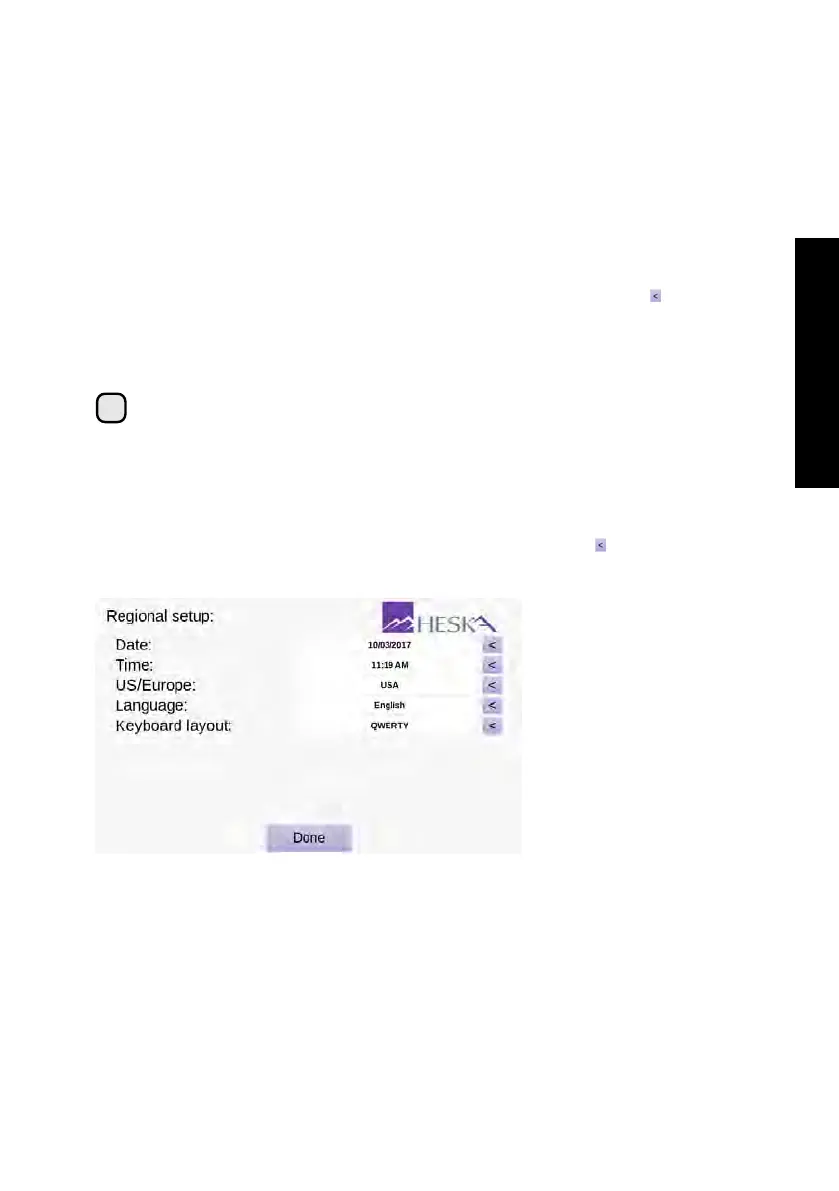
3.2.5. Regional Setup
The Regional Setup screen is shown in
Figure 3.7
. To enter the Regional Setup screen
touch the
Setup
button on the Analyzer’s Home Screen and touch the to the right of
the Regional Setup category in the Settings Menu.
Figure 3.7:
Regional
Setup. In the Regional
Setup menu, it is pos-
sible to adjust the date
and time, modify the
date/time format and
change the language
and keyboard layout
used by the Analyzer.
From the Regional Setup screen it is possible to adjust the settings listed below:
Date Use this menu to set the current date, see Section 3.2.5.1.
Time Use this menu to set the current time, see Section 3.2.5.2.
US/Europe
Use this menu to set the desired date and time format, see
Section 3.2.5.3
.
19



 To Next Page