Chapter 3
3.2. Configuration of the Heska Element COAG
™
Analyzer
3.2.5.3. Set the Date Format
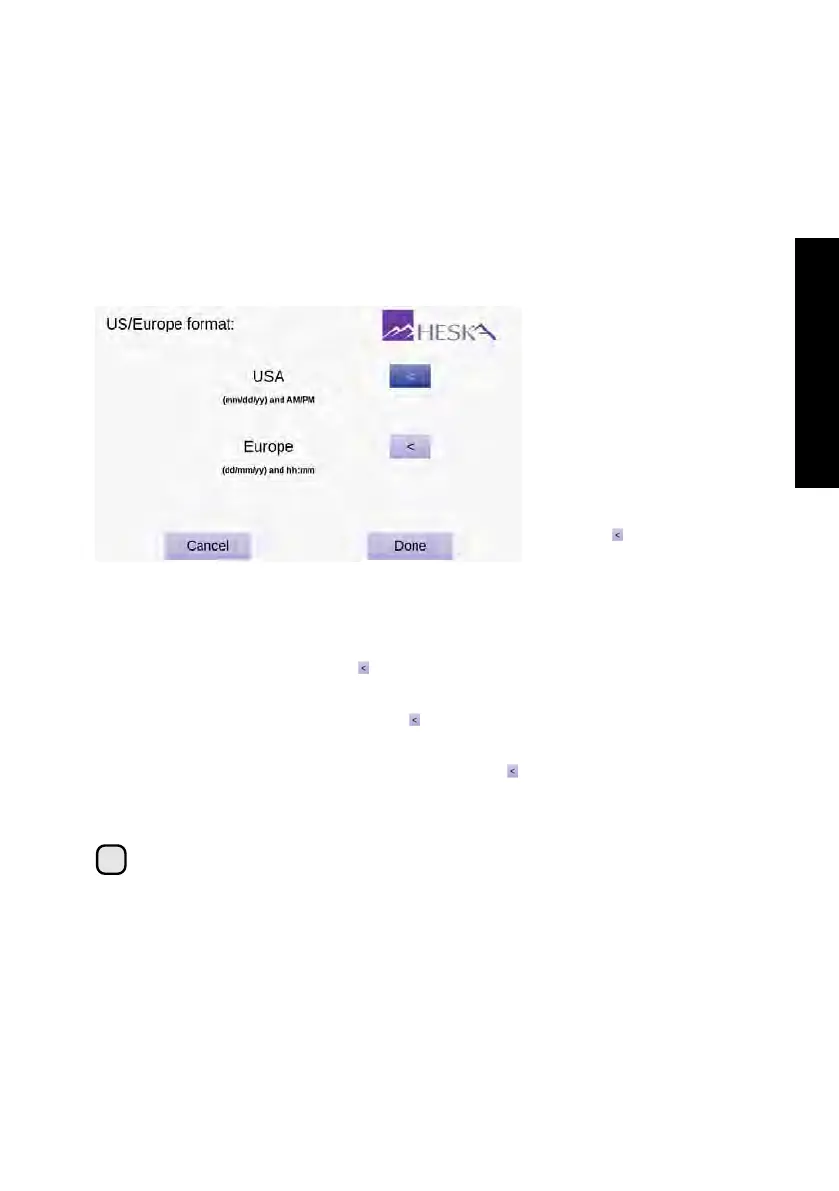
The screen for setting or displaying the current date and time format is shown in
Figure 3.10. Two formats are available:
USA
When this date/time format is active, the date is shown as mm/dd/yy and the time
is displayed using the 12-hour system followed by AM or PM.
Europe
When this date/time format is active, the date is shown as dd/mm/yy and the
time is displayed using the 24-hour system.
Figure 3.10:
Date for-
mat. The currently ac-
tive date and time for-
mat is indicated with a
dark purple arrow but-
ton to the right. To se-
lect a different format,
touch the to the right
of the desired format.
To set the current time and date format:
1. From the Home Screen, touch Setup (this opens the Settings Menu).
2.
From the Settings Menu, touch to the right of the Regional Setup category (this
opens the Regional Setup Menu).
3.
From the Regional Setup page, touch to the right of the US/Europe entry field.
Figure 3.10 shows the Date Format screen.
4.
Activate the desired date and time format by touching to the right of the preferred
menu item. The active format is indicated by a dark purple button.
5. Touch Done to confirm the change.
i
Touching
Cancel
clears any undesired change(s) and touching
Done
confirms
the change(s).
23



 To Next Page