3. Configuring the Heska Element COAG
™
Analyzer
Language
Use this menu to select the language used by the instrument, see
Section 3.2.5.4
.
Keyboard layout Use this menu to change the keyboard layout, see Section 3.2.5.5.
To change any of the above settings, touch the to the right of the relevant settings
field. When done modifying the regional settings, touch the
Done
button to return to the
Settings Menu.
3.2.5.1. Set Date
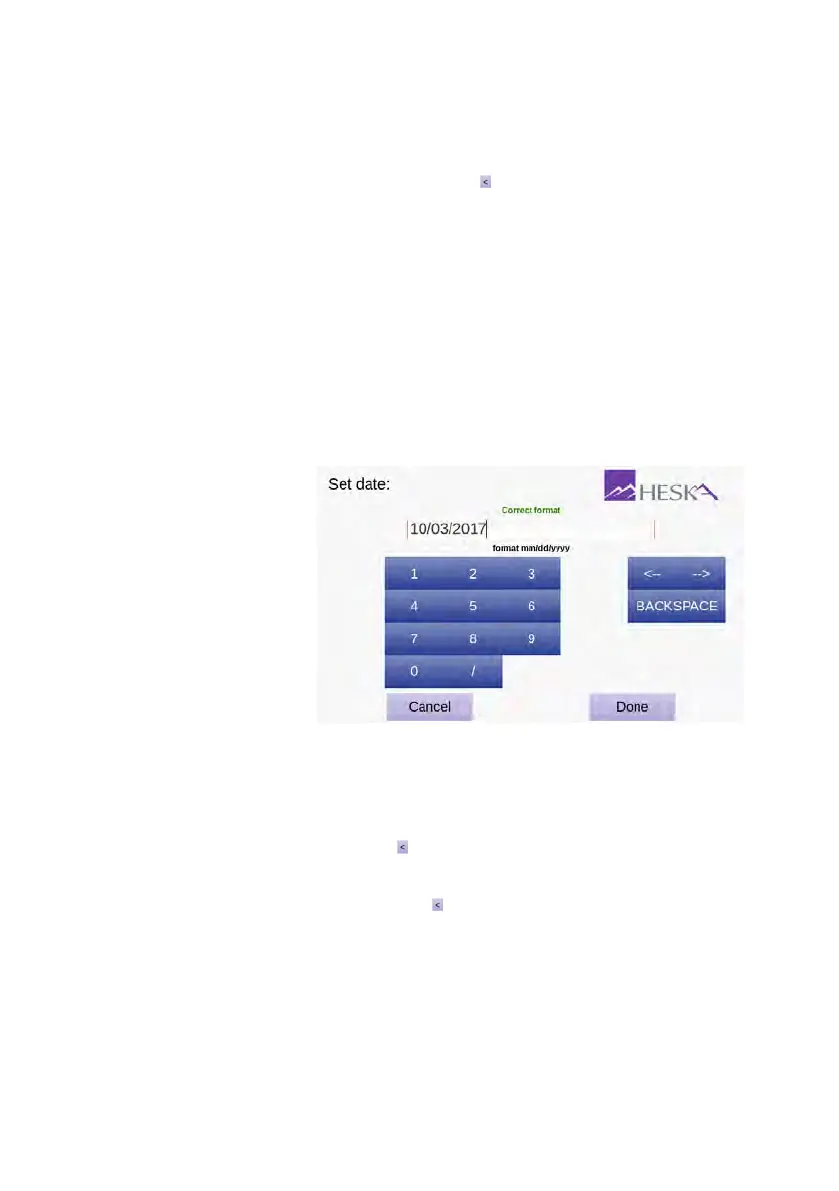
The screen for setting or displaying the current date is shown in Figure 3.8.
Figure 3.8: Date menu.
The current date is dis-
played in the text field
at the top of the page.
To change the current
date use the on-screen
keyboard. The date
must be specified using
mm/dd/yyyy format.
When the complete
entry complies with this
format, Correct Format
is displayed above the
text field. Otherwise,
Incorrect Format is
displayed.
To set the current date:
1. From the Home Screen, touch Setup (this opens the Settings Menu).
2.
From the Settings Menu, touch to the right of the Regional Setup category (this
opens the Regional Setup Menu).
3.
From the Regional Setup page, touch to the right of the Date entry field.
Figure 3.8
shows the Set Date screen.
4. Use the on-screen keyboard to enter the date.
5. Confirm by touching Done.
20



 To Next Page