Chapter 3
3.2. Configuration of the Heska Element COAG
™
Analyzer
3.2.5.5. Set the Keyboard Layout
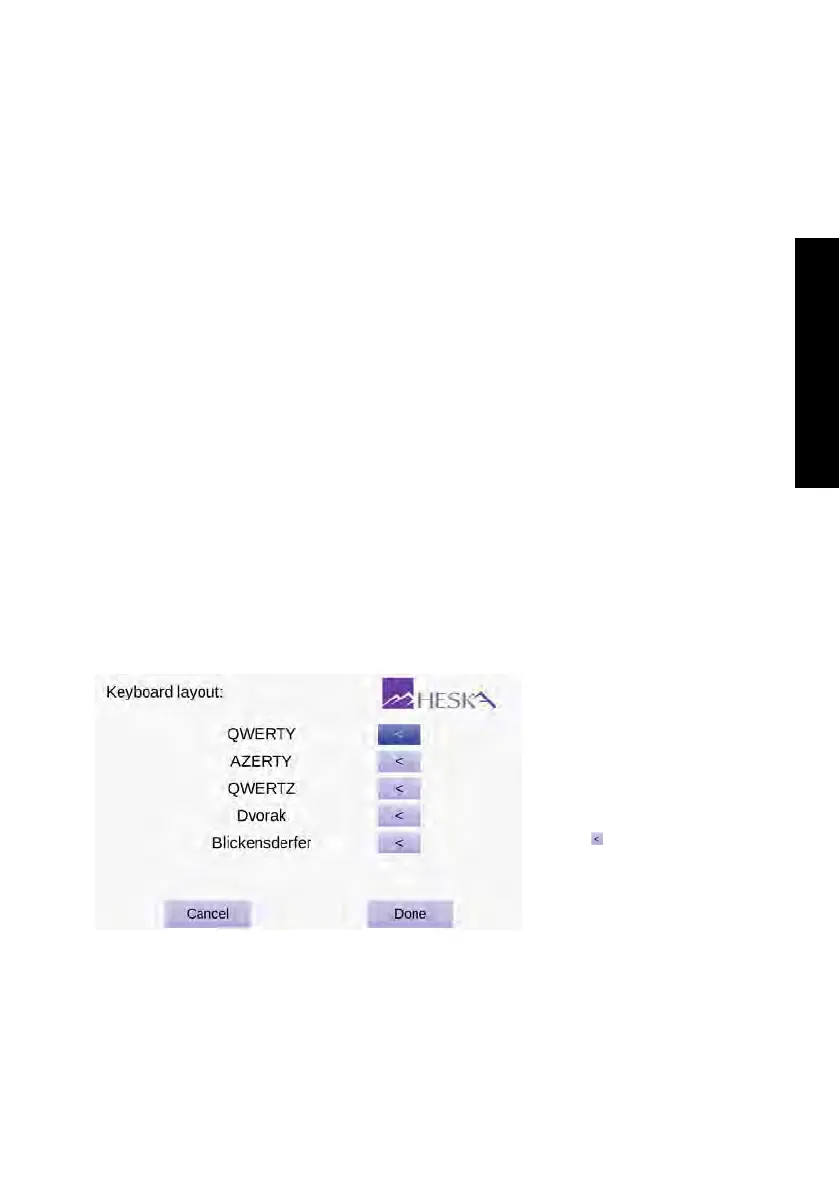
The screen for selecting or displaying the keyboard layout used by the graphical user
interface is shown in
Figure 3.12
. The currently active keyboard layout is indicated by a
dark purple arrow button to the right of the keyboard layout name.
The keyboard layout refers to the visual and functional arrangement of the keys and leg-
ends associated with the arrangement of buttons on the on-screen keyboards. Currently,
five commonly used keyboard layouts are available:
QWERTY
This keyboard layout is the most widespread layout in use and is the default
layout used by the Heska Element COAG
™
Analyzer. In this layout Q-W-E-R-T-Y
are the first six letters in the upper row of letters on the keyboard.
AZERTY
This keyboard layout is commonly used in French speaking countries. In
this layout A-Z-E-R-T-Y are the first six letters in the upper row of letters on the
keyboard.
QWERTZ
This keyboard layout is commonly used in Germany. In this layout Q-W-E-R-
T-Z are the first six letters in the upper row of letters on the keyboard.
Dvorak
This keyboard layout is frequently used as an alternative for the QWERTY
keyboard layout. In this keyboard layout most of the English characters are con-
centrated in the middle row of letters.
Blickensderfer
This keyboard layout, for some people, provides better typing efficiency.
The bottom row of characters in this layout is D-H-I-A-T-E-N-S-O-R.
Figure 3.12:
Keyboard
Layout. The currently
selected keyboard
layout is indicated by
a dark purple arrow
button to the right of
the keyboard layout
name. Touch the
purple to the right of
another layout option
to change the layout
of the graphical user
interface.
By default, the Heska Element COAG
™
Analyzer displays the QWERTY Keyboard Layout.
To change to a different layout:
25



 To Next Page