Chapter 6
6. Troubleshooting
6.1. Technical Support
Contact Heska’s Technical Support Services for assistance at 1-800-464-3752.
6.2. Problems That Give No Advisory Messages
Problems that may occur but will not give an error message on the screen are tabulated
in Table 6.1.
Table 6.1: List of problems that give no error messages.
Problem Corrective Action
Nothing happens when the instrument is
turned on
Make sure that the instrument is connected
to the power supply and that the power sup-
ply is connected to a power outlet. Check
that the LED on the power supply is lit.
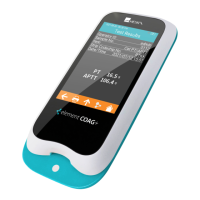
The Heska Element COAG
™
cartridge can-
not be inserted in the cartridge slot of the
Heska Element COAG
™
Analyzer
Make sure that there are no foreign objects
in the cartridge slot.
The message
Please insert new car-
tridge
is still shown on the screen even
after the cartridge has been inserted.
Make sure that the cartridge is fully in-
serted in the cartridge slot.
Nothing happens when a button is touched
or there is a misalignment between the
point of touch and the action carried out by
the Analyzer.
Make sure that the Analyzer’s touch screen
is properly calibrated. See Section 6.4 for
information regarding how to perform a
screen calibration.
6.3. List of Advisories
In case a problem occurs during a test, the Heska Element COAG
™
Analyzer will in most
instances report an Advisory Number. For a list of possible advisories and corresponding
corrective actions, please refer to Table 6.2.
43


 To Next Page