Chapter 4
4. Memory Database
Up to a 1000 test results are automatically stored in the Heska Element COAG
™
Ana-
lyzer’s memory database. The files in the database are sorted by date, with the most
recent first. Each file is stored with Patient ID, Sample ID, Test Date and Time, and test
results. There is a built-in search function to retrieve test results by Test Type, Patient
or Sample ID or by Date. Test results can be printed if a printer is connected to the
Analyzer.
4.1. Viewing Test Results
To view the results database, touch the
History
button on the Analyzer’s Home Screen.
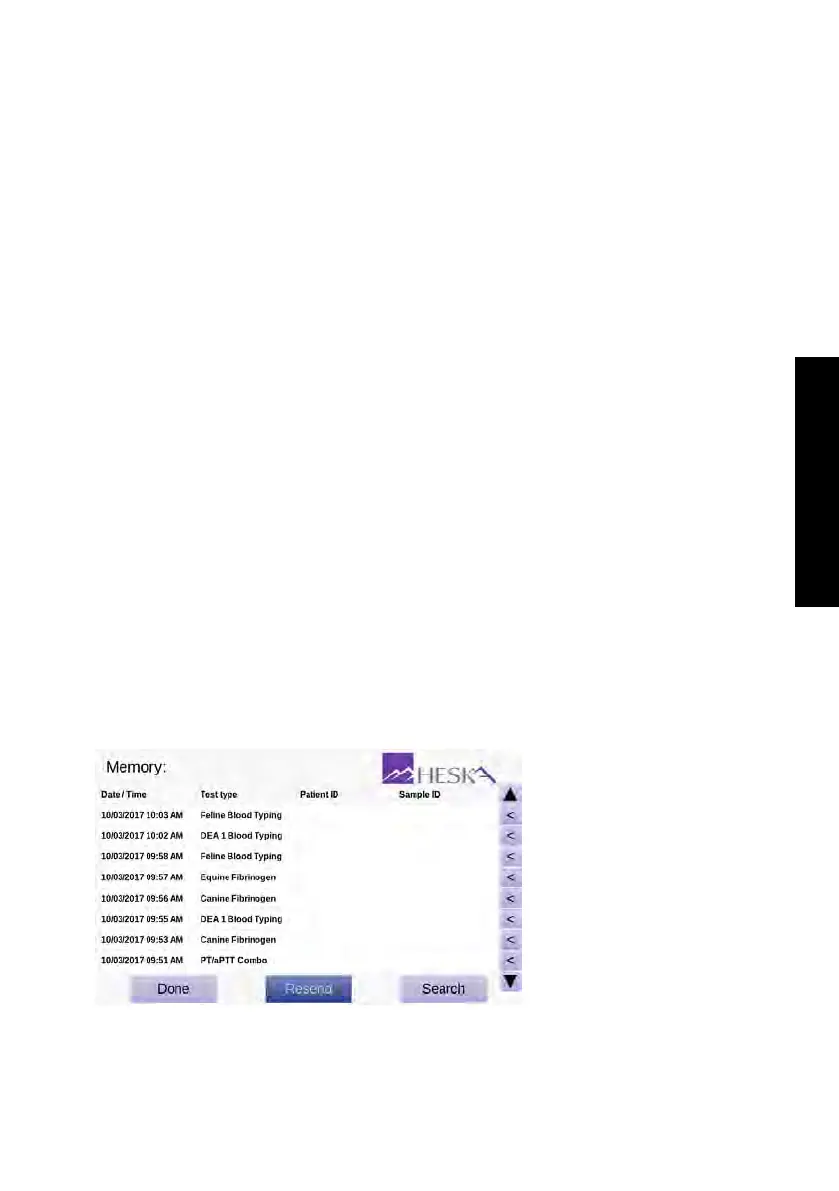
This will open the results database view shown in
Figure 4.1
. This view shows the last
1000 results obtained on the Analyzer sorted by date (newest first).
For each result the following are listed: Date and time of test, Test Type, Patient ID and
Sample ID. Patient and Sample ID are supplied by the operator when running the test.
The test date/time and test type are automatically logged by the Analyzer when running
a test.
Results can be retrieved from the database by performing a search based on the above
meta-data. To access the Search Menu, touch the
Search
button at the buttom of the
screen and follow the directions given in Section 4.2.
Figure 4.1:
Results
history. Up to 1000
test results are stored
in the internal results
database on the Heska
Element COAG
™
Analyzer.
37



 To Next Page