Chapter 3
3.2. Configuration of the Heska Element COAG
™
Analyzer
Delay
Touch the to the right to change the delay before the screen saver is started.
Possible choices are 1 minute, 5 minutes, 10 minutes, and 30 minutes.
Interval
Touch the to the right to change the interval between exchanging the displayed
images when the screen saver is running. Possible choices are every 10 seconds,
every minute, and every 5 minutes.
Load pictures
To select pictures to be displayed when the screen saver is running,
touch the to the right. See
Section 3.2.8.1
for details regarding supported image
formats and how to load the pictures.
Start now
Touch the to the right to test the screen saver. Touch anywhere on the
screen to return to the Screen Saver Settings menu after testing.
i
Touching
Done
in the Screen Saver Settings menu returns to the Settings Menu.
3.2.8.1. Load Pictures
Pictures for display when the Heska Element COAG
™
Analyzer’s screen saver is running
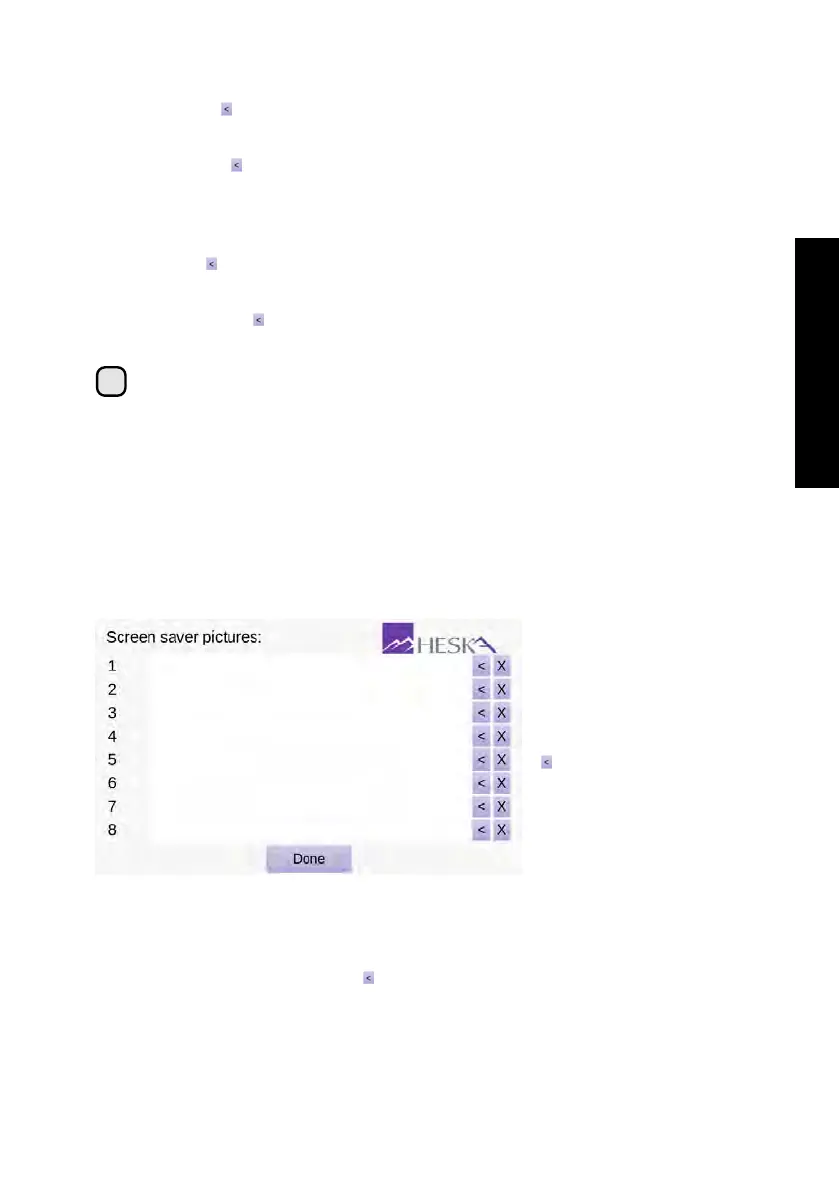
can be loaded from the Screen Saver Pictures menu, see
Figure 3.20
. Up to eight
pictures can be loaded and displayed at random when the screen saver is running.
Figure 3.20: Load Pictures.
Up to eight screen
saver pictures can be
loaded at a time for use
by the Heska Element
COAG
™
Analyzer’s
screen saver. To load
a picture, touch the
to the right of the
desired picture number
and select the image
file. To delete a picture
touch the purple cross
next to the image.
To add a new picture for use by the screen saver:
1. From the Home Screen, touch Setup (this opens the Settings Menu).
2.
From the Settings Menu, touch to the right of the Screen Saver category (this
opens the Screen Saver Settings page).
35



 To Next Page