Chapter 3
3.2. Configuration of the Heska Element COAG
™
Analyzer
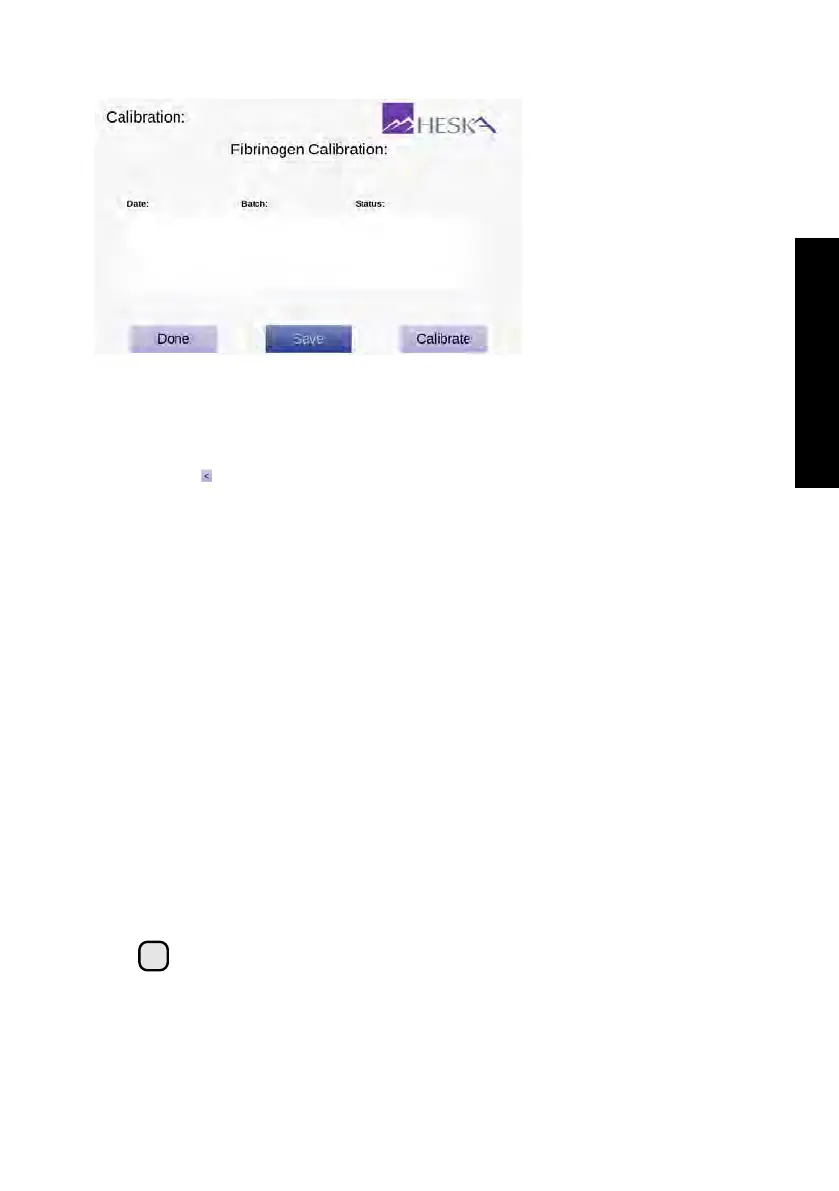
Figure 3.17:
Calibration
Overview. The Cal-
ibration overview
shows details regarding
date(s) and time(s) for
when calibration for the
Fibrinogen Test has
been performed.
To access the Calibration overview, touch the
Setup
button on the Home Screen and
then touch the to the right of the Calibration category in the Settings Menu.
The Calibration page has three buttons:
Done
Touching the
Done
button returns to the Settings Menu without making changes
to the Fibrinogen Calibration settings.
Save
If more than one calibration has been carried out, you can choose which calibration
the Analyzer should use when performing a Fibrinogen Test. If the calibration is
changed, you must touch
Save
to store the new selection and return the Settings
Menu.
Calibrate
To perform a new calibration of the Heska Element COAG
™
Analyzer for use
with the Fibrinogen Test, touch the
Calibrate
button. This will start a calibration
sequence.
i
Note that performing a calibration of the Heska Element COAG
™
Analyzer
requires an Fibrinogen Calibration Kit. Please contact Technical Support
Services for details regarding this procedure.
33



 To Next Page