Procedure
Step 1 Use the Back Up Current Settings function to record the ECC800-Pro
conguration information or manually record the information.
Path: Maintenance >
Conguration File > Back Up Current Settings
If the main control module is damaged, login may fail and backup cannot be performed.
The following information cannot be backed up: monitoring module IP address parameters,
smart module certicate, NetEco certicate, NetEco re-authentication password, time
conguration parameters, access user management, access permission management, device
access certicate, log, and user conguration information.
Step 2 Label each cable and antenna based on the corresponding ports on the ECC800-
Pro main control module.
Step 3 Remove cables, USB
ash drive, USB-to-WiFi module, and antennas from the
ECC800-Pro main control module.
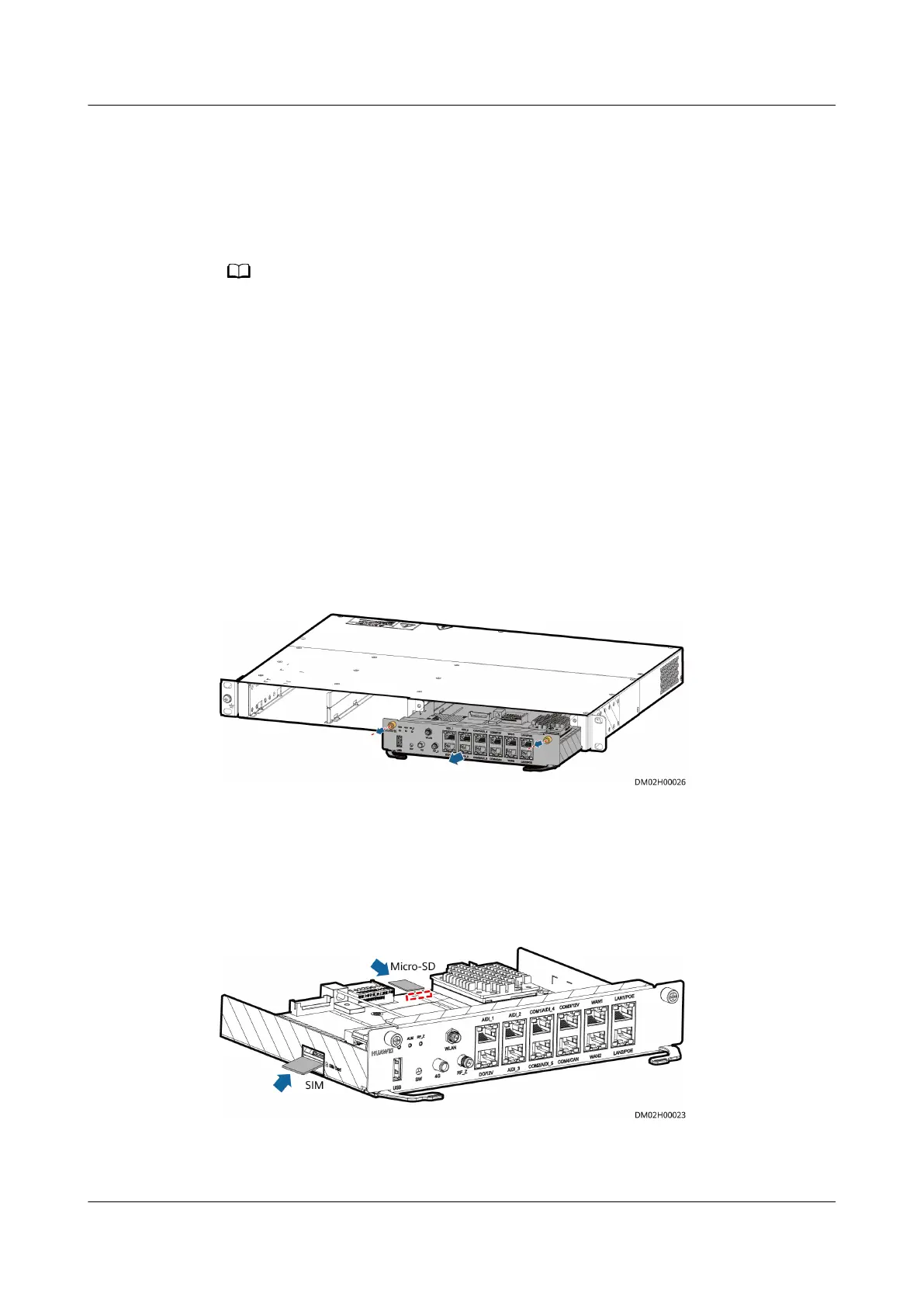
Step 4 Loosen the screws on both sides of the ECC800-Pro main control module and pull
the handles on both sides of the ECC800-Pro main control module to remove the
main control module.
Figure 6-6 Removing an ECC800-Pro main control module
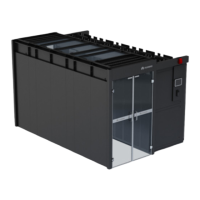
Step 5 (Optional) Remove the MicroSD card and SIM card from the corresponding slots
of the ECC800-Pro main control module.
Step 6 (Optional) Install the removed MicroSD card and SIM card in the corresponding
slots of the new ECC800-Pro main control module.
Figure 6-7 Installing the MicroSD card and SIM card
Step 7 Install the spare ECC800-Pro main control module in the ECC800-Pro subrack and
tighten the screws on both sides of the ECC800-Pro main control module.
FusionModule2000-S Smart Modular Data Center
User Manual 6 Operation and Maintenance
Issue 07 (2022-09-30) Copyright © Huawei Technologies Co., Ltd. 302





 To Next Page