Paramete
r
Description Conguration Principle Default
Value
L1/L2
linkage
humdity
Humidity setpoint in L1/L2
linkage.
Target humidity
controlled in the micro-
module. The parameter
can only be modied on
the ECC WebUI and
cannot be
modied on
the smart cooling
product screen.
45.0%RH
Note: In the ACC V100R002C00 software versions, DIP switch is replaced by the
Teamwork CAN resistor enable parameter. If teamwork is not set onsite,
remain the parameter in OFF. If teamwork is set, change the parameters of the
rst and last units to ON, and remain the others in OFF.
Step 3 Complete the teamwork settings for all the smart cooling products by performing
Step 1 and Step 2.
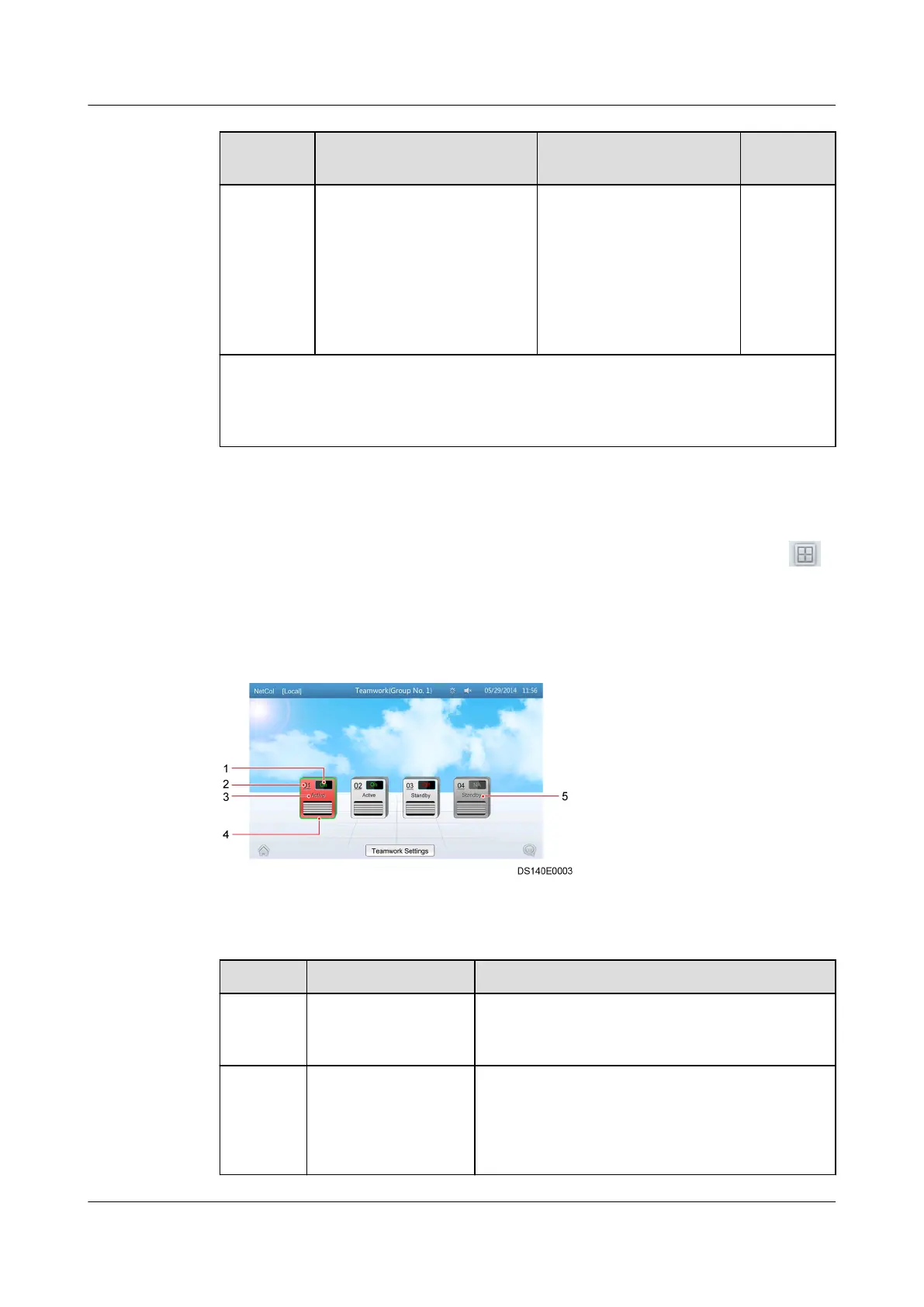
Step 4 On the home screen of any teamwork controlled smart cooling product, tap .
If the teamwork control succeeds, the teamwork topology of the smart cooling
product in the group is displayed, as shown in Figure 4-12. Table 4-7 describes
the note for the screen.
Figure 4-12 Teamwork topology
Table 4-7 Note for the screen
No.
Parameters Note
1 On/O/NA On indicates the smart cooling product is
started and O indicates the opposite. NA
indicates the smart cooling product is oine.
2 01, 02, 03 Indicates the device address. 01 is the master
one and the rest are all slave ones.
NOTE
If the master one oine, the teamwork networking
failed.
NetCol5000-A(025, 035) In-row Air Cooled Smart
Cooling Product
User Manual (600 mm Width) 4 ACC Introduction
Issue 17 (2020-10-22) Copyright © Huawei Technologies Co., Ltd. 102







 To Next Page