TE20 Videoconferencing Endpoint
Huawei Proprietary and Confidential
Copyright © Huawei Technologies Co., Ltd.
Figure 10-3 Connect to Server dialog box
Step 4 Choose Edit > Settings.
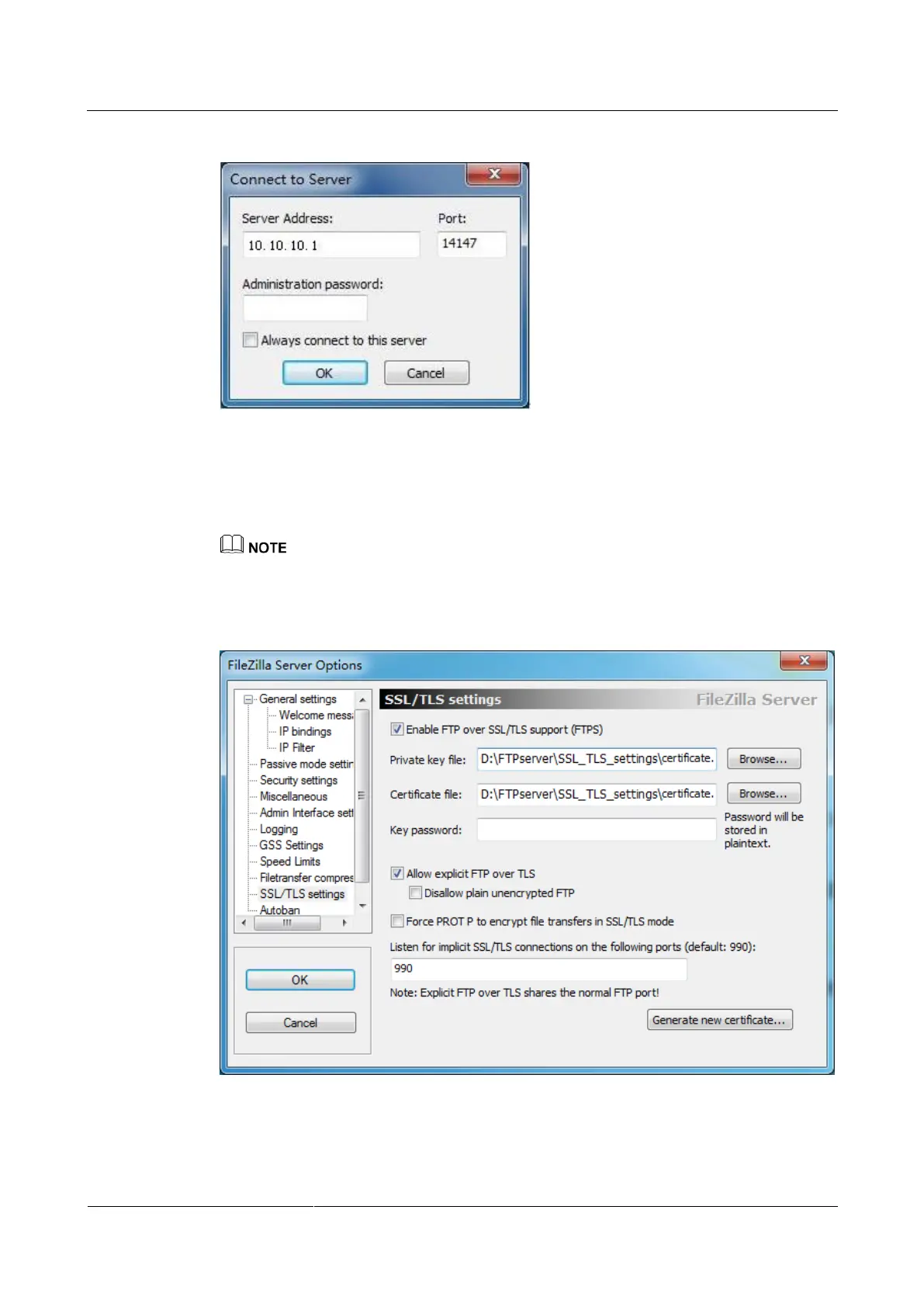
Step 5 Click SSL/TLS settings in the left column and select Enable FTP over SSL/TLS support
(FTPS), click Browse to import the certificate, and click OK, as shown in Figure 10-4.
Before importing a certificate, make sure it is issued by a security authority to prevent security risks.
If no certificate is available, click Generate new certificate.
Figure 10-4 FTPS Server Options dialog box
Step 6 Choose Edit > Users. The Users dialog box is displayed, as shown in Figure 10-5.



 To Next Page