4
RECEIVING AND TRANSMITTING
4-19
Operating CW (Continued)
D Keyer memory edit menu (EDIT)
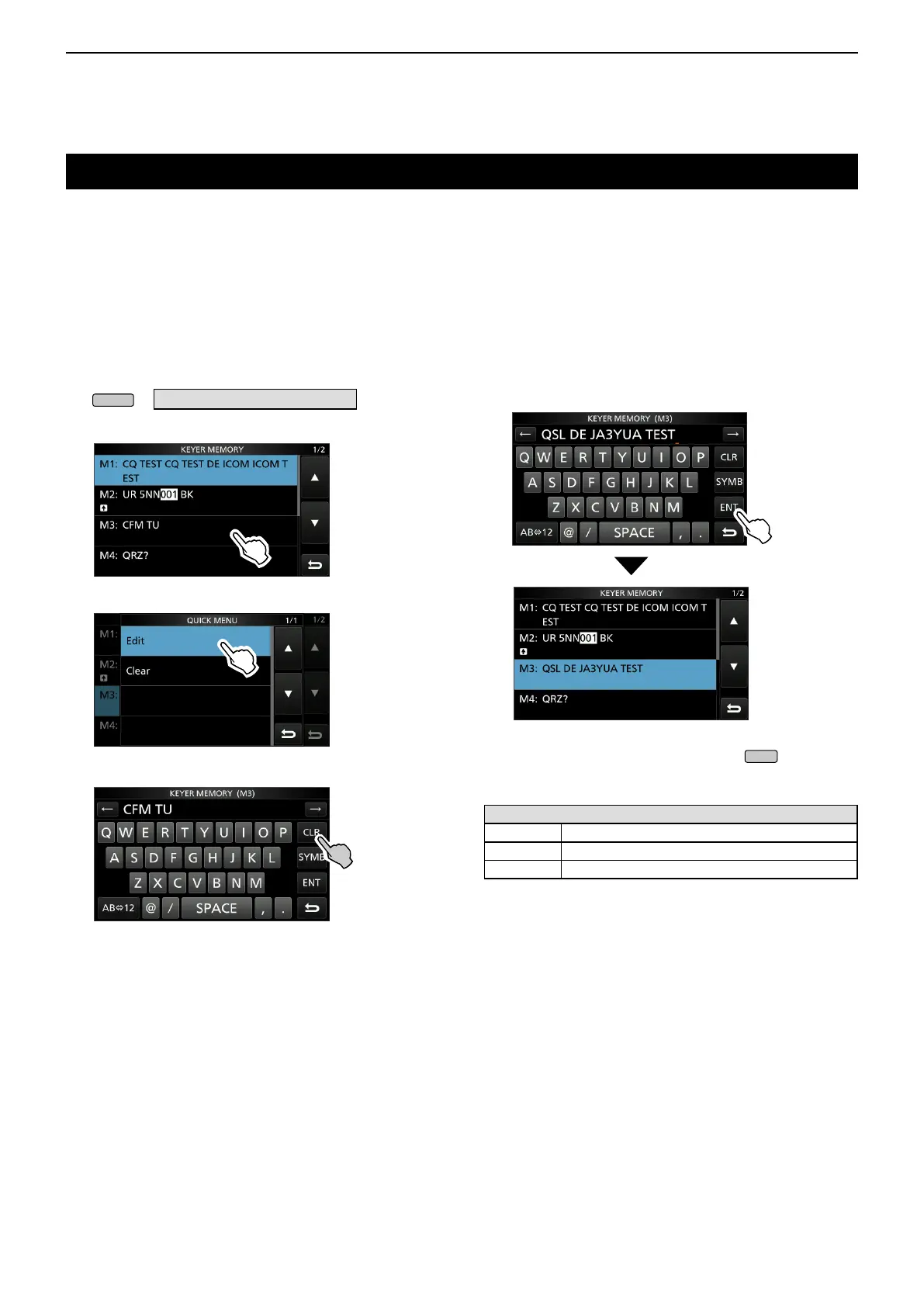
Edit the Memory keyer contents in the EDIT menu.
L You can use up to a total of 8 Memory keyers (M1 to M8),
and you can enter up to 70 characters in each memory.
Editing
(Example: Entering “QSL TU DE JA3YUA TEST” to M3)
1. Open the KEYER MEMORY screen in the CW
mode.
» KEYER > EDIT/SET > EDIT
2. Touch “CFM TU” for 1 second.
3. Touch “Edit.”
4. Touch [CLR] until the preset contents are cleared.
5. Enter
“QSL TU DE JA3YUA TEST,” and then touch
[ENT] to save.
LSee “Keyboard entering and editing” (p. 1-8) for details.
6. To close the KEYER screen, push
several
times.
Selectable characters
Alfabets ABCDEFGHIJKLMNOPQRSTUVWXYZ
Symbols / ? ^ . , @ *
Numbers 1234567890
About the symbols
• Enter “^” to send a string of characters with no
intercharacter space. Put “^” before a text string such as
^AR, and the string “ar” is sent with no space.
• Enter “*” (asterisk) to insert the CW contest number. The
number automatically advances by 1. You can use this for
only 1 Memory keyer at a time. “*” is used in Memory keyer
M2 by default.



 To Next Page