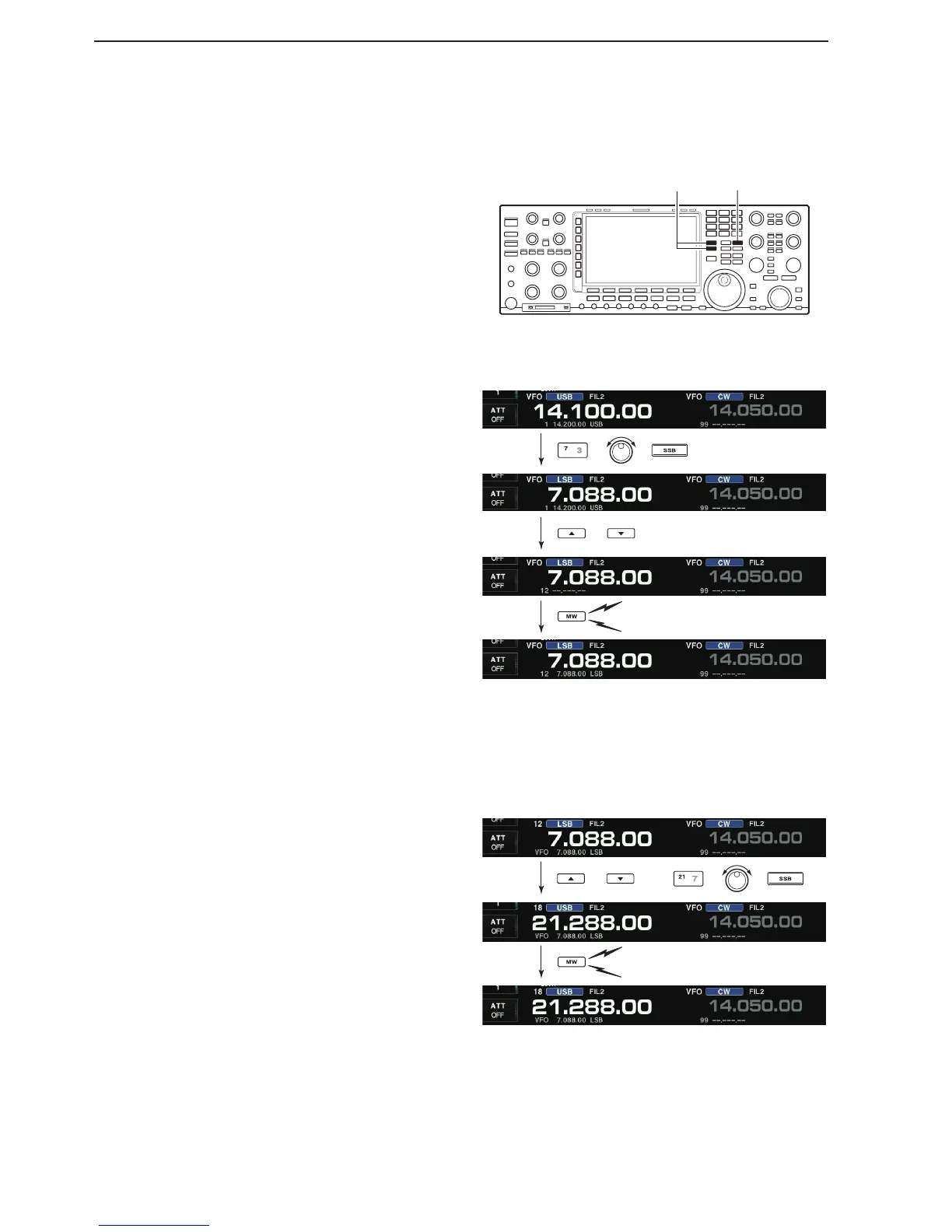
[EXAMPLE]: Programming 21.288 MHz/USB into memory
channel 18.
Entering Memory channel contents
D
Entering in the Memory mode
q Push [V/M] to select the Memory mode.
w Select the desired memory channel by pushing
M-CH [Y] or [Z].
• Memory channel contents are displayed in the memory
channel readout (below the frequency readout).
• “--.---.--” appears if the selected memory channel is a
blank channel (does not have contents).
e Set the desired frequency, operating mode and fil-
ter.
• To enter contents into a blank channel, use direct fre-
quency entry with the keypad or memo pads, and so
on.
r Hold down [MW] for 1 second to save the displayed
frequency, operating mode, filter, and so on into the
memory channel.
You can enter Memory channel in either the VFO or
Memory mode.
D
Entering in the VFO mode
q Push [V/M] to select the VFO mode.
w Set the desired frequency, operating mode and fil-
ter.
e Push M-CH [p] or [q] several times to select the de-
sired preset memory channel.
• The Memory list screen is convenient for selecting the
desired channel.
• Memory channel contents are displayed in the memory
channel readout (below the frequency readout).
• “--.---.--” is displayed if the selected memory channel is a
blank channel (does not have contents). Blank channels
cannot be entered in the VFO mode.
r Hold down [MW] for 1 second to save the displayed
frequency, operating mode, filter and so on, into the
memory channel.



 To Next Page