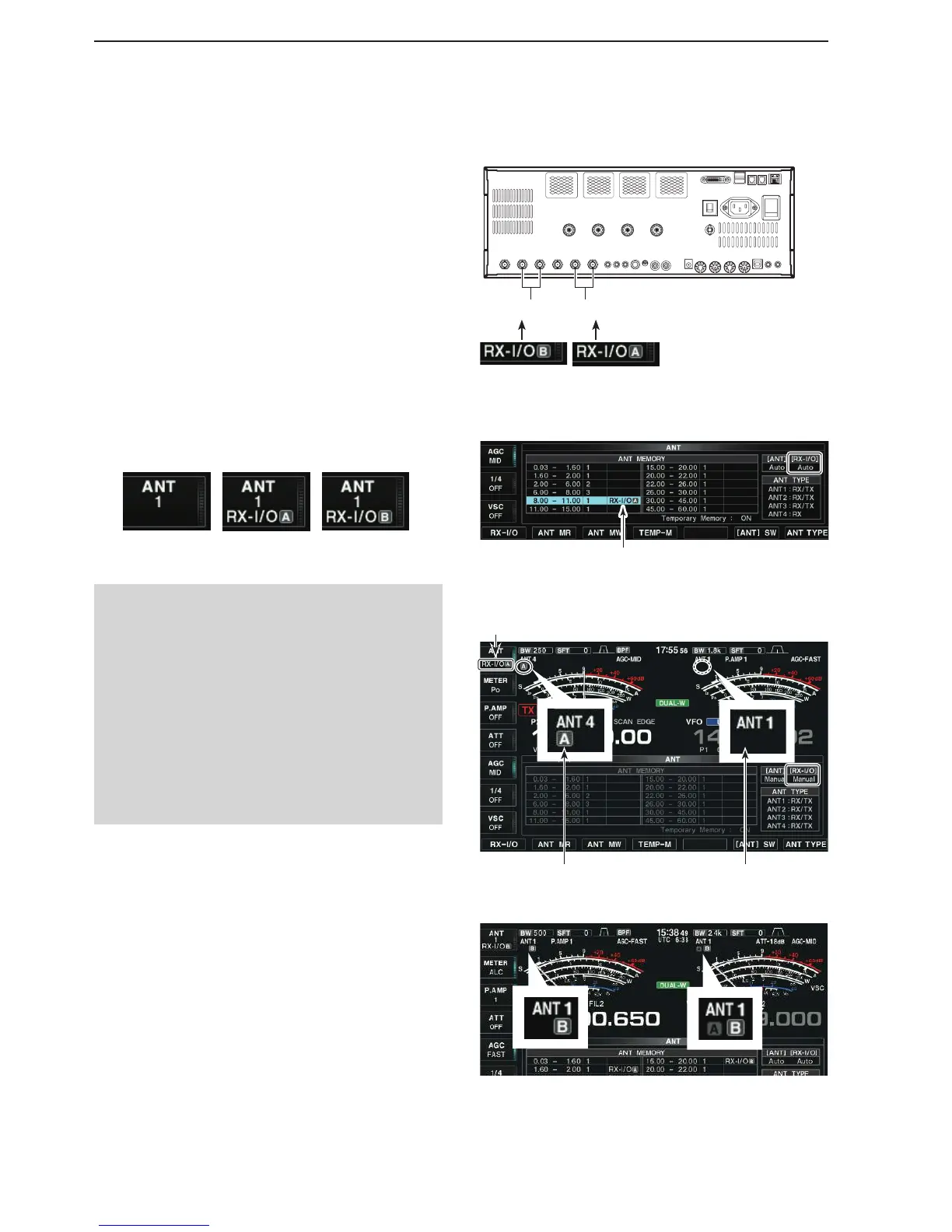
[RX-ANT B]
OUT OUTIN IN
[RX-ANT A]
• When the RX-I/O is selected.
OFF RX-I/O A RX-I/O B
• When the RX-I/O is selected (1)
The setting is Displayed
Set to RX-I/O A Set to [RX-I/O] OFF
• When the RX-I/O is selected (2)
When a common antenna is selected on the Main and Sub bands,
different RX-I/O settings cannot be set.
Thus, the transceiver automatically sets the RX-I/O setting of the
inoperating band to the correct setting, the same as the operating
band.
• When the RX-I/O A is selected in the 10 MHz band
Pushing [RX-I/O](F) changes setting
Antenna memory settings (Continued)
D
Receive antenna I/O setting
A [RX-I/O] connector is automatically selected when
you store the settings in the antenna memory.
When you set the settings to [Auto manual] or [Manual
Manual], an [RX-I/O] connector is commonly selected
regardless of the selected band.
q Hold down the Multi-function [ANT]() key for 1 sec-
ond.
• The ANT screen is displayed.
Push [RX-I/O](F) to activate the receive antenna w
connectors.
• “ RX-I/O” indicators appear when [RX-I/O A] and/or [RX-
I/O B] is active.
• Either “RX-I/O A” or “RX-I/O B” indicator appears under
the “ANT” indicator.
NOTE:
• When an external device is connected, and when a
common antenna is set to the Main and Sus bands,
different RX-I/O settings cannot be set.
• When different antennas are set to the Main and
Sub bands, common RX-I/O settings cannot be
set.
• When the SUB band is selected in the Dualwatch
function OFF, you cannot change the RX-I/O set-
ting.
However, if you additionally turn ON the SPLIT
function and holding down [XFC], you can change
the RX-I/O setting.



 To Next Page