() Multi-function keys
[RX-ANT B]
OUT OUTIN IN
[RX-ANT A]
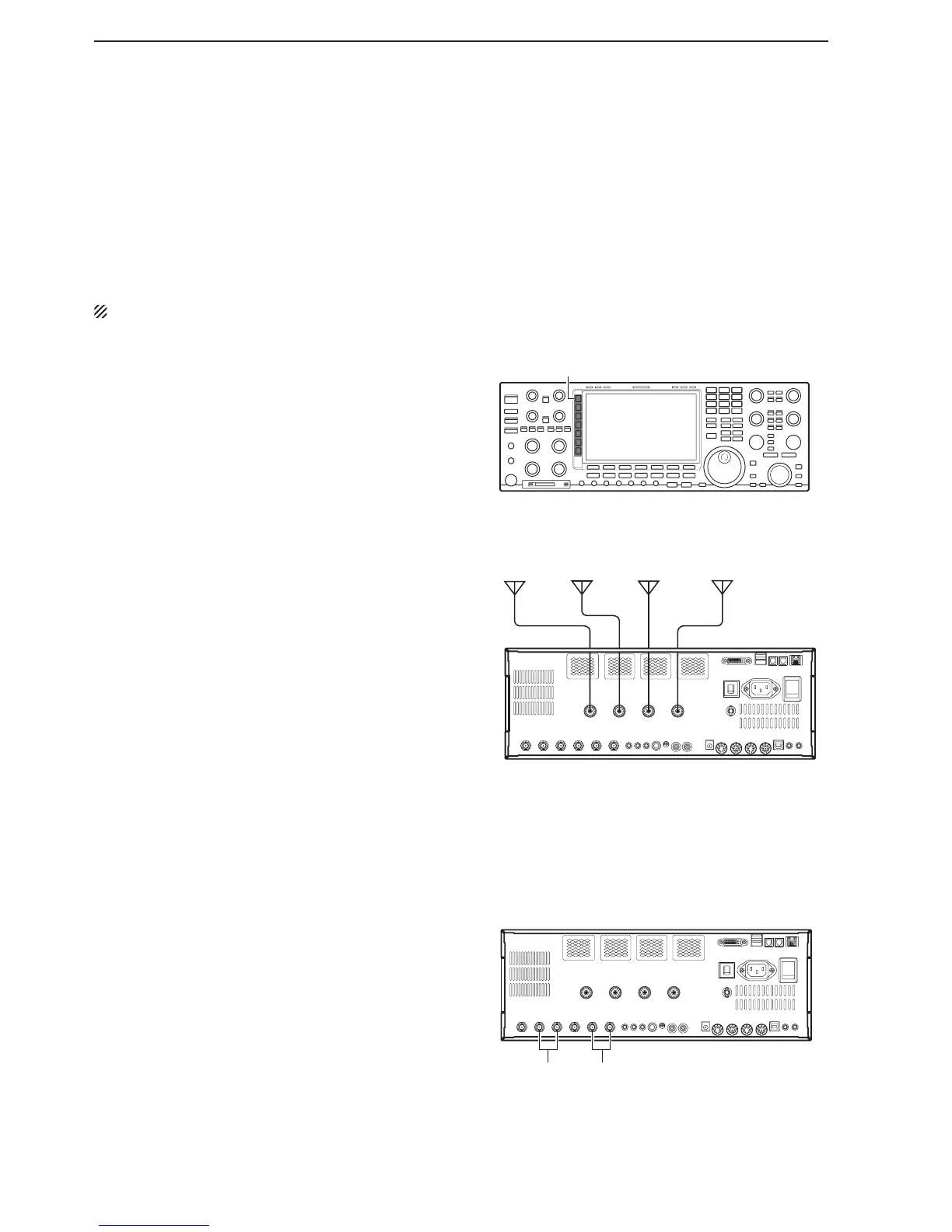
• Antenna connection example
The transceiver has four antenna connectors for the
HF/50 MHz bands, [ANT1], [ANT2], [ANT3], and
[ANT4].
You can automatically select an antenna to your op-
erating band if you assign an antenna to an operating
band in advance.
NOTE: [ANT4] can be set as receive only.
• Antenna selection mode: “Auto”
You can assign combinations of antenna connected
to [ANT1] to [ANT4] and an operating band. After an
antenna has been selected for use, the antenna is au-
tomatically selected whenever that band is used.
Antenna selection mode (p. 13-5)
Antenna memory settings (p. 13-3)
• Antenna selection mode: “Manual”
You can push [ANT]() to manually select a antenna
connected to [ANT1] to [ANT4].
Antenna selection mode (p. 13-5)
Temporary memory (p. 13-5)
Receive Antenna-I/O selection
The transceiver has two independent receive antenna
connectors, [RX-ANT A] and [RX-ANT B] on the rear
panel.
You can connect a receive only antenna to IN, other
receivers to OUT, and an external pre-amplifier/Filter
between IN and OUT.
Receive antenna I/O setting (p. 13-6)



 To Next Page