10-10
10
USING AN SD CARD OR USB FLASH DRIVE
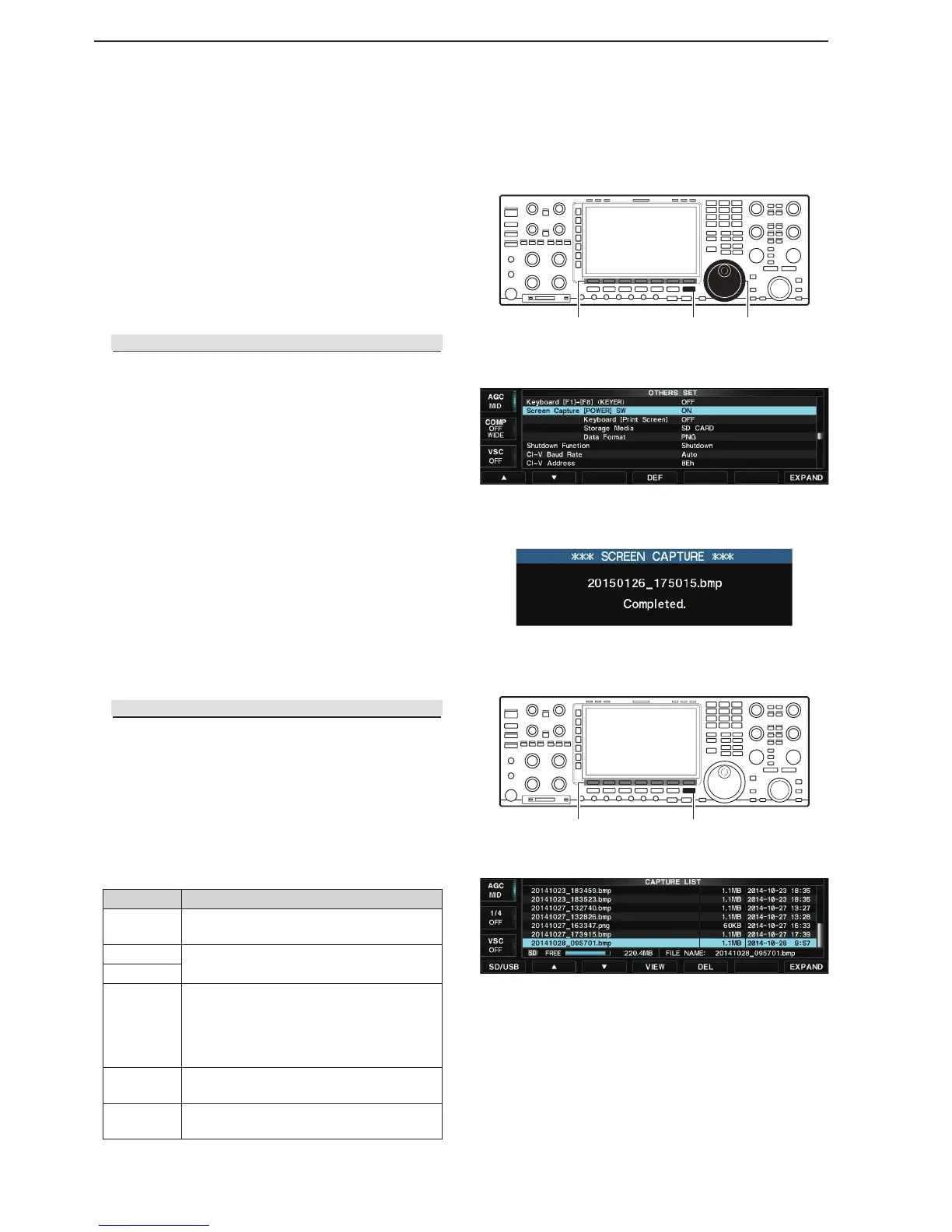
Viewing the captured screen D
Screen Capture function
You can capture the transceiver display onto the SD
card or USB flash drive. Most of screens described in
this manual are captured using this function.
NOTE: Some screens cannot be captured.
Displays the SD/USB-Memory set screen. q
SET [F-7] SD/USB [F-7]
Push [VIEW](F). w
• The Capture list screen is displayed.
Push [ e p](F) or [q](F) to select a desired file.
Push [VIEW](F) to display the captured screen. r
• The [MAIN] or [SUB] key blinks while displaying the le.
After checking the file, push [EXIT/SET] twice. t
• Exits the Capture list screen.
Capturing the screen D
Select the “Screen Capture [POWER] SW” item in q
the Others set screen.
SET [F-7] OTHERS [F-5] Screen Capture [POWER] SW
Rotate [MAIN DIAL] to select “ON.” w
• The Screen capture function is assigned to the [POW-
ER] key.
You can also assign the function to the [Print Screen] key
on the USB keyboard.
If desired, select the storage media between the SD card
and USB flash drive, or select the data format between
PNG and BMP.
Push [EXIT/SET] several times. e
• Exits the Set screen.
Set a desired screen. r
Push [POWER] to capture the screen. t
• The captured screen is saved onto the selected storage
media in the selected data format.
• Functions in the Capture list screen
Function Action
SD/USB
Toggles between an SD card and USB flash
drive.
p
Selects a file.
q
VIEW
Displays the captured screen.
• The [MAIN] or [SUB] key blinks while dis-
playing the file.
• Push [EXIT/SET] to return to the Capture
list screen.
DEL
Hold down for 1 second to display the dialog
box for deleting.
EXPAND
Toggles between the Expanded and normal
screens.
[EXIT/SET](F) Function keys
• Capture list screen
• Others set screen
[EXIT/SET] [MAIN DIAL](F) Function keys



 To Next Page