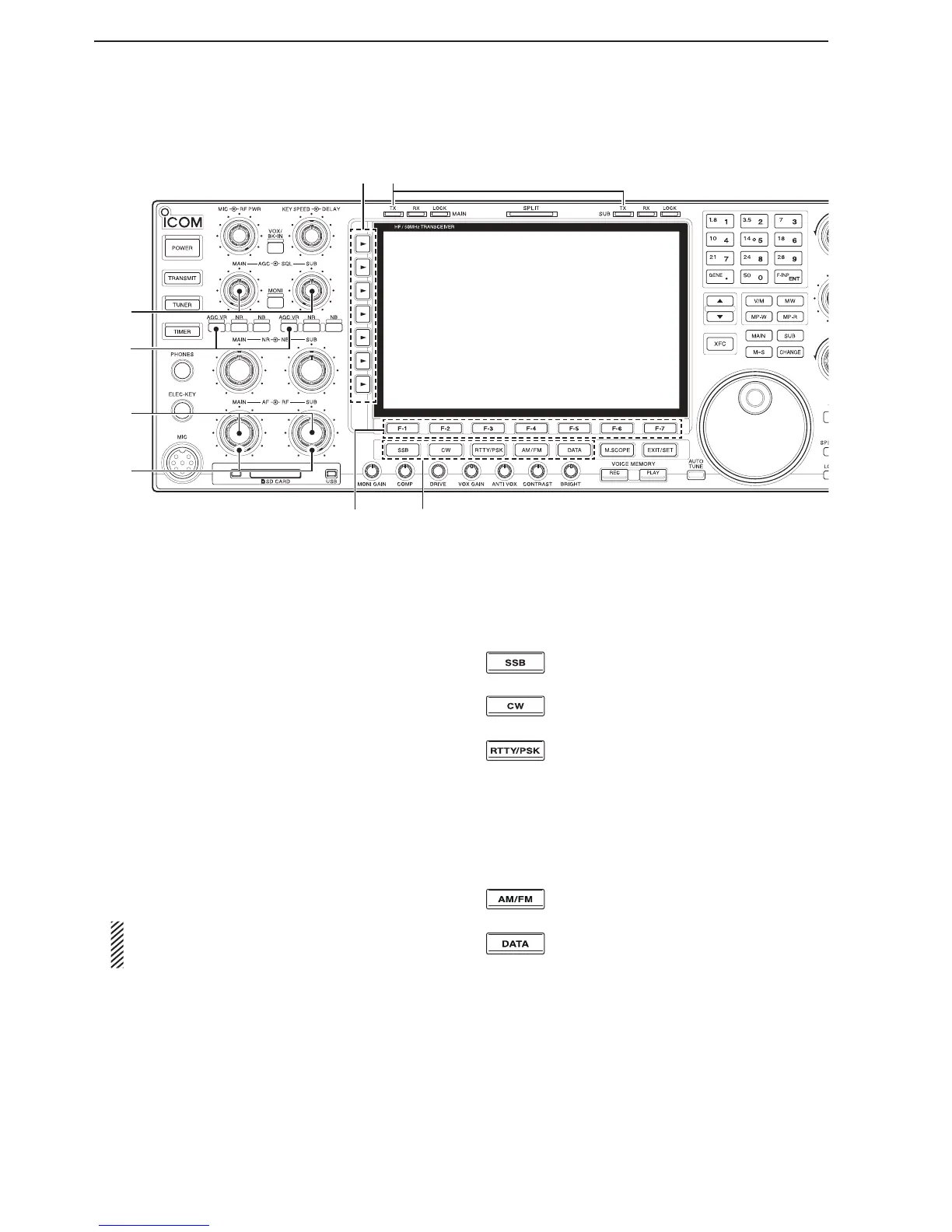
@3 AGC CONTROL [AGC] (p. 7-4)
Rotate to adjust the continuously-variable AGC cir-
cuit time constant.
• To use the [AGC] control, push the appropriate band’s
[AGC VR] (The [AGC VR] indicator lights white).
@4 AGC VOLUME KEY [AGC VR] (p. 7-4)
Push to toggle the [AGC] control ON or OFF.
• Use the [AGC] control to set the AGC time constant
when switched ON.
• The [AGC VR] indicator above this key lights white
when the control is ON.
Hold down for 1 second to turn OFF the AGC
function.
@5 AF CONTROL [AF] (p. 4-4)
Rotate to adjust the audio output level of the speak-
er or headphones.
@6 RF GAIN CONTROL [RF] (p. 4-4)
Rotate to adjust the RF gain level.
While rotating the RF gain control, you may hear
noise. This comes from the DSP unit and does
not indicate a malfunction.
@7 FUNCTION KEYS [F-1]–[F-7]
Push to select the function indicated in the display
above these keys.
• Functions vary, depending on the operating mode.
@8 MODE KEYS
Selects the desired mode. (p. 4-10)
•
The Voice synthesizer announces the selected mode.
(p. 16-2)
Push to alternately
select the USB or
LSB mode.
Push to alternately select the CW or
CW-R (CW reverse) mode.
Push to toggle between the RTTY and
PSK modes.
Hold down for 1 second to toggle be-
tween the RTTY and RTTY-R (RTTY re-
verse)
modes.
Hold down for 1 second to toggle be-
tween the PSK and PSK-R (PSK reverse)
modes.
Push to alternately
select the
AM or FM
mode.
Push to toggle between
the
SSB, AM, or
FM data (USB-D, LSB-D, AM-D, FM-D) and
voice modes.
Hold down for 1 second to toggle be-
tween D1, D2, and D3.
@9 TRANSMIT INDICATOR [TX]
Lights red while transmitting.
• The SUB band’s [TX] indicator lights only when in split
operation.
Front panel (Continued)
@8
@7
@4
@6
@3
@5
@9#0



 To Next Page