EasyManua.ls Logo

Icom IC-M804 - Scan; D CH and CH Resume; D Program

Icom IC-M804
88 pages
Print Icon
To Next Page IconTo Next Page
To Previous Page IconTo Previous Page
Loading...
13
5

D Program
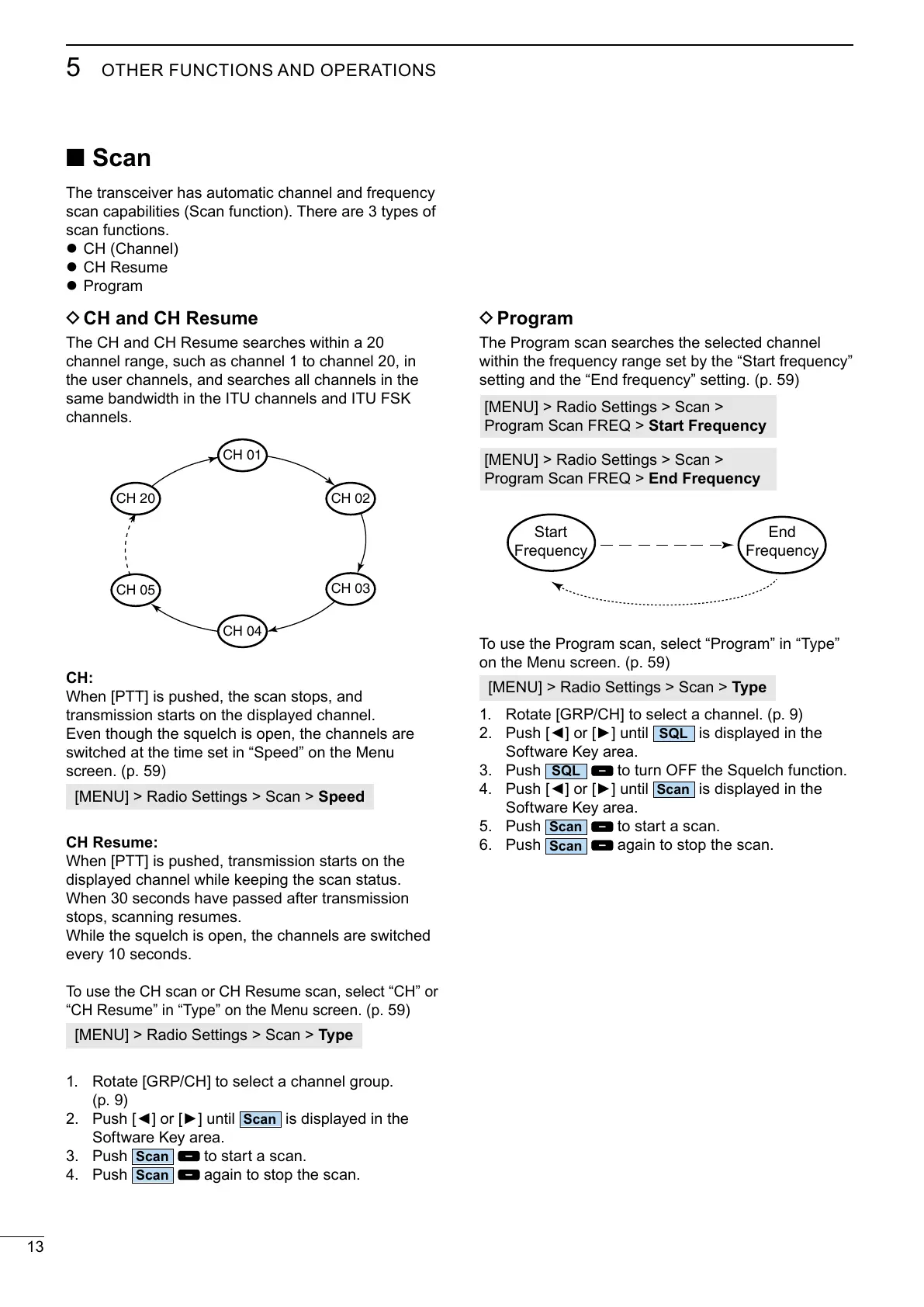
The Program scan searches the selected channel



Start Frequency

End Frequency
Start





Type
1. 
2. 
SQL
is displayed in the
Software Key area.
3. Push
SQL

4. 
Scan
is displayed in the
Software Key area.
5. Push
Scan
to start a scan.
6. Push
Scan
again to stop the scan.
Scan
The transceiver has automatic channel and frequency
scan capabilities (Scan function). There are 3 types of
scan functions.
z CH (Channel)
z CH Resume
z Program
D CH and CH Resume
The CH and CH Resume searches within a 20
channel range, such as channel 1 to channel 20, in
the user channels, and searches all channels in the

channels.
CH:

transmission starts on the displayed channel.



Speed
CH Resume:

displayed channel while keeping the scan status.
When 30 seconds have passed after transmission
stops, scanning resumes.
While the squelch is open, the channels are switched
every 10 seconds.



)
Type
1. 

2. 
Scan
is displayed in the
Software Key area.
3. Push
Scan
to start a scan.
4. Push
Scan
again to stop the scan.
CH 01
CH 05
CH 20
CH 03
CH 04
CH 02

Table of Contents

Related product manuals