5
3.
.
+
Push
Rotate
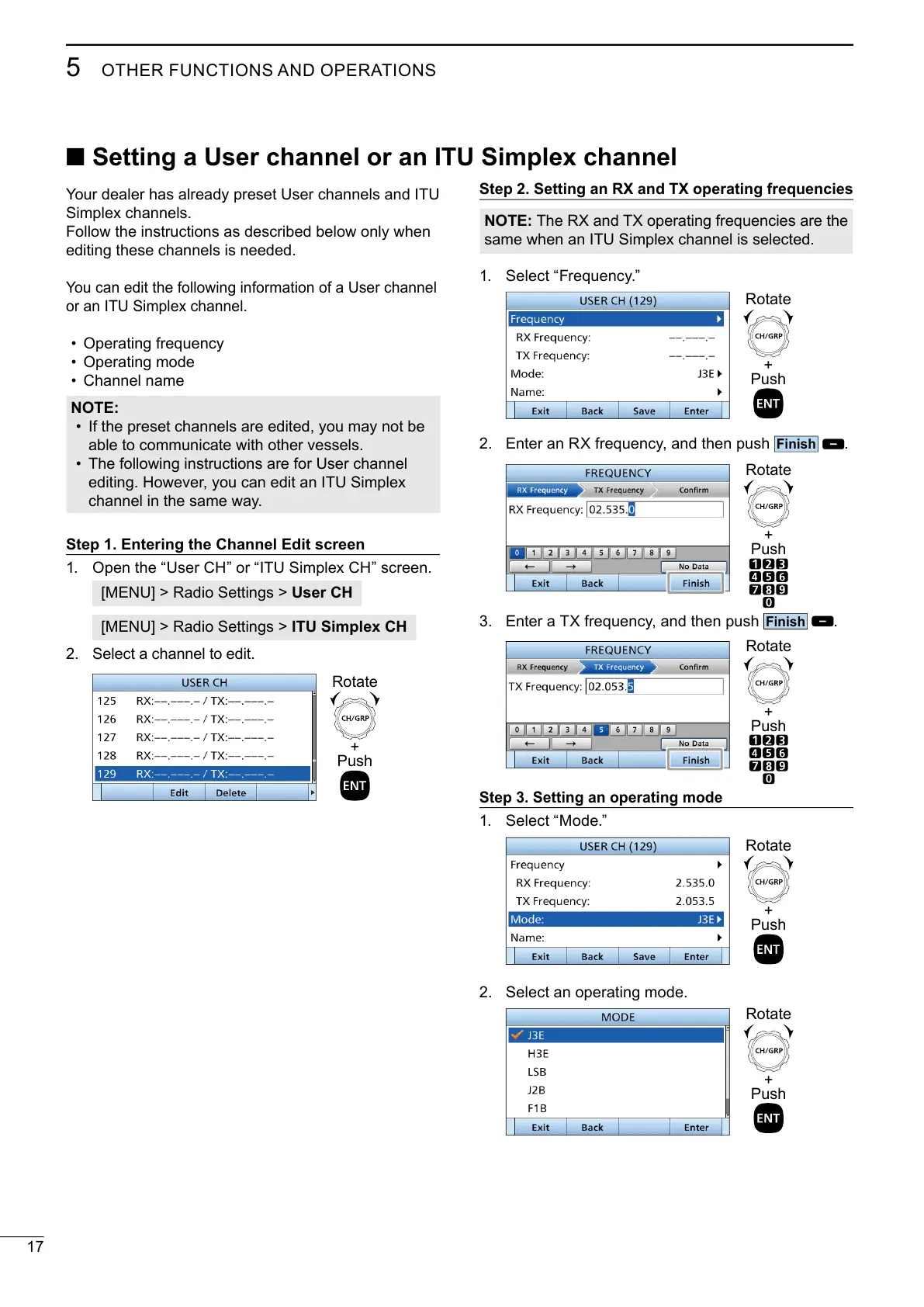
Step 3. Setting an operating mode
1.
+
Push
Rotate
2. Select an operating mode.
+
Push
Rotate
editing these channels is needed.
•
•
• Channel name
NOTE:
• If the preset channels are edited, you may not be
able to communicate with other vessels.
•
channel in the same way.
Step 1. Entering the Channel Edit screen
1.
User CH
ITU Simplex CH
2. Select a channel to edit.
+
Push
Rotate
■ Setting a User channel or an ITU Simplex channel
Step 2. Setting an RX and TX operating frequencies
NOTE: The RX and TX operating frequencies are the
1.
+
Push
Rotate
2.
.
+
Push
Rotate



 To Next Page