67
8
CONNECTIONS AND INSTALLATION
■ Mounting
D Mounting the main unit
You can mount the Main unit using the supplied
R WARNING! NEVER
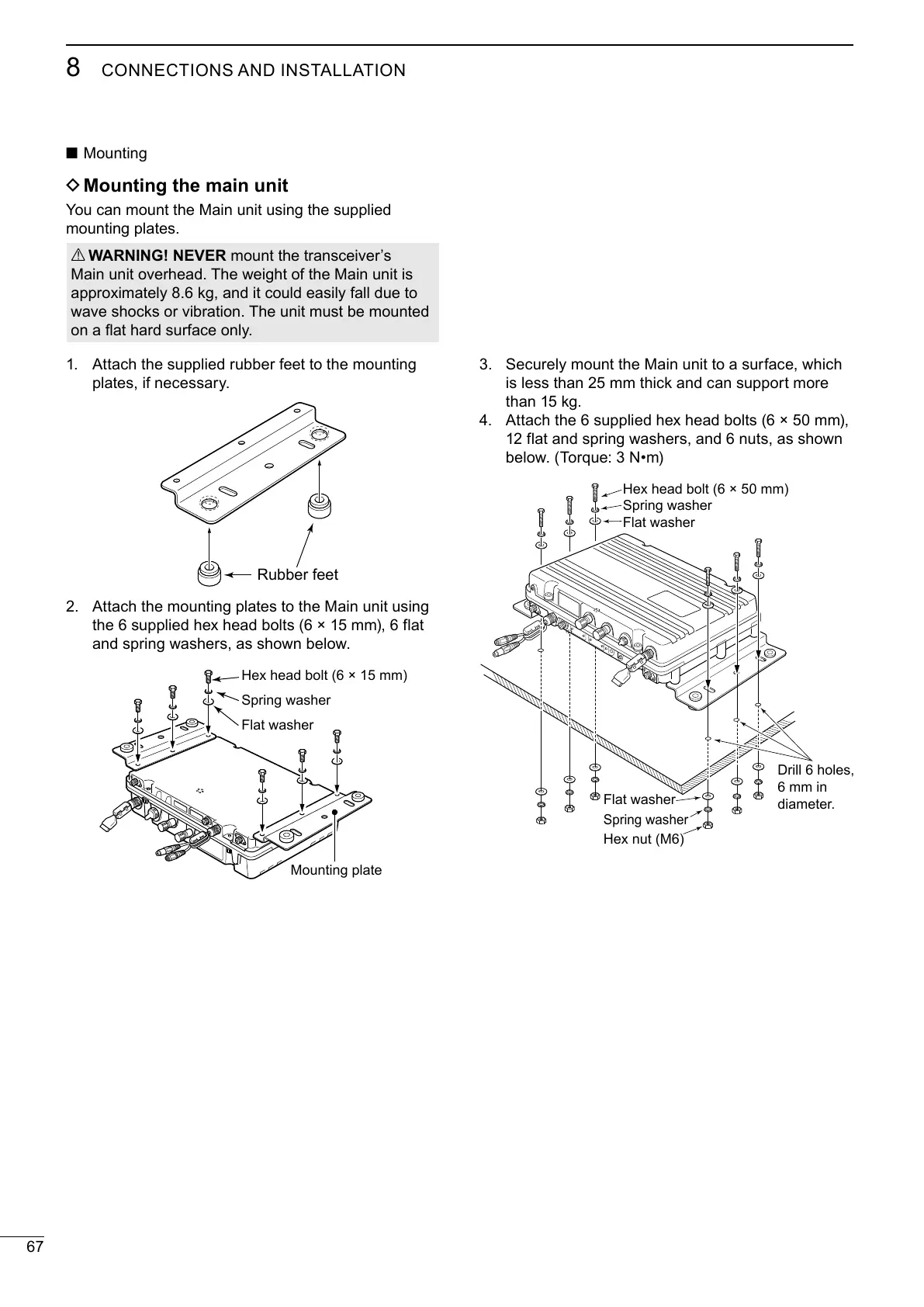
Attach the supplied rubber feet to the mounting
Attach the mounting plates to the Main unit using
the 6 supplied hex head bolts (6 × 15 mm), 6 flat
Hex head bolt (6 × 15 mm)
Spring washer
Flat washer
Mounting plate
Securely mount the Main unit to a surface, which
is less than 25 mm thick and can support more
Attach the 6 supplied hex head bolts (6 × 50 mm),
12 flat and spring washers, and 6 nuts, as shown
Hex head bolt (6 × 50 mm)
Spring washer
Flat washer
Hex nut (M6)
Spring washer
Flat washer
Drill 6 holes,
6 mm in
Rubber feet



 To Next Page