EasyManua.ls Logo

Icom IC-M804 - Menu Screen; About the Menu Screen; Selecting the Item

Icom IC-M804
88 pages
Print Icon
To Next Page IconTo Next Page
To Previous Page IconTo Previous Page
Loading...
53
7
MENU SCREEN
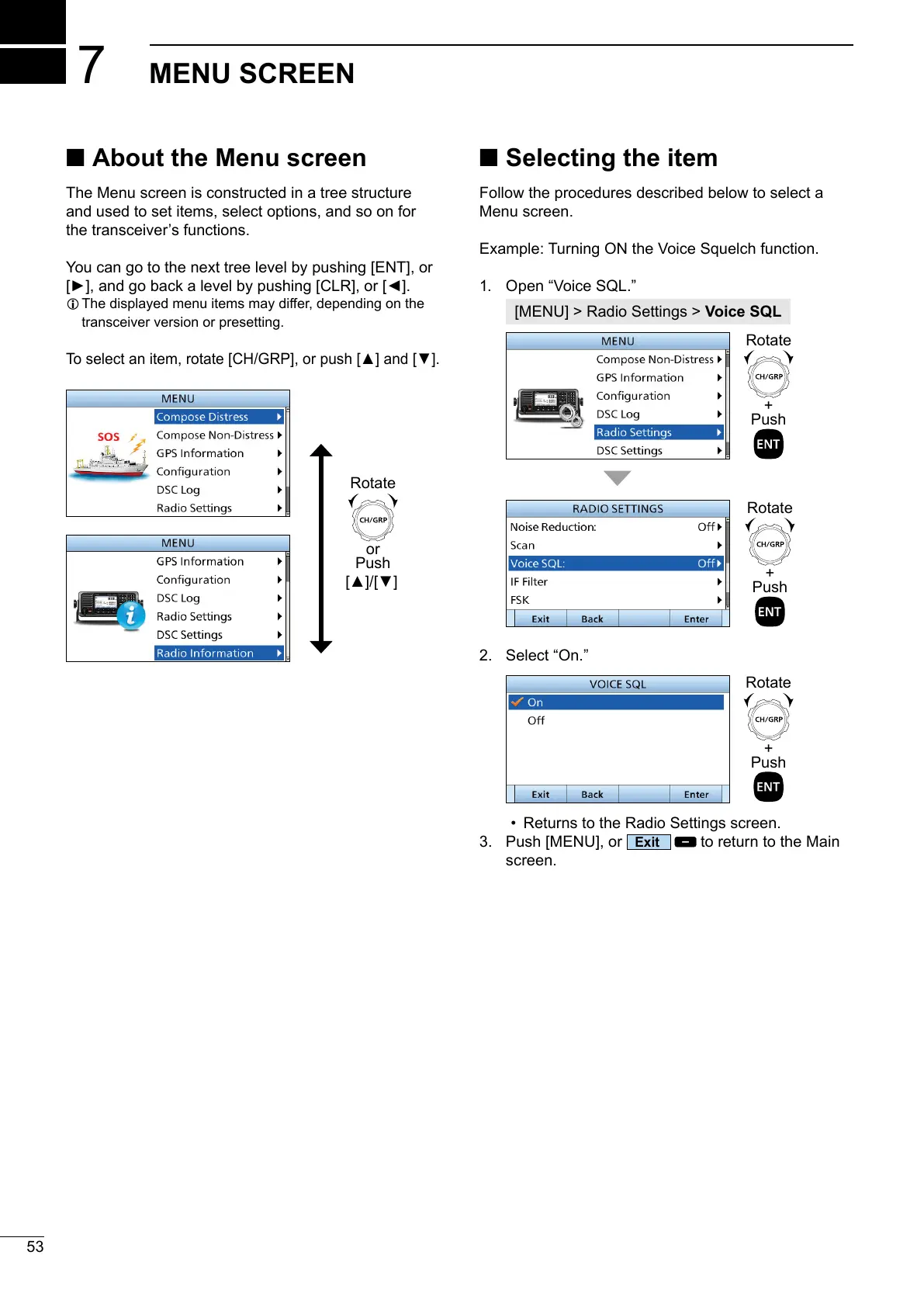
About the Menu screen
The Menu screen is constructed in a tree structure
and used to set items, select options, and so on for
the transceivers functions.
You can go to the next tree level by pushing [ENT], or

L 󰀨
transceiver version or presetting.

Selecting the item
Follow the procedures described below to select a
Menu screen.
Example: Turning ON the Voice Squelch function.
1. 
Voice SQL
2. 

3. 
Exit
to return to the Main
screen.
or



+


+


+



Table of Contents

Related product manuals