18
5
5
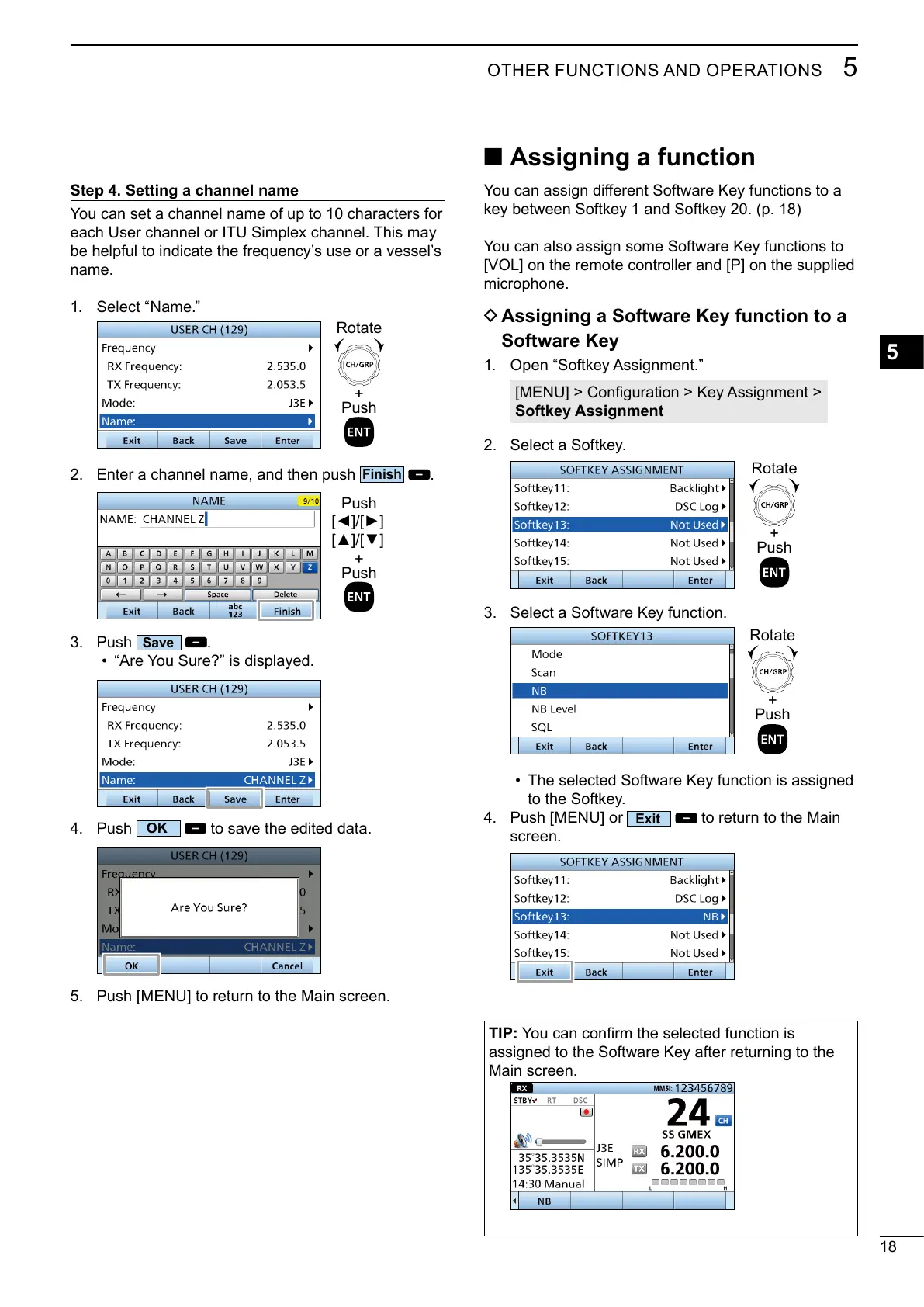
Step 4. Setting a channel name
You can set a channel name of up to 10 characters for
be helpful to indicate the frequency’s use or a vessel’s
name.
1.
+
Push
Rotate
2.
.
+
Push
Push
3. Push
.
•
4. Push
to save the edited data.
5.
■ Assigning a function
key between Softkey 1 and Softkey 20. (p. 18)
You can also assign some Software Key functions to
microphone.
D Assigning a Software Key function to a
Software Key
1.
Softkey Assignment
2. Select a Softkey.
+
Push
Rotate
3. Select a Software Key function.
+
Push
Rotate
• The selected Software Key function is assigned
to the Softkey.
4.
screen.
TIP:
assigned to the Software Key after returning to the



 To Next Page