EasyManua.ls Logo

Icom IC-M804 - D Assigning a Software Key Function to [VOL]; D Assigning a Software Key Function to [P] on the Supplied Microphone

Icom IC-M804
88 pages
Print Icon
To Next Page IconTo Next Page
To Previous Page IconTo Previous Page
Loading...

5


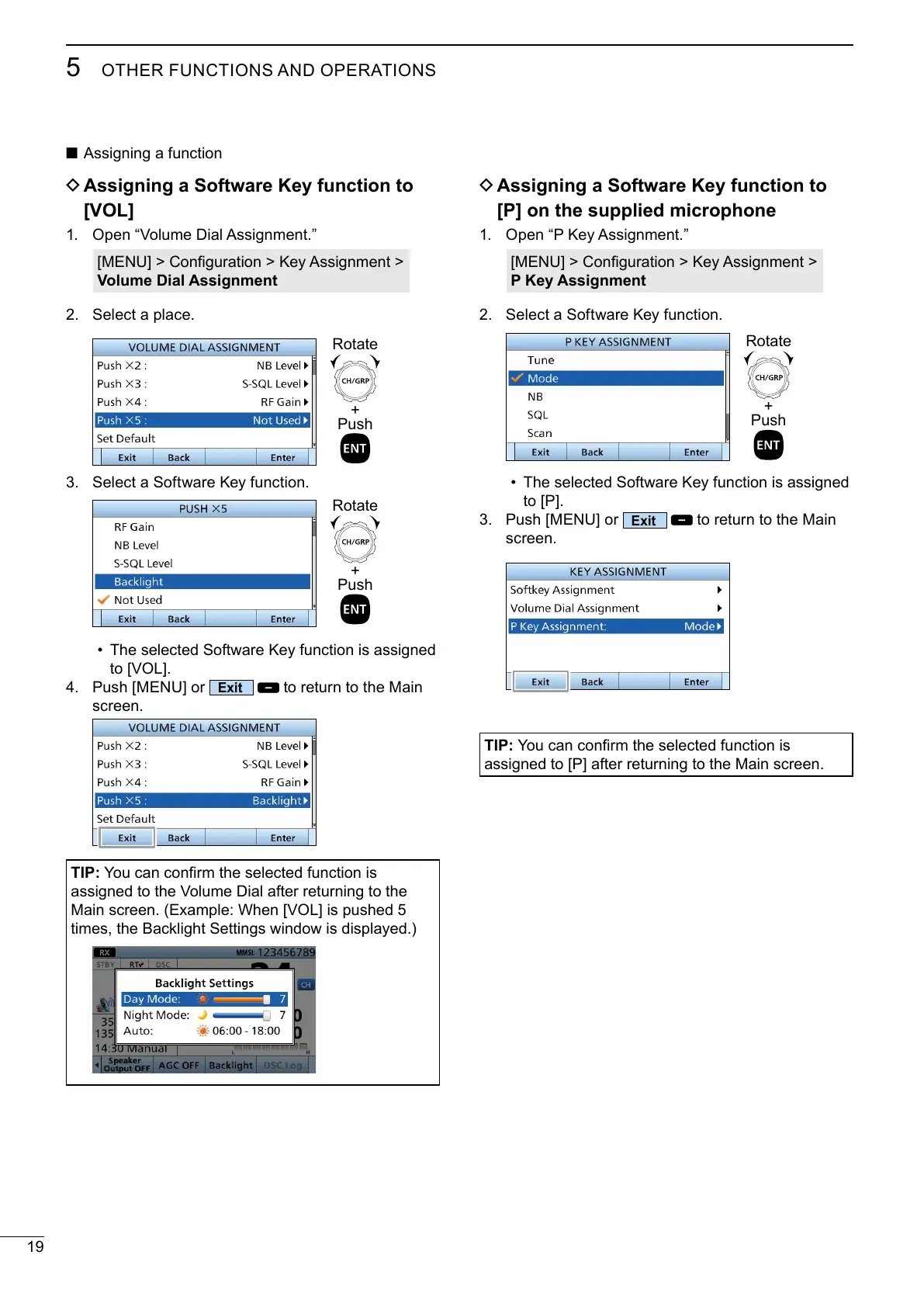
D Assigning a Software Key function to
[VOL]
1. 

Volume Dial Assignment
2. Select a place.
3. Select a Software Key function.
The selected Software Key function is assigned

4. 
Exit

screen.
TIP:
assigned to the Volume Dial after returning to the

times, the Backlight Settings window is displayed.)
D Assigning a Software Key function to
[P] on the supplied microphone
1. 

P Key Assignment
2. Select a Software Key function.
The selected Software Key function is assigned

3. 
Exit

screen.
TIP:

+
Push
Rotate
+
Push
Rotate
+
Push
Rotate

Table of Contents

Related product manuals