46
DSC OPERATION
6
6
■ DSC Log
D Received DSC Log
The transceiver can save up to 50 received Distress
call messages, and 50 received DSC call messages in
the DSC Log.
1. Push
.
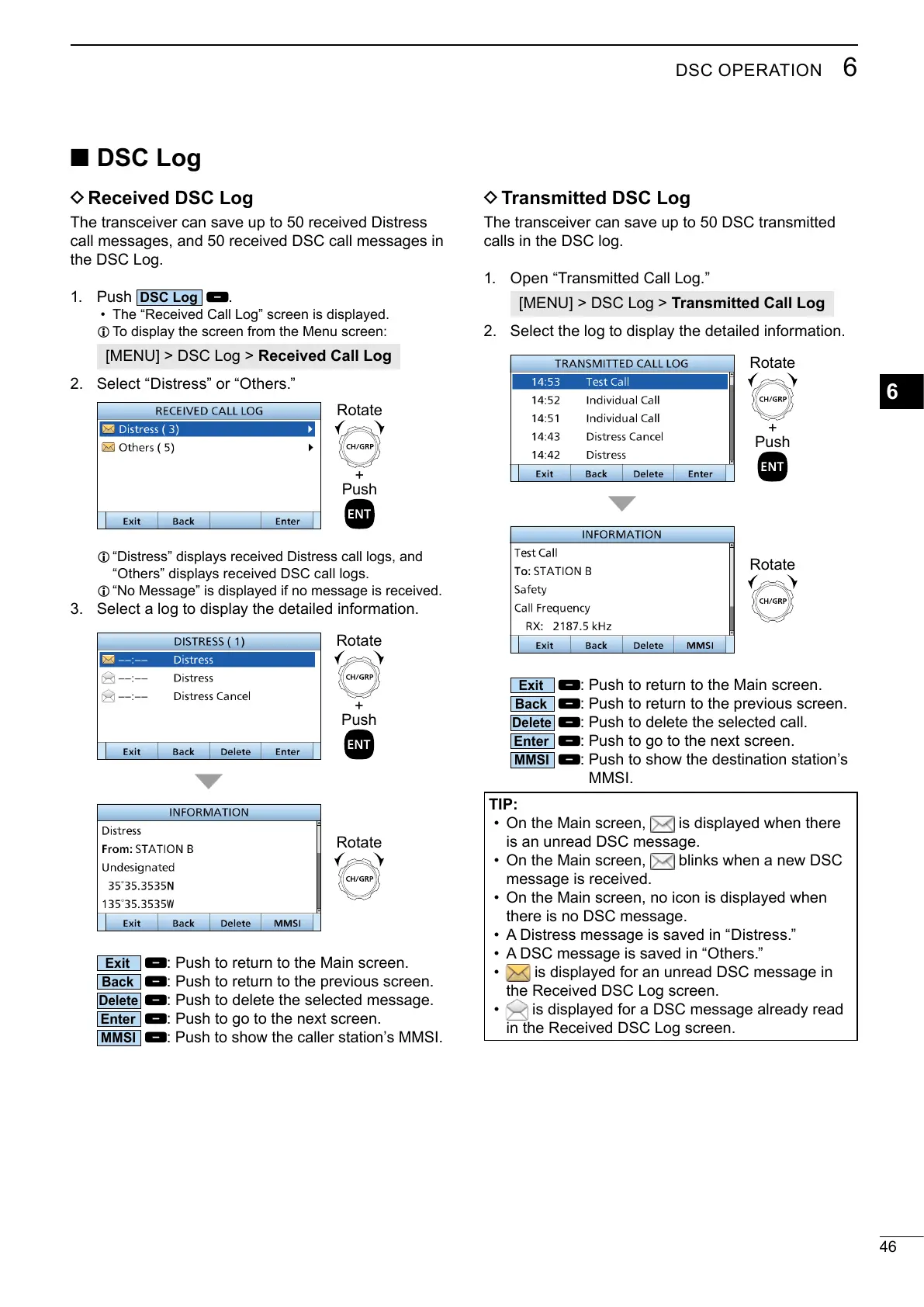
• The “Received Call Log” screen is displayed.
L To display the screen from the Menu screen:
[MENU] > DSC Log > Received Call Log
2. Select “Distress” or “Others.”
+
Push
Rotate
L “Distress” displays received Distress call logs, and
“Others” displays received DSC call logs.
L “No Message” is displayed if no message is received.
3. Select a log to display the detailed information.
Rotate
+
Push
Rotate
: Push to return to the Main screen.
: Push to return to the previous screen.
: Push to delete the selected message.
: Push to go to the next screen.
:
D
Transmitted DSC Log
The transceiver can save up to 50 DSC transmitted
calls in the DSC log.
1. Open “Transmitted Call Log.”
[MENU] > DSC Log > Transmitted Call Log
2. Select the log to display the detailed information.
+
Push
Rotate
Rotate
: Push to return to the Main screen.
: Push to return to the previous screen.
: Push to delete the selected call.
: Push to go to the next screen.
MMSI.
TIP:
• On the Main screen,
is an unread DSC message.
• On the Main screen,
message is received.
•
there is no DSC message.
• A Distress message is saved in “Distress.”
• A DSC message is saved in “Others.”
•
is displayed for an unread DSC message in
the Received DSC Log screen.
• is displayed for a DSC message already read
in the Received DSC Log screen.



 To Next Page