EasyManua.ls Logo

Icom IC-M804 - D Mounting Location; D Mounting the Remote Controller; Mounting

Icom IC-M804
88 pages
Print Icon
To Next Page IconTo Next Page
To Previous Page IconTo Previous Page
Loading...
66
CONNECTIONS AND INSTALLATION
8
8
Mounting
D Mounting location



remote controller should be in your line of sight when

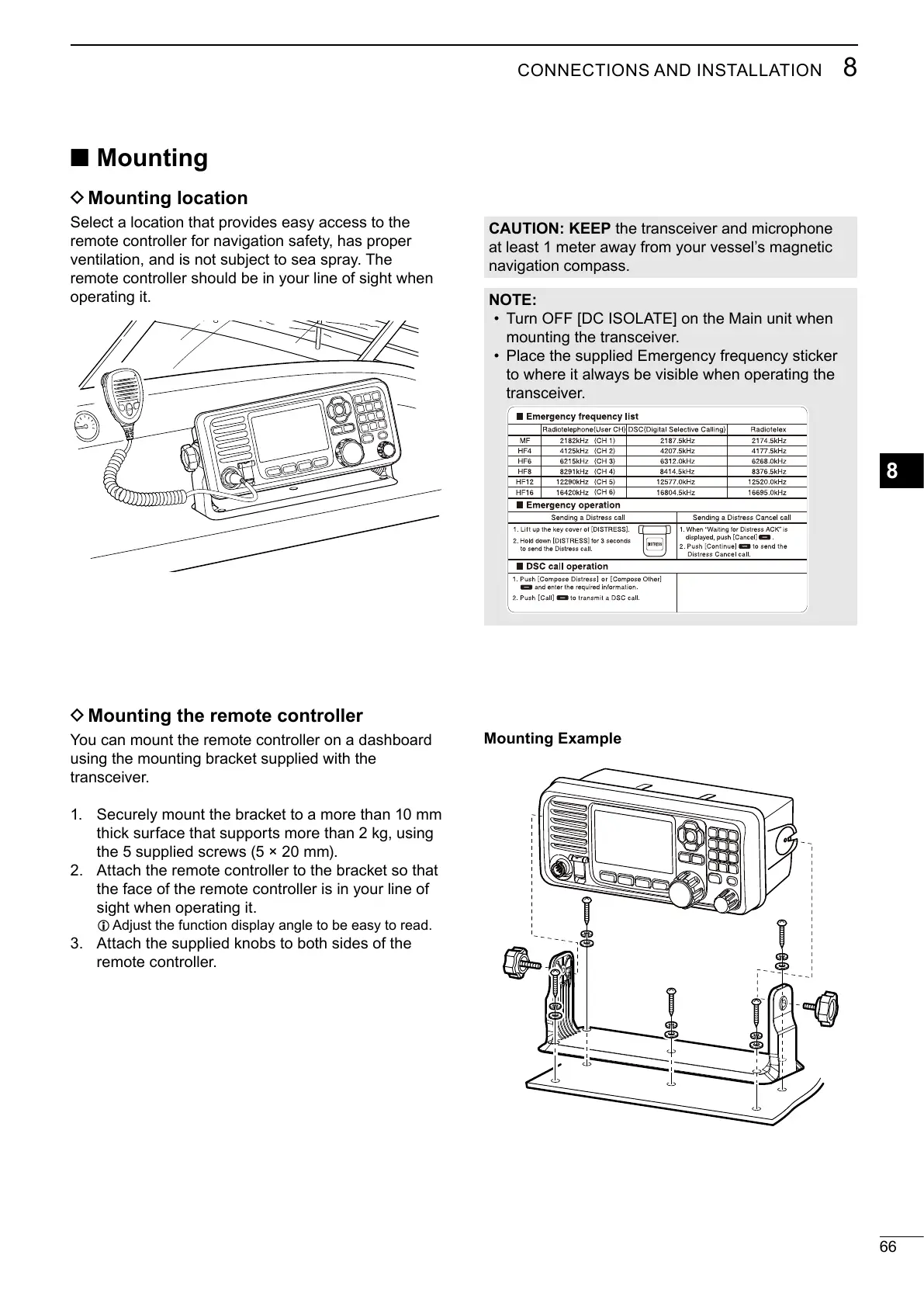
Mounting Example
D
Mounting the remote controller
You can mount the remote controller on a dashboard
using the mounting bracket supplied with the

 Securely mount the bracket to a more than 10 mm
thick surface that supports more than 2 kg, using

 Attach the remote controller to the bracket so that
the face of the remote controller is in your line of

L 
 Attach the supplied knobs to both sides of the

CAUTION: KEEP


NOTE:
Turn OFF [DC ISOLATE] on the Main unit when

Place the supplied Emergency frequency sticker




Table of Contents

Related product manuals