22
DSC OPERATION
6
6
■ Entering the position data and time
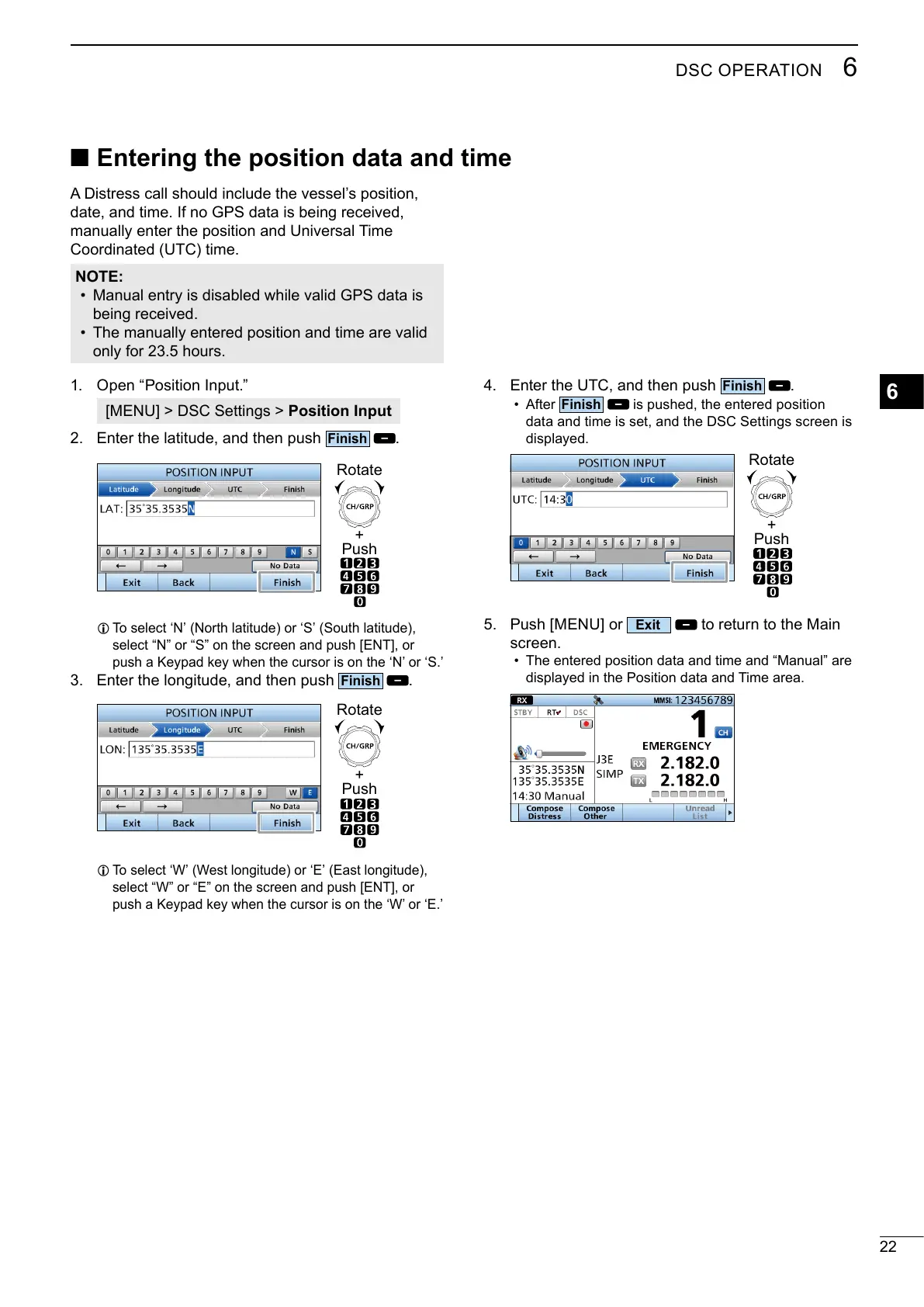
4. Enter the UTC, and then push
.
• After
is pushed, the entered position
data and time is set, and the DSC Settings screen is
displayed.
+
Push
Rotate
5. Push [MENU] or
to return to the Main
screen.
• The entered position data and time and “Manual” are
displayed in the Position data and Time area.
A Distress call should include the vessel’s position,
manually enter the position and Universal Time
Coordinated (UTC) time.
NOTE:
•
• The manually entered position and time are valid
only for 23.5 hours.
1. Open “Position Input.”
[MENU] > DSC Settings > Position Input
2. Enter the latitude, and then push
.
+
Push
Rotate
L
select “N” or “S” on the screen and push [ENT], or
3. Enter the longitude, and then push
.
+
Push
Rotate
L



 To Next Page