35
6
DSC OPERATION
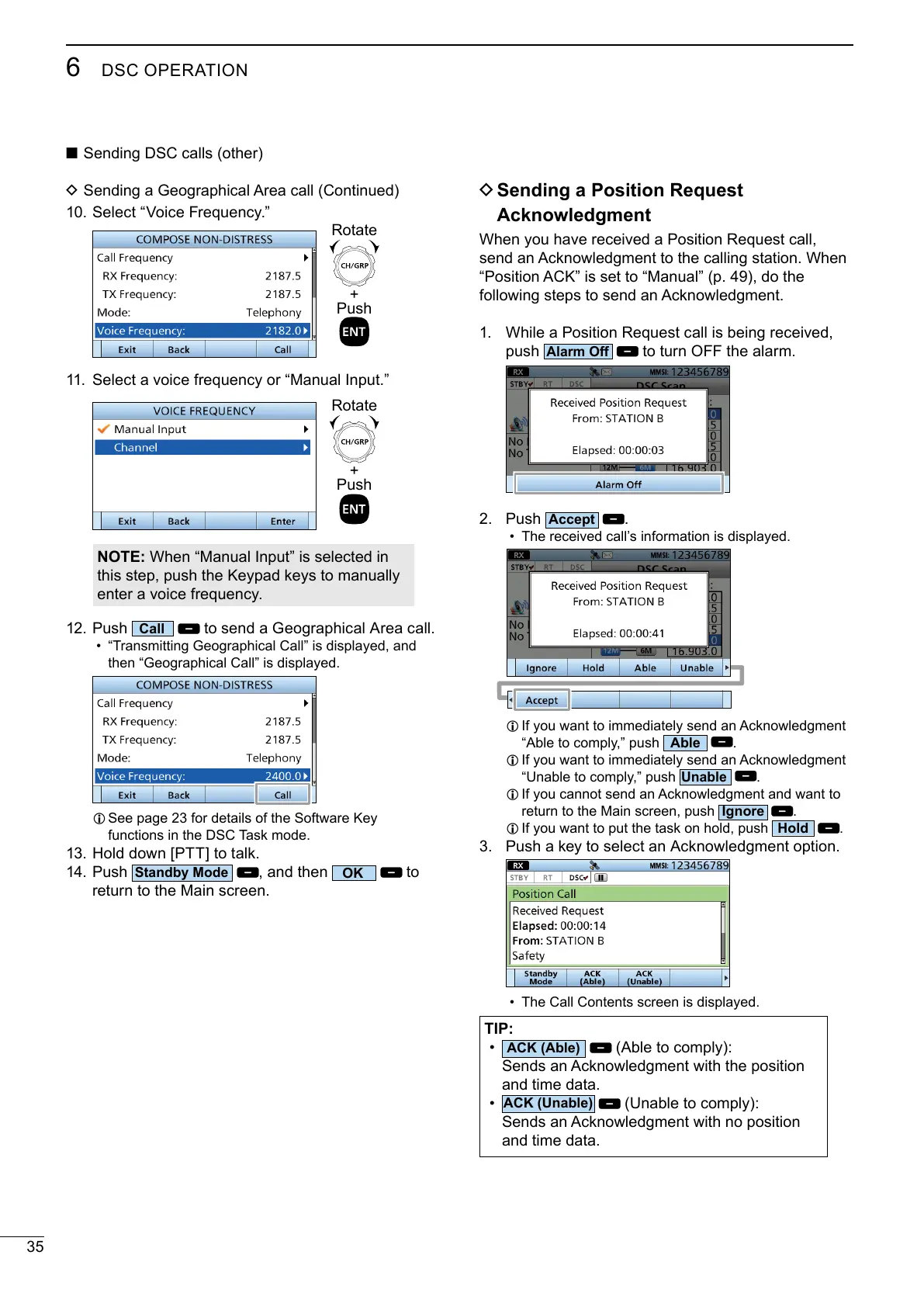
10. Select “Voice Frequency.”
11. Select a voice frequency or “Manual Input.”
NOTE:
this step, push the Keypad keys to manually
enter a voice frequency.
12. Push
to send a Geographical Area call.
• “Transmitting Geographical Call” is displayed, and
then “Geographical Call” is displayed.
L
functions in the DSC Task mode.
13.
14. Push
, and then
to
return to the Main screen.
+
Push
Rotate
+
Push
Rotate
D Sending a Position Request
Acknowledgment
1.
push
to turn OFF the alarm.
2. Push
.
• The received call’s information is displayed.
L
.
L
.
L
return to the Main screen, push
.
L
.
3.
• The Call Contents screen is displayed.
TIP:
•
and time data.
•
and time data.
■ Sending DSC calls (other)
D Sending a Geographical Area call (Continued)



 To Next Page