Part 2 - Conguration
110
HTTP Notication Setup
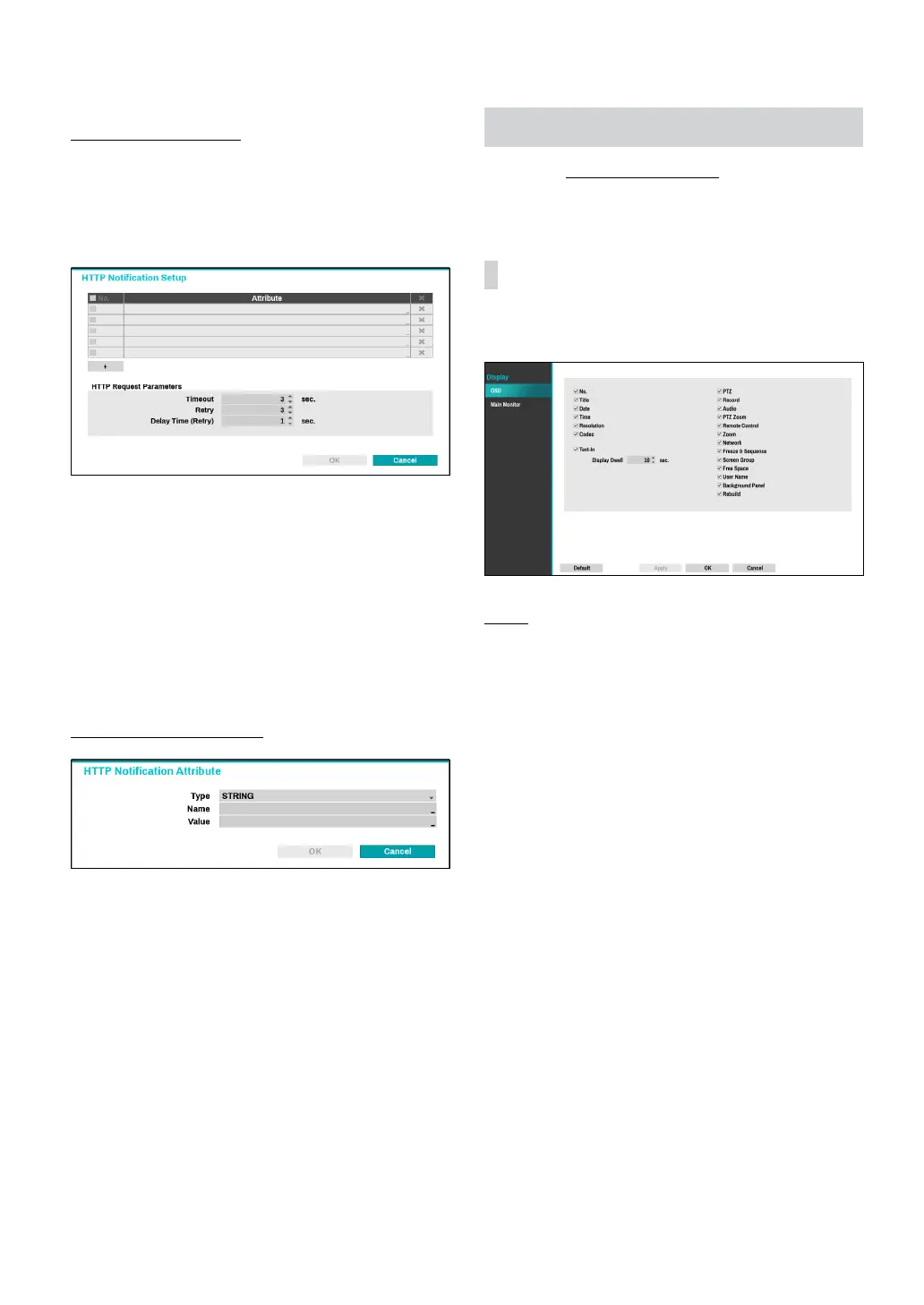
An attribute and parameters must be included when
sending the http requests. Click the Setup... icon at a
bottom right corner of the window. When the following
window appears, click the + button to set the HTTP
attributes such as the type, name and value.
● HTTP Request Parameters: Set a specic response
to an HTTP request.
– Timeout: Set the maximum time allowed for
connection.
– Retry: Set the number of times to reconnect when
a connection fails.
– Delay Time (Retry): Congure the time interval
between each retry attempt (initial delay between
retry attempts)
HTTP Notication Attribute
● Type: Select the corresponding type such as BOOL,
INT32, FLOAT32 and STRING.
● Name: Enter the name of HTTP notication attribute.
● Value: Enter the value of HTTP notication attribute.
Display Setup
Refer to the Menu Use on page 33 for basic
information on using the Setup menus.
OSD
Show OSD (On Screen Display) information on the
bottom of the screen.
Status
● Date and Time: Displays the date and time.
● Remote Control: Displays remote control receptivity.
● Network: Displays the icon when the unit is
connected to a network via Ethernet.
● Free Space: Displays whether or not the NVR is in
the recycle mode, and displays the available storage
space when not in the recycle mode.
● User Name: Displays the current user logged in.
● Background Panel: Displays background panel at the
bottom of the screen in black.
● Rebuild: Displays RAID rebuild.



 To Next Page