Part 2 - Conguration
86
● Title: Designate a name for the alarm-out event
● Reverse Relay: Reverse the alarm-out type of the
device you set at the source.
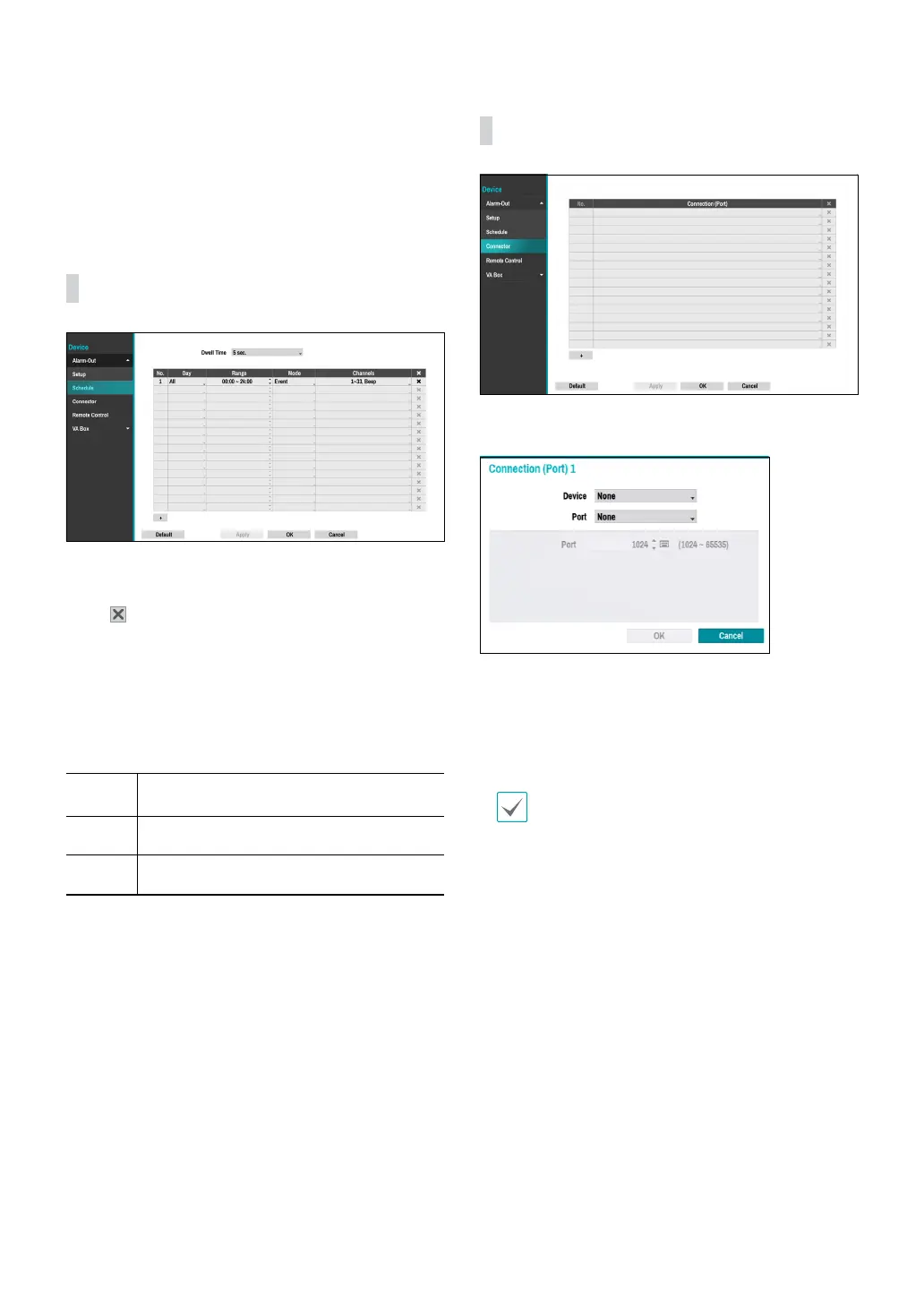
Alarm-Out_Schedule
Click the + icon at the bottom left corner of the screen
to add a schedule.
Select
icon to delete the schedule.
● Dwell Time: Select a value between 5 secs and 15
mins as the alarm-out duration.
● Day: Apply dierent schedules for dierent Days of
the week.
● Range: Change the schedule time frame.
● Mode: Select Event, On, or O.
Event
Generates an alarm-out when an event
occurs.
On Alarm-out is always on.
O
Alarm-out is always o.
● Channels: Congure alarm-out port and beep
settings.
Connector
Click the + icon at the bottom left corner of the screen
to add a connection device.
● Device: Select a connection device supported by the
NVR.
● Port: Select the ports supported by the selected
device. Depending on the port, you can set the port
speed, data, stop, parity value or LAN port.
• If the same LAN port is being used, a warning
window appears: "Same Port Number".
• When using a USB-serial port, Text-in function
may malfunction if the USB cable is removed
while the system is running.



 To Next Page