Part 2 - Conguration
111
Camera
● No.: Displays the camera number on the upper left
corner of the camera screen.
● Title: Displays the camera name on the upper left
corner of the camera screen.
● Record: Displays recording and schedule icons.
● Audio: Displays the
icon on channels generating
audio.
● PTZ: Displays the
icon on PTZ cameras.
● PTZ Zoom: Displays the zoom magnication (e.g. x2,
x3, etc.)
● Text-In : Displays data received from text-in device.
Select Display Dwell and specify how long to display
data. Data are shown on the single screen only.
● Resolution : Displays the recording resolution.
● Codec : Displays the codec information.
● Zoom: Displays a zoomed in state.
● Freeze & Sequence: Displays freeze and sequence
icons.
● Screen Group: Displays the current screen's group.
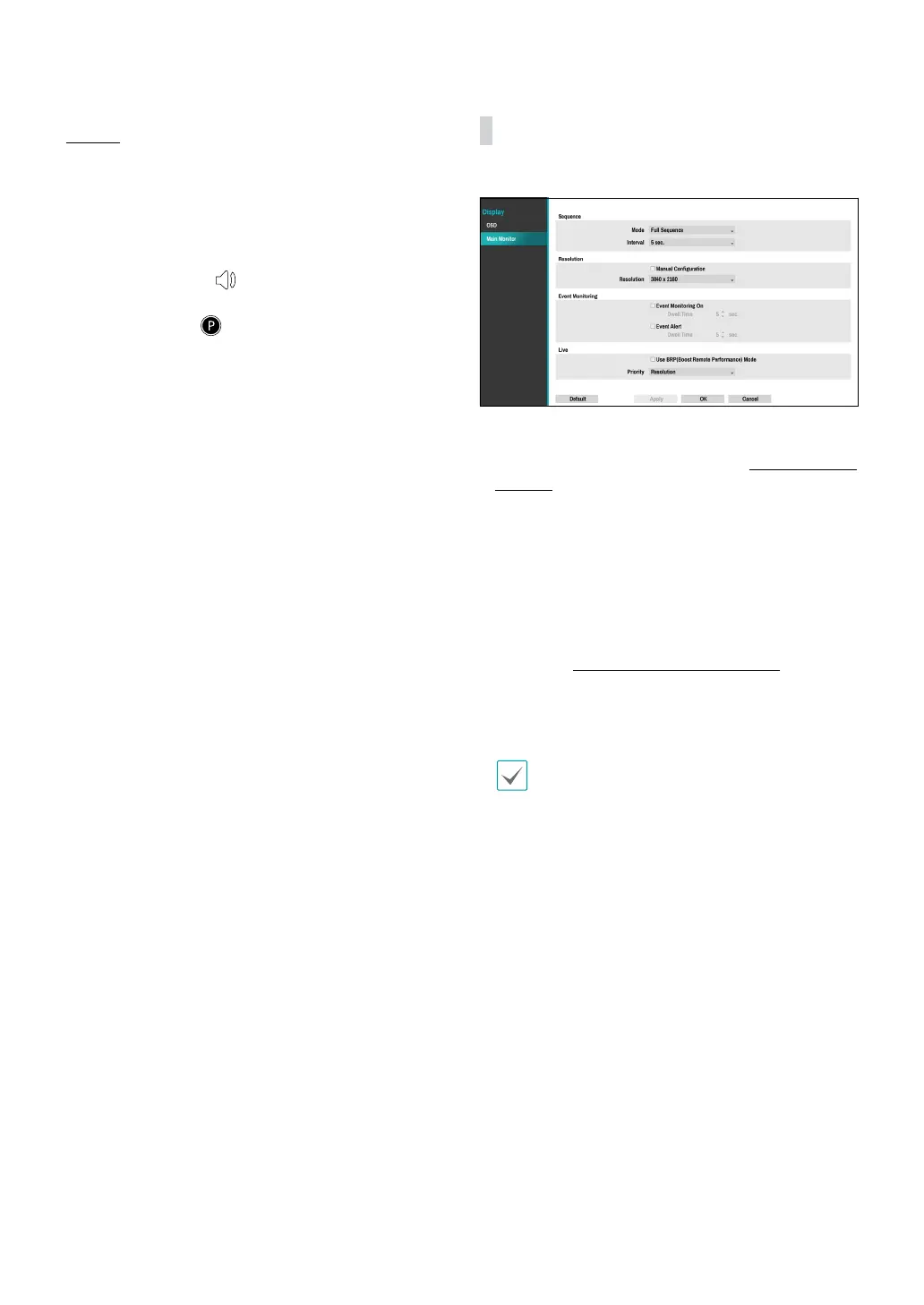
Main Monitor
Congure monitor-related settings.
● Mode: Select Full Sequence or Cameo Sequence.
● Interval: Select between 3 secs and 2 mins. For more
information on Sequence, refer to the 8 Sequence on
page 24.
● Manual Conguration: Set the resolution manually
regardless of the resolution supported by the monitor.
● Resolution: Select from 3840 x 2160, 1920 x 1200,
1920 x 1080, 1680 x 1050 and 1600 x 1200.
● Event Monitoring On: With Event Monitoring
enabled, the camera screen linking event monitoring
is shown. For more information on Event Monitoring,
refer to the Event Monitoring on page 28.
● Event Alert: With Event Alert selected, the red line
appears on the top of the camera screen linking event
monitoring when an event occurs.
• Supported resolutions may be restricted
depending on the monitor.
• 3840 x 2160 @ 50/60Hz resolution is supported
only in HDMI 2.0 monitor.
• We recommend using 3840 x 2160 or 1920 x 1080
resolution.
• If you use a VGA monitor as the main display, we
recommend that you use a resolution of 1920 x
1080 or below.
• HDMI deep color feature is not supported.
● Use BRP(Boost Remote Performance) mode : With
BRP mode on, the camera full screen does not display
in live mode and the network bandwidth can limit to
100Mbps.
● Priority : Select the camera's live stream priority,
either resolution or frame rate.



 To Next Page