Part 2 - Conguration
55
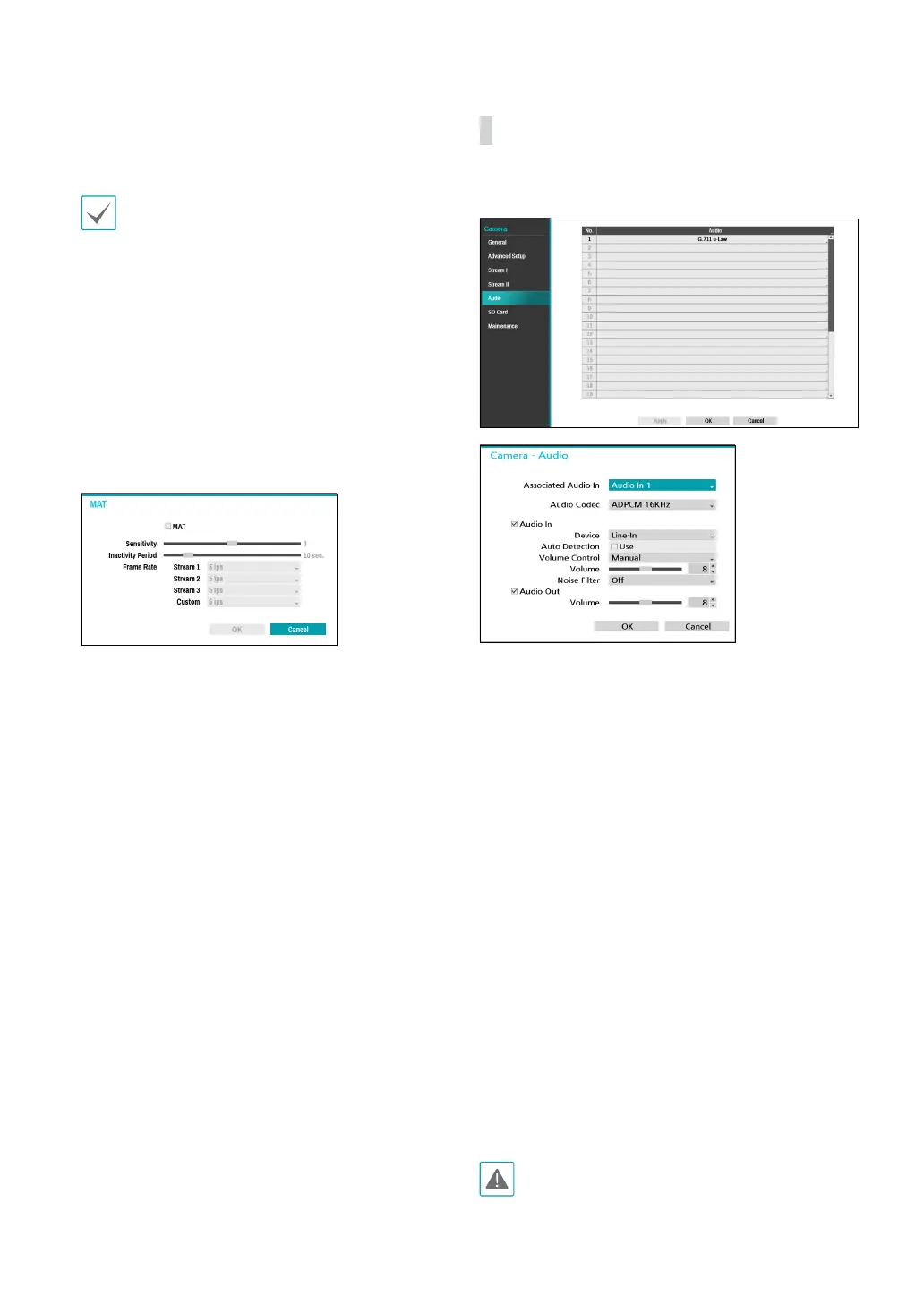
● MAT Setup : Select the MAP Setup option to use the
MAT (Motion Adaptive Transmission) function during
video transmission and recording.
• When the MAT (Motion Adaptive Transmission)
function is active, the associated VA device may
not work properly.
• It is recommended that you do not use the MAT
function of the associated camera to increase the
accuracy of the image analysis.
• Some camera models may not support the MAT
function.
* MAT function(Motion Adaptive Transmission)
reduces bandwidth overload and saves storage
capacity by reducing the frame rate of the video
during periods of inactivity. The user can select the
period of sustained inactivity which triggers this
function by adjusting Inactivity Period.
– Sensitivity : Set the motion detection sensitivity.
Higher values will result in more sensitive motion
detection.
– Inactivity Period : Set the Inactivity Period. If
motion is not detected for the duration of time
specied, video is transmitted and recorded using
the frame rate designated below until movement is
detected again.
● Sensor Mode: Set the camera resolution to 16:9, 4:3.
Depending on the mode you have set, the resolution
that can be set in the stream section changes.
Audio
Congure audio recording settings for all cameras
simultaneously.
● Audio Codec: Select an audio codec. (G.711 u-Law,
G.711 a-Law, ADPCM 16KHz or G.726)
● Associated Audio In: Associates the selected audio
channel with the camera. It is supported by video
encoders only.
● Audio In
– Device: Select an audio input source (microphone,
line-in or HDMI) and then adjust the volume.
– Auto detection: Detects the audio input and
automatically selects the audio-in device.
– Volume Control: Adjust the volume manually or
automatically. Select the Auto option to adjust
the volume automatically depending on the
surrounding circumstances.
– Volume: Adjust the volume manually by using the
slider.
– Noise Filter: reduces the environmental noise
and enhances the voice. If you turn on the noise
lter, the sound may be distorted somewhat. We
recommend that you do not use this function in a
loud place because it may degrade performance.
● Audio Out: Adjust the volume.
Cameras do not feature built-in audio amplier units
and therefore require the user to purchase a speaker
system with a built-in amplier separately.



 To Next Page