Part 2 - Conguration
71
Video-Analytics_Tampering
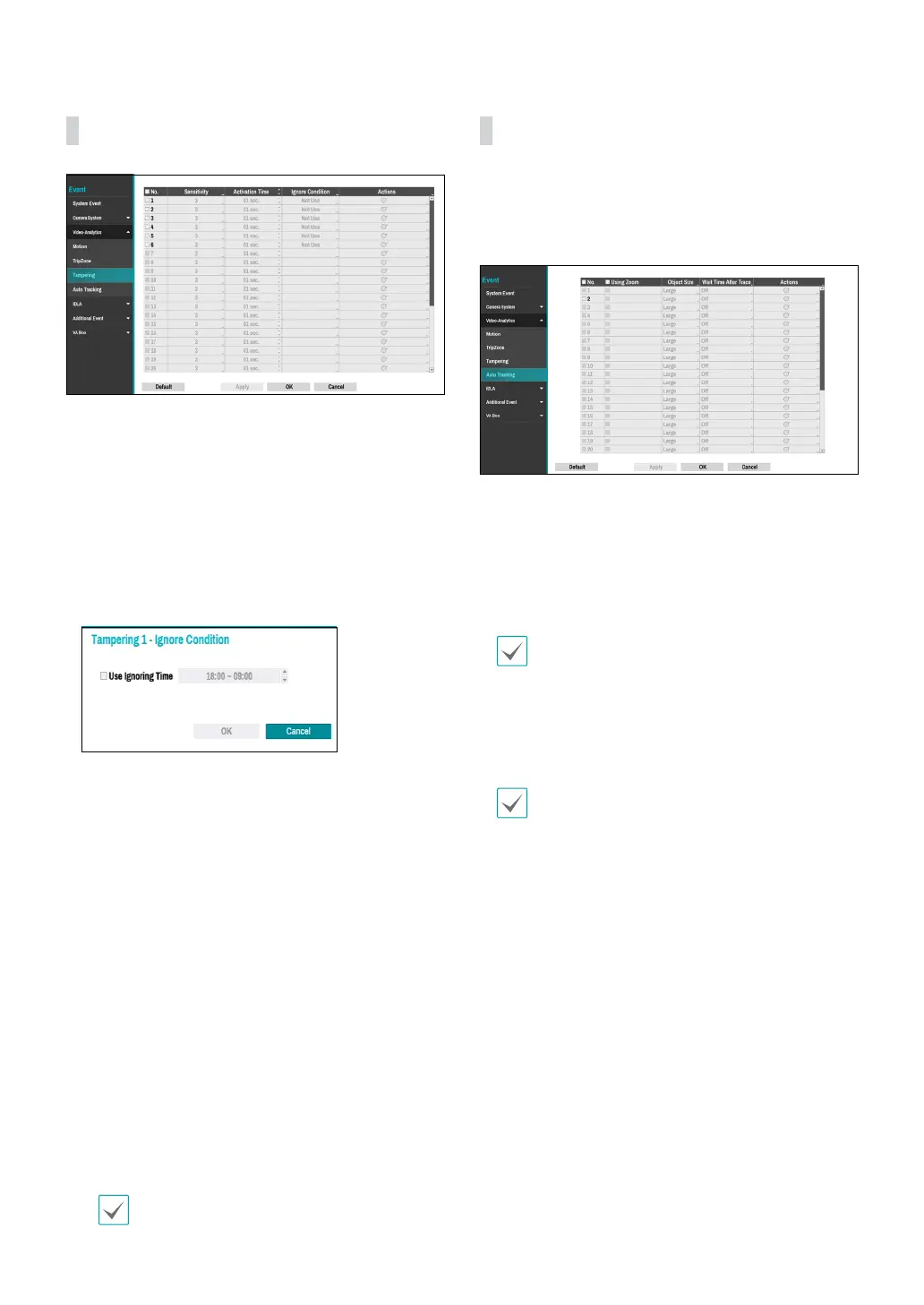
● No.: Select which cameras to apply Tampering to.
● Sensitivity: Set to between 1 (Low) and 5 (High).
● Activation Time: Specify how long tampering
detection needs to last in order for it to be considered
an event. Tampering detections that do not last for
the specied duration of time will not be considered
as events.
● Ignore Condition
– Use Ignoring Time: Select Time Setup to specify
the tampering detection ignore time of camera
channels. Tampering detection will be disabled
during the specied time frame.
● Actions: Specify which actions to take when
Tampering is detected.
– Record: Specify which cameras to begin linked
recording on when an event occurs. If the schedule
is set to Event or Time & Event mode, the selected
cameras will begin linked recording when an event
occurs.
– Alarm-Out: Designate event-triggered alarm-out
channels (each for the NVR and camera) and beeps.
– Notify: Congure to be notied of events by Mail,
LAN1 through 5, Push, FTP, and/or Alert Window.
– PTZ: Moves the PTZ camera to a specic preset
position when an event occurs.
– Event Monitoring: Selects the cameras to monitor
when an event occur.
In order to use the Callback feature, the NVR must
be registered on the remote program.
Video-Analytics_Auto Tracking
When the PTZ camera detects a moving object, the
camera operates the PTZ to track the moving object.
Auto tracking event occur simultaneously when the PTZ
camera tracks an object.
● No.: Select which cameras to apply Auto Tracking to.
● Using Zoom: When tracking an object, the PTZ zooms
in the object.
● Obejct Size: Set the zoom level when using auto
tracking. The larger the object size is set, the larger the
object will be displayed on the screen.
This setting is enabled only when the Zoom
function is on.
● Wait Time After Trace: After the object tracking is
completed, the camera monitors the end position for
a set period of time and then moves the PTZ to the
initial position.
• If you do not set this function, the PTZ will not
move to the initial position after auto tracking
ends.
• Only some PTZ cameras support this event.
Please contact the manufacturer for availability
of this event.
• When setting the PTZ with an linked action in the
Action tab, the camera where the event occurs
cannot be set to PTZ linked action camera. For
instance, when setting PTZ on the Auto Tracking-
Actions(no.8) tab, you cannot set PTZ of no.8
camera.



 To Next Page