Part 5 - Appendix
138
RTSP Connection through IDIS
Camera
Connect the video of the camera which is internal VIN
network by using the RTSP player from the PC.
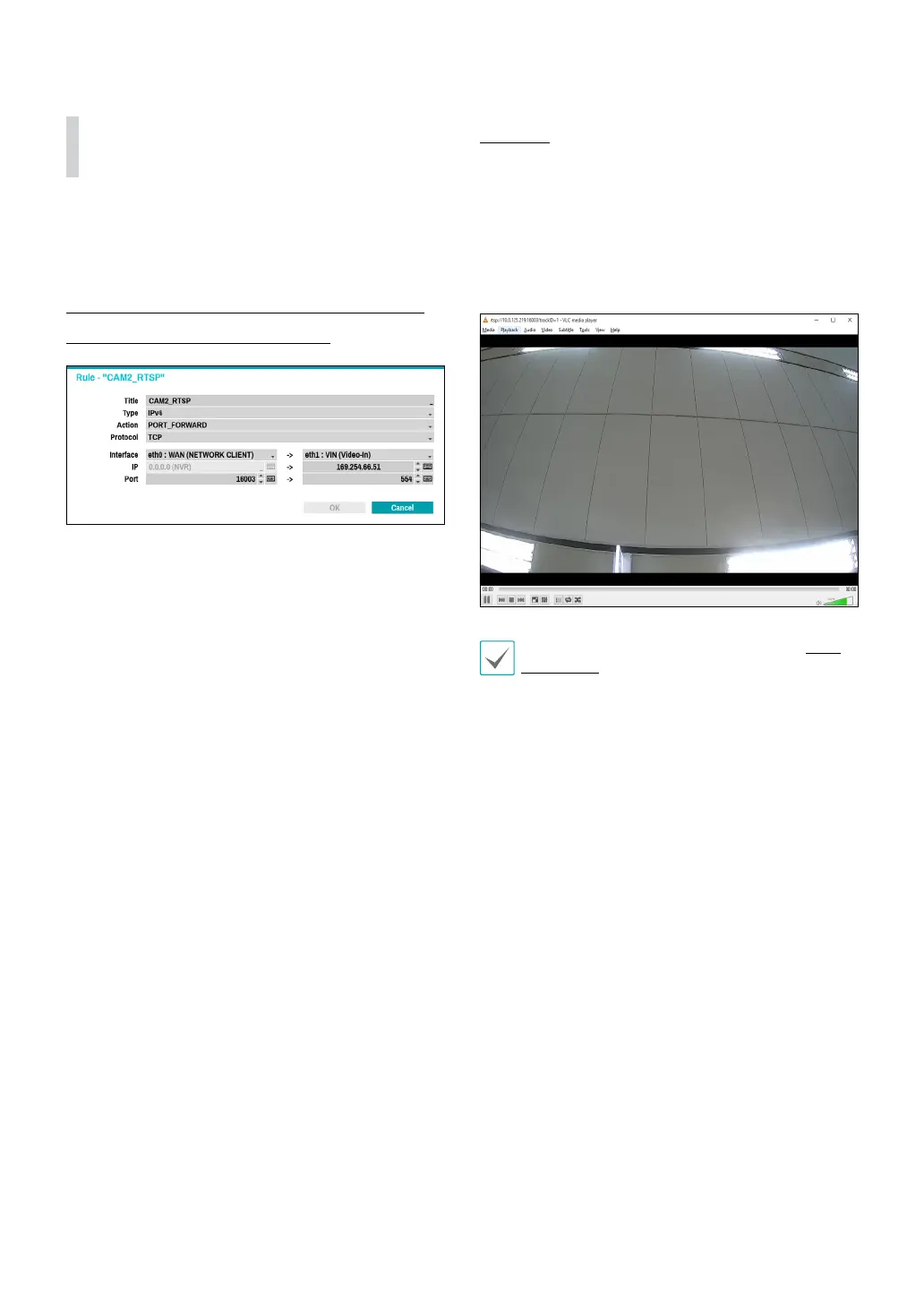
Port Forward through 2 routers "NVR Port Number
and RTSP Port Number of the Camera
Eth 0: WAN Port : 16003
Eth 1: VIN IP : IP address of the camera
Eth 1: VIN Port : Remote port number of the camera
Approach
Access RTSP function using media players, such as VLC
Player. You can monitor live video images through the
following address.: rtsp://NVR IP Address: RTSP Port
Number of the Camera/trackID=channel number
Enter the RTSP port number of the camera 16003 to
have port forwarded.
For more information on RTSP function, refer to RTSP
on page 103 and camera manual.
V8.5



 To Next Page