Part 2 - Conguration
58
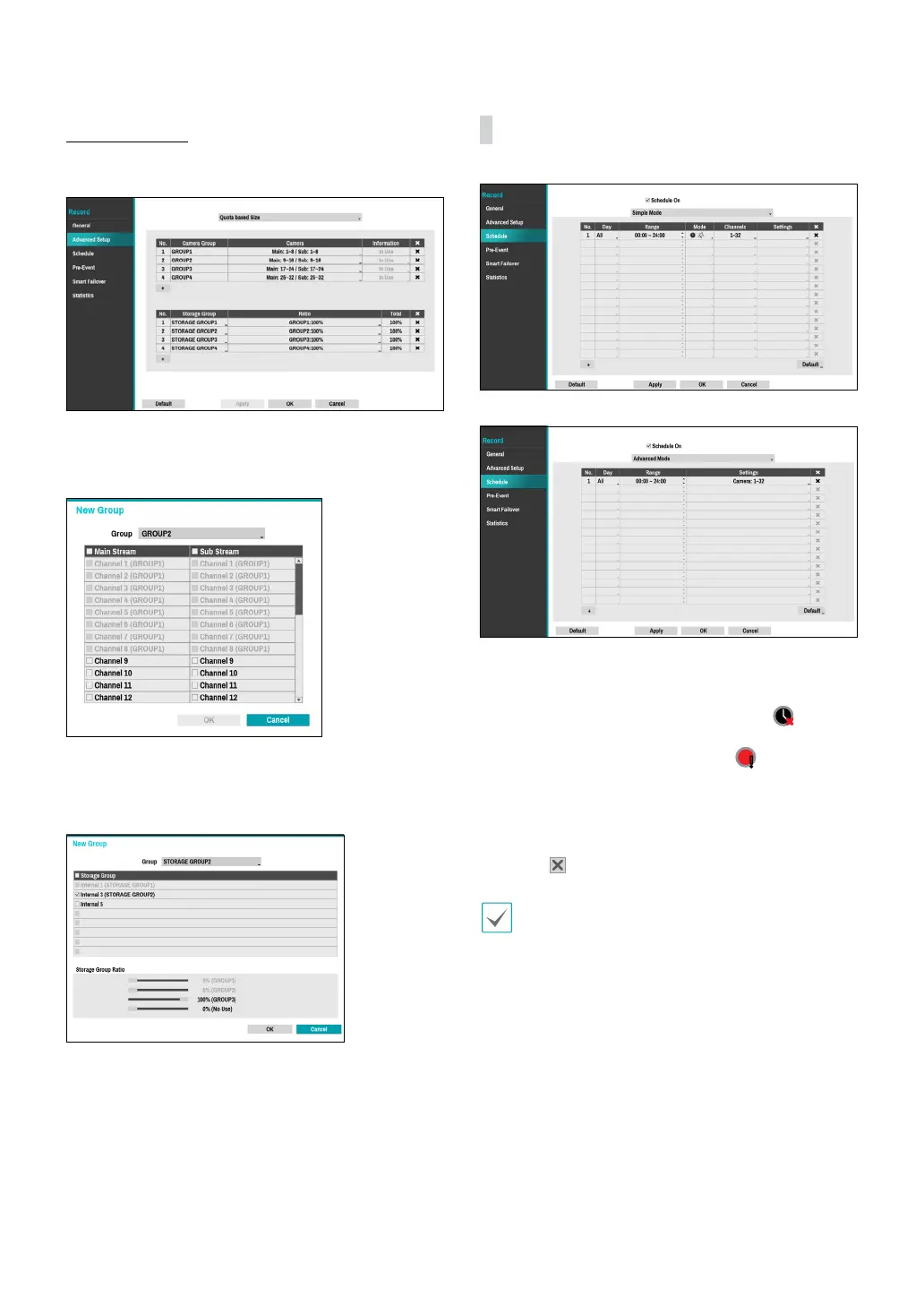
Quota Based Size
Cameras and disks are grouped to enable recording
according to the set ratio.
Click the + icon at the bottom left corner of the Camera
Group list table to group the cameras by specifying the
camera numbers as below.
Click the + icon at the bottom left corner of the Storage
Group list to create a seperate storage group by setting
the recording storage space of each camera group.
Schedule
<Simple Mode>
<Advanced Mode>
Disabling Schedule On suspends schedule recording
regardless of the schedule and displays the
icon on
the upper left corner of each camera screen. Pressing
the Panic Record button displays the
icon and
commences panic recording.
Set Record Schedule mode as Simple Mode or
Advanced Mode. Advanced Mode allows you to
congure a unique recording schedule for each event.
Select the
icon to delete a schedule.
• Changing the recording schedule mode suspends
all active event-linked actions.
• Select the + button on the bottom left of the screen
to add a schedule. Select Day to specify the Day
setting or select All. Select Scope to specify the
time frame.
● To use the IDLA function, you need to set up
a time-lapse or pre-event recording schedule
in advance. Otherwise, the video may not be
displayed when searching the event log.



 To Next Page