Part 2 - Conguration
83
● Actions: Specify which actions to take when an event
occurs.
– Record: Specify which cameras to begin linked
recording on when an event occurs. If the schedule
is set to Event or Time & Event mode, the selected
cameras will begin linked recording when an event
occurs.
– Alarm-Out: Designate event-triggered alarm-out
channels (each for the NVR and camera) and beeps.
–Notify: Congure to be notied of events by Mail,
LAN1 through 5, Push, FTP, and/or Alert Window.
– PTZ: Moves the PTZ camera to a specic preset
position when an event occurs.
– Event Monitoring: Selects the cameras to monitor
when an event occurs.
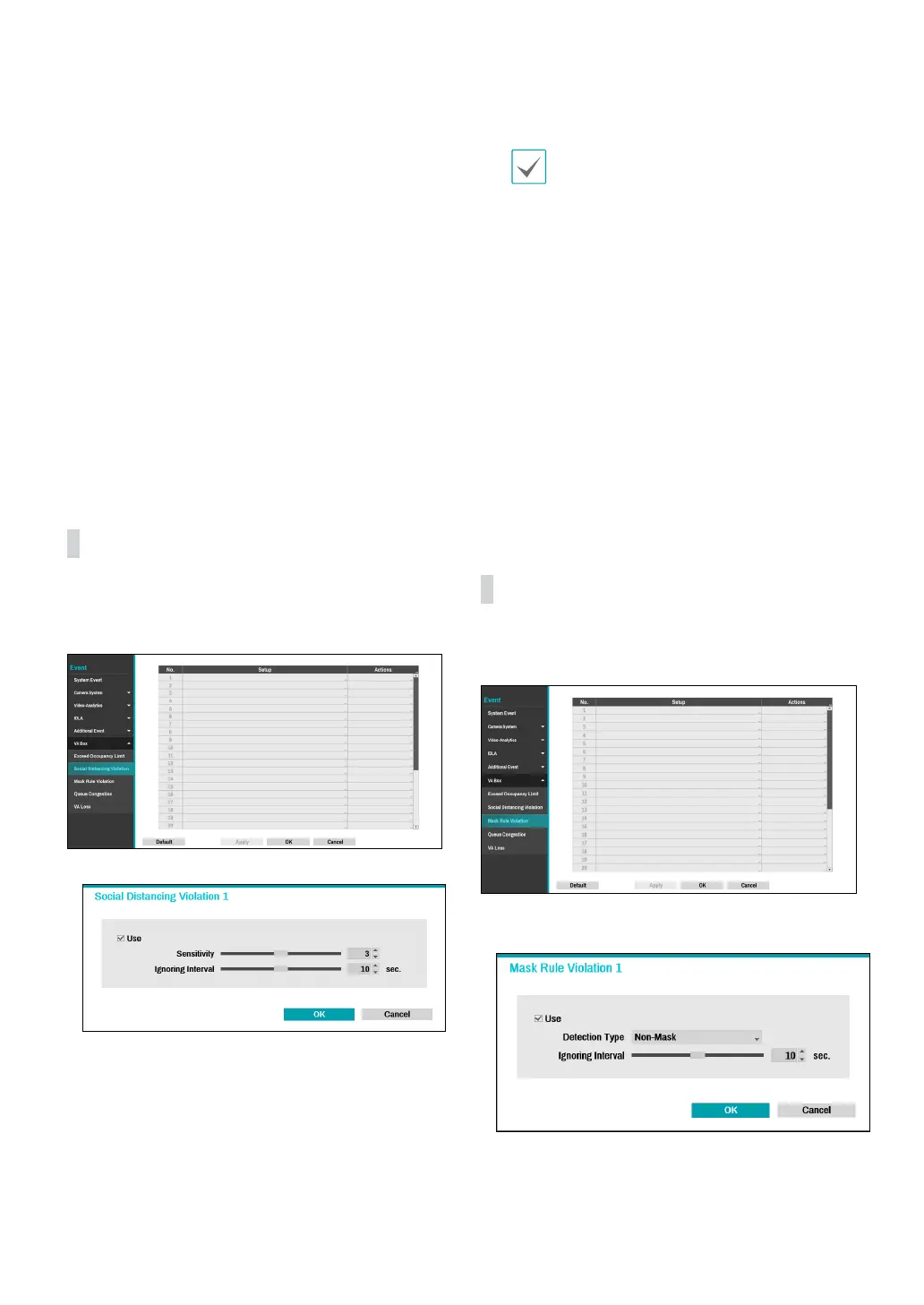
VA Box_Social Distancing
Violation
Event occurs when the distance is less than the interval
that is set by estimating the distance between people by
human detection.
● Setup : Set the interval between people.
- Sensitivity : The higher the sensitivity value, the
greater the probability of being detected as an event,
if the distance between people is equal to the step
relative value of the distance between people.
- Ignoring Interval : Event log and remote notication
are not performed for Social Distancing Violation
events detected within a certain period of time after
the event was detected.
To use the Social Distancing Violation, the Social
Distancing Violation must be set on that channel.
● Actions: Specify which actions to take when an event
occurs.
– Record: Specify which cameras to begin linked
recording on when an event occurs. If the schedule
is set to Event or Time & Event mode, the selected
cameras will begin linked recording when an event
occurs.
– Alarm-Out: Designate event-triggered alarm-out
channels (each for the NVR and camera) and beeps.
–Notify: Congure to be notied of events by Mail,
LAN1 through 5, Push, FTP, and/or Alert Window.
– PTZ: Moves the PTZ camera to a specic preset
position when an event occurs.
– Event Monitoring: Selects the cameras to monitor
when an event occurs.
VA Box_Mask Rule Violation
The camera detects a face and events occur according to
Mask Rule Violation settings.
● Setup : Check the rules for wearing a mask on a person's
face and set the event to occur when a violation occurs.
- Detection Type : Set the Non-Mask / Mask Rule.
- Ignoring Interval : Event log and remote notication
are not performed for mask rule violation events



 To Next Page