EasyManua.ls Logo

Idis DR-6532P - Live Menu

Idis DR-6532P
139 pages
Print Icon
To Next Page IconTo Next Page
To Previous Page IconTo Previous Page
Loading...
Part 1 - Getting Started
23
Live Mode
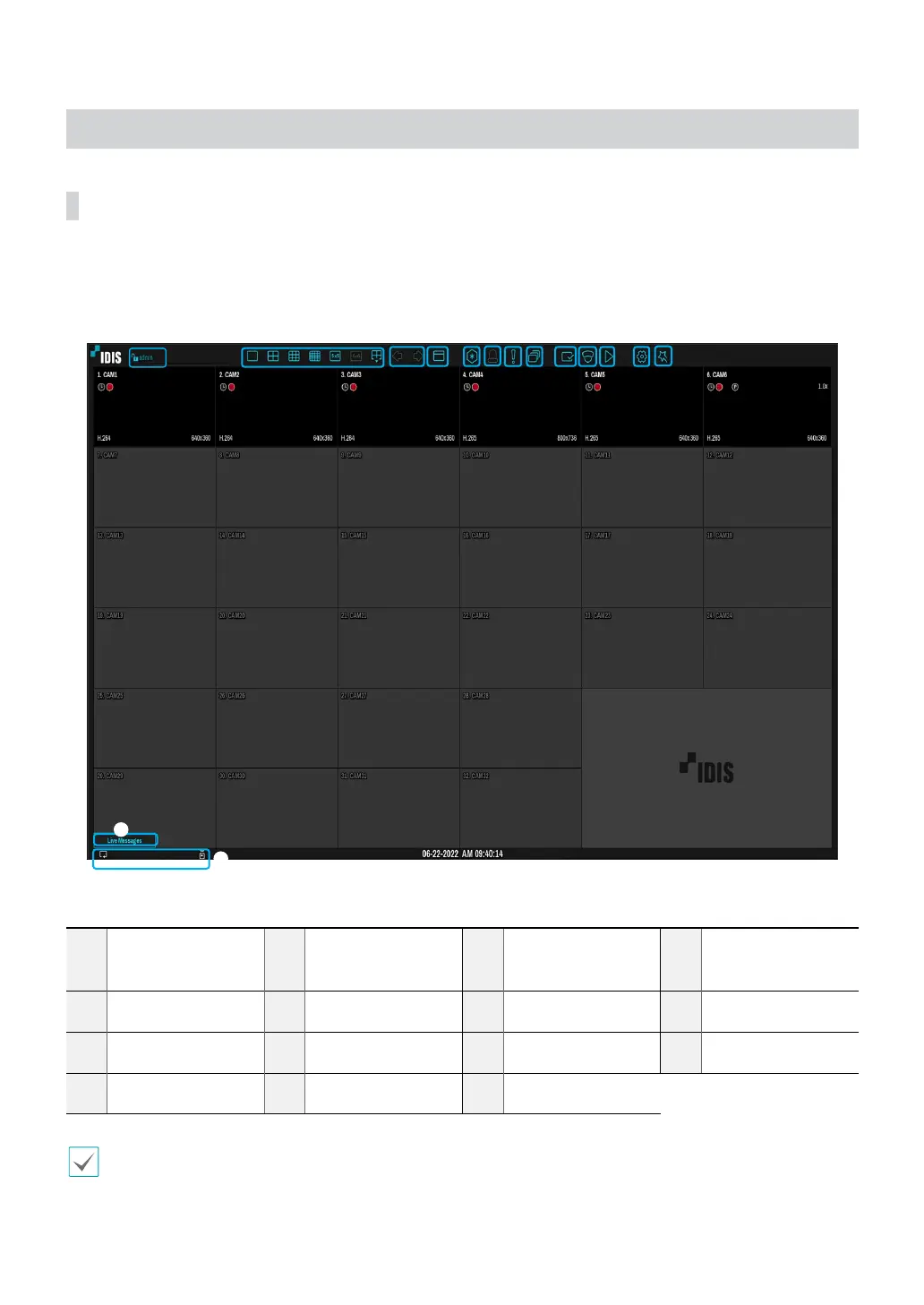
Live Menu
Press the MENU button on the remote control while in Live mode to bring up the Live menu on the top of the screen.
Press MENU button once more to hide the menu. Use the Arrow buttons on the remote control to select the menu
options.
8
1
2
3
4 5
6
7 9
0 !
@
#
%
1
Login/Logout
2
Layout
3
Previous Group,
Next Group
4
Display
5
Freeze
6
Alarm
7
Panic Recording
8
Sequence
9
Status
0
Select Camera
!
Search Mode
@
Setup
#
Wizard
$
Status Indication
%
Live Messages
Placing the mouse pointer near the top portion of the screen also displays the Live menu.
$

Table of Contents

Other manuals for Idis DR-6532P

Related product manuals