Part 2 - Conguration
88
Device Scan
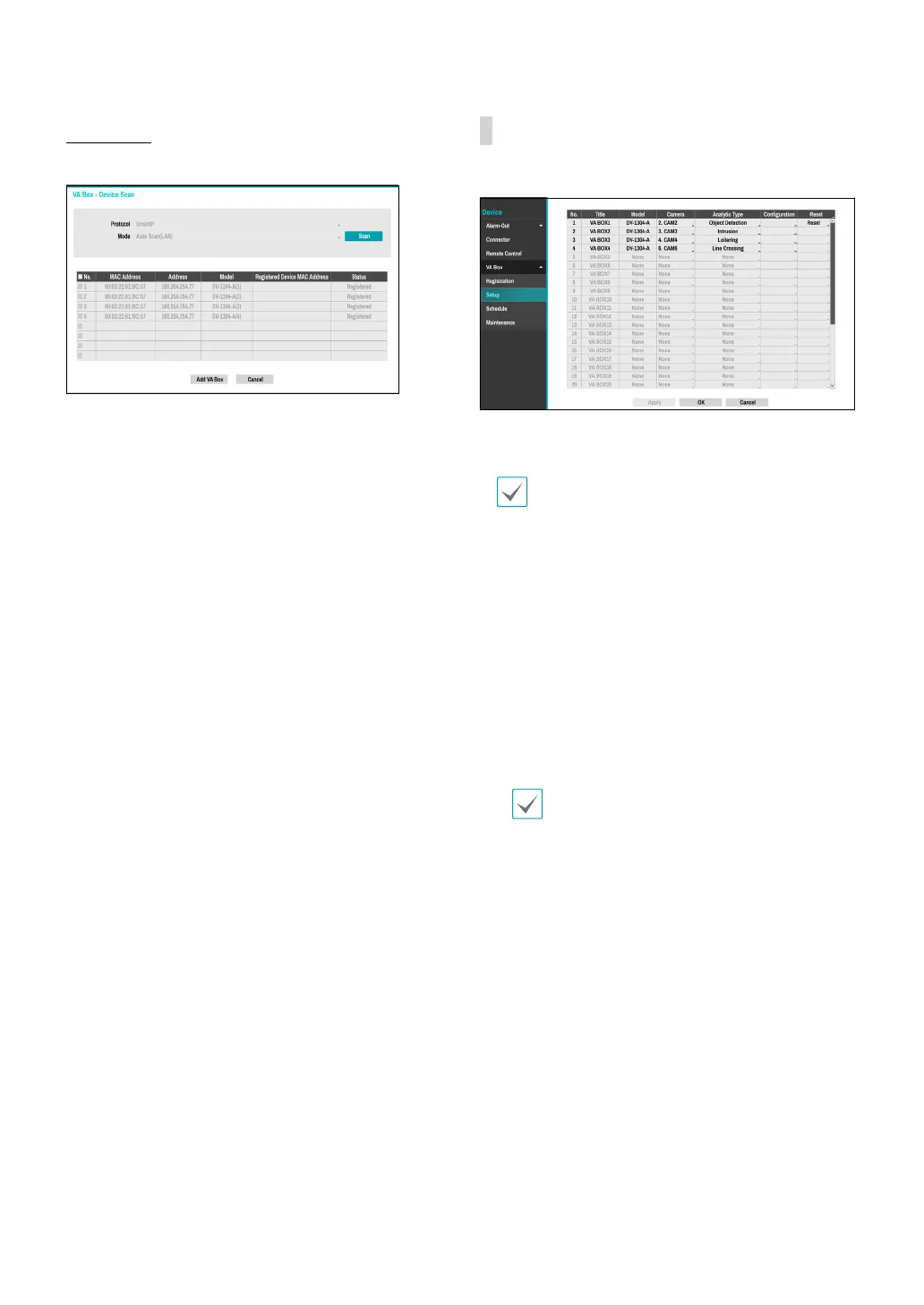
Scan the device under VA Box- Registration - Scan.
● No.: Select the number of the registered VA Box and
click the Add Box button to register the camera.
● MAC Address: Displays the scanned device’s MAC
address.
● Address: Displays the scanned device's IP address.
● Model: Indicates the device model.
● Registered Device MAC Address: Displays the MAC
address of the NVR to have registered VA Box.
● Status: “Registered” indicates the VA Box is registered
to the NVR and “Not registered” indicates the VA Box is
not registered to the NVR.
VA Box_Setup
Congure VA Box-related settings.
● Title: Displays the name of a VA Box.
● Model: Indicates the VA Box’s model.
The video analytics may not be supported
depending on the model.
● Camera: Select the camera to analyze the video. Only
one camera can be set for each VA Box channel.
● Set up: The settings appear dierently depending on
the Analytic Type. Refer to the setting items for each
Analytic Type
● Reset: Resets the port or VA Box.
– PoE Reset: Control the PoE Switch’s port. This
option is available when connecting to Video In/
PoE port or using a DirectIP PoE Switch (optional).
Select PoE Reset to reboot VA Box.
– Soft Reset:
Reboots VA Box.
Use a client program such as IDIS Center to check
the analysis results.
● Analytic Type:
- DV-1304 : Select one among People Counting, HeatMap,
Social Distancing Violation, Mask Rule Violation and
Queue Monitoring.
- DV-1304-A : Select one among Object Detection,
Intrusion, Loitering, Line Crossing and Face Detection.



 To Next Page