Part 2 - Conguration
57
Record Setup
Refer to the Menu Use on page 33 for basic
information on using the Setup menus.
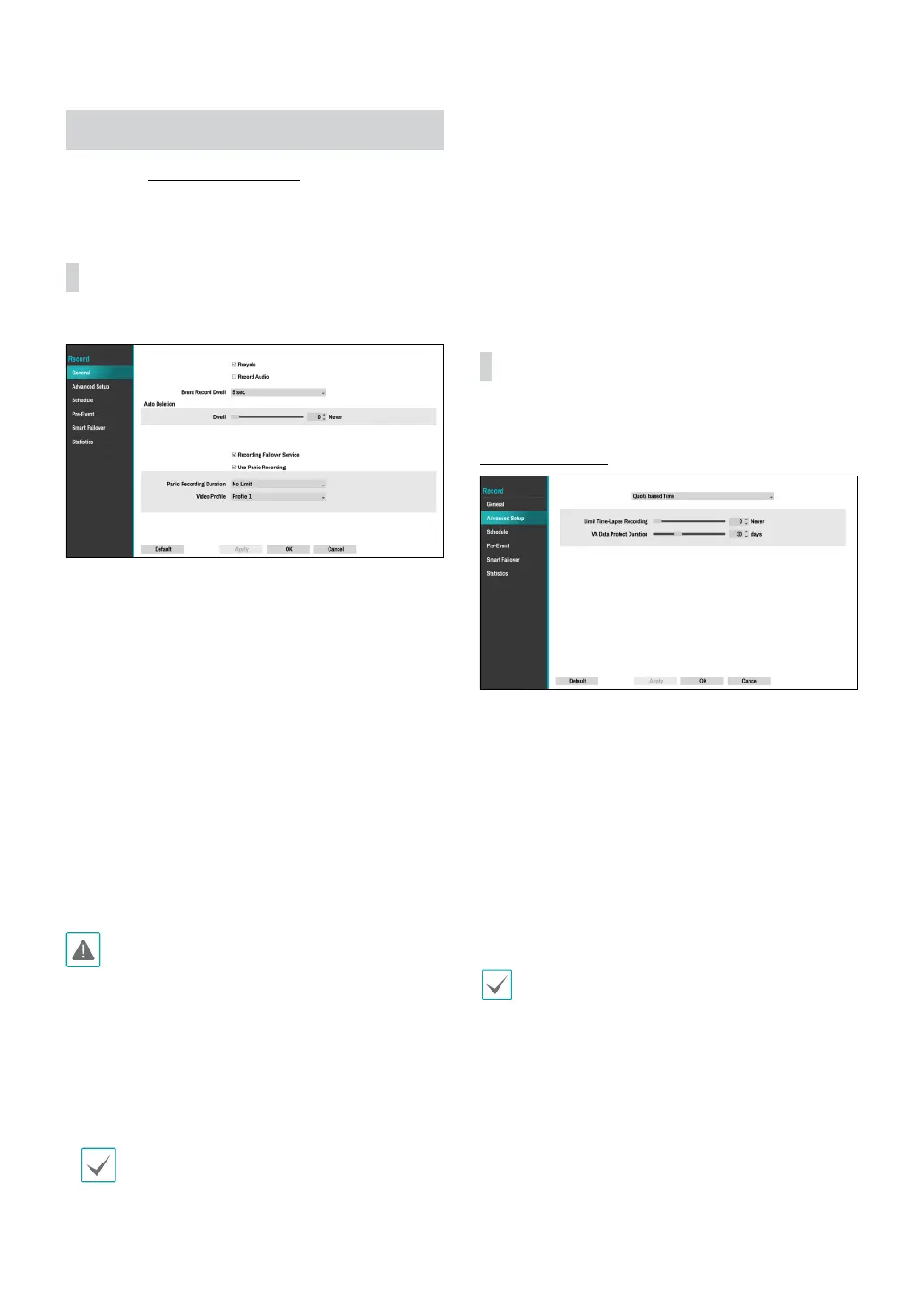
General
Congure general recording settings.
● Recycle: When the recording disks become full,
the system overwrites existing data with new data,
starting with the oldest rst. If Recycle is disabled,
recording will simply stop when the recording disks
reach their maximum capacity.
● Record Audio: The camera will record audio along
with video.
● Event Record Dwell: If linked recording is designated
as an event-triggered action, recording takes place for
the duration specied under this setting.
● Auto Deletion: Congure this option to delete
recording data automatically after the specied
number of days has elapsed.
– Dwell:
Recording data will be stored on the NVR for the
specied number of days and then deleted automatically.
It can be set from 1 day to a maximum of 999 days.
• To disable Auto Deletion, select Never.
• Recording data are deleted automatically at
midnight and will be deleted even if the system
reboots or the Auto Deletion setting has been
changed.
● Recording Failover Service: When a network failure
is restored, videos stored on the camera SD memory
card can be recorded on the NVR.
Data from the camera SD memory card can not
be recorded to the NVR if the recording failover
service function is not selected.
● Use Panic Recording: Enable/disable Panic
Recording.
● Panic Recording Duration: Disable Panic Recording
automatically. Select between 5 mins and 1 hr. If you
do not wish to disable the feature automatically,
select No Limit.
● Video Prole: Select a recording prole value for
Panic Recording.
Advanced Setup
Quota Based Time
● Limit Time-Lapse Recording: You can store event
recording data for longer. If you do not wish to use
Limit Time-Lapse Recording, select Never. This
function is activated when data has been stored for
longer than as congured because the recording
disk has sucient capacity and saves new data by
overwriting Time Lapse Recording data that are
older than as specied under Recycle mode.
● VA Data Protect Duration: Congure this option to
select the data protection period. Select between 1
day and 90 days.
• If the recording stored on the disk is shorter than
the duration specied under Limit Time-Lapse
Recording, the older of Event Recording or Time
Recording data is deleted rst.
• The system's recording time may change depending
on recording quality, resolution, motion, and other
congurations made by the user. The duration
specied under Limit Time-Lapse Recording may
not be guaranteed in certain situations.



 To Next Page