Part 2 - Conguration
67
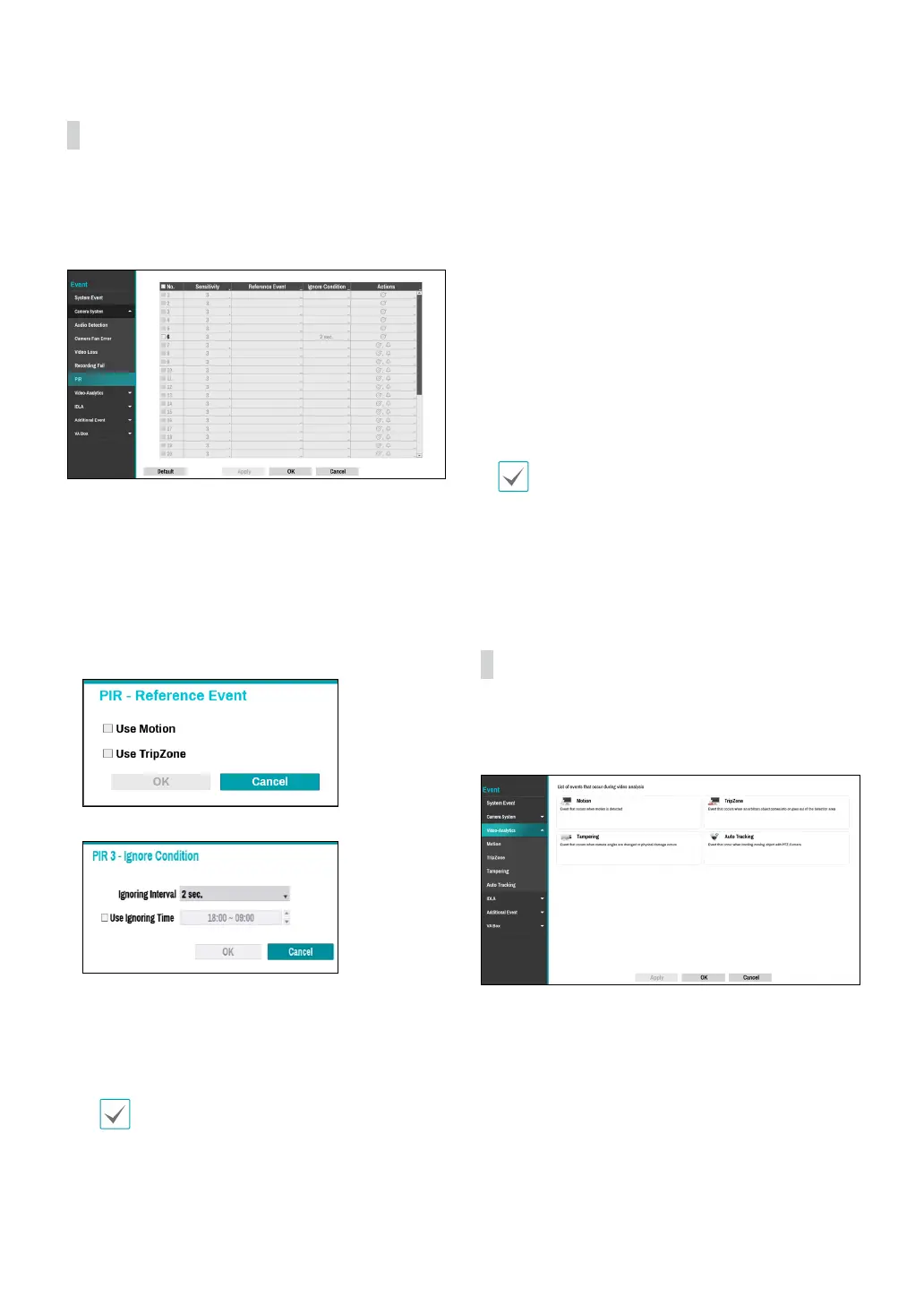
Camera System_PIR
This event occurs when the PIR sensor mounted on the
camera is used to sense motion. Since the PIR sensor
detects the temperature of the human, it can detect
motion even in dark places without light.
● No.: Select which cameras to apply PIR to.
● Sensitivity: Set sensitivity settings between 1 (Low)
and 5 (High).
● Reference Event: Set condition for event to occur
using the PIR sensor. A PIR event occurs when a
motion occurs after an event set as a reference event
has occurred. You can set Motion and Trip Zone as
reference events.
● Ignore Condition
– Ignoring Interval: The system does not produce
event log entries or remote notications for events
detected within a certain period of time after PIR
events of the camera channels are detected. Set the
value between 1 sec and 5 secs or choose Never.
Ignoring interval setting does not aect the
motion detection recording.
– Use Ignoring Time: Select Time Setup to specify
the PIR detection ignore time of camera channels.
PIR detection will be disabled during the specied
time frame.
● Actions: Specify which actions to take when a PIR
event occurs.
– Record: Specify which cameras to begin linked
recording on when an event occurs. If the schedule
is set to Event or Time & Event mode, the selected
cameras will begin linked recording when an event
occurs.
– Alarm-Out: Designate event-triggered alarm-out
channels (each for the NVR and camera) and beeps.
– Notify: Congure to be notied of events by Mail,
LAN1 through 5, Push, FTP, and/or Alert Window.
– PTZ: Moves the PTZ camera to a specic preset
position when an event occurs.
– Event Monitoring: Selects the cameras to monitor
when an event occurs.
• In order to use the Callback feature, the NVR must
be registered on the remote program.
• In case of the camera that not supports face
detection event, the face detection feature will
be disabled.
Video-Analytics
Event lists that occur through video analysis include
Motion, Tampering, TripZone and Auto Tracking events.



 To Next Page