Part 2 - Conguration
96
F1
Press the F1 key to perform the panic
recording . This is the same as pressing
the PANIC button on the front panel or
the remote control.
F2
Press the F2 key to reset all NVR
outputs while the alarm has been
activated including the built-in buzzer.
This is the same as pressing the
ALARM button on the front panel or
the remote control.
F3
Press the F3 key to initiate PTZ mode.
This is the same as pressing the PTZ
button on the front panel or the
remote control.
F4 or
PaceUP/
PageDown
Press the F4 or PageUp or PageDown
key to toggle between dierent
display formats. This is the same as
pressing the LAYOUT button on the
front panel or the remote control.
F5
Press the F5 key to refresh the current
DirectNDC screen.
F6
Press the F6 key to switch to the search
mode. This is the same as pressing
the Search Mode Button on the front
panel or the CALENDER button the
remote control.
F10 or
Windows
Press the F10 or Windows key to
display the Live Monitoring menu or
Search menu on the screen. This is the
same as pressing the MENU button on
the front panel or the remote control.
Home
Press the Home key to copy video
clips. This is the same as pressing the
CLIP COPY button on the front panel.
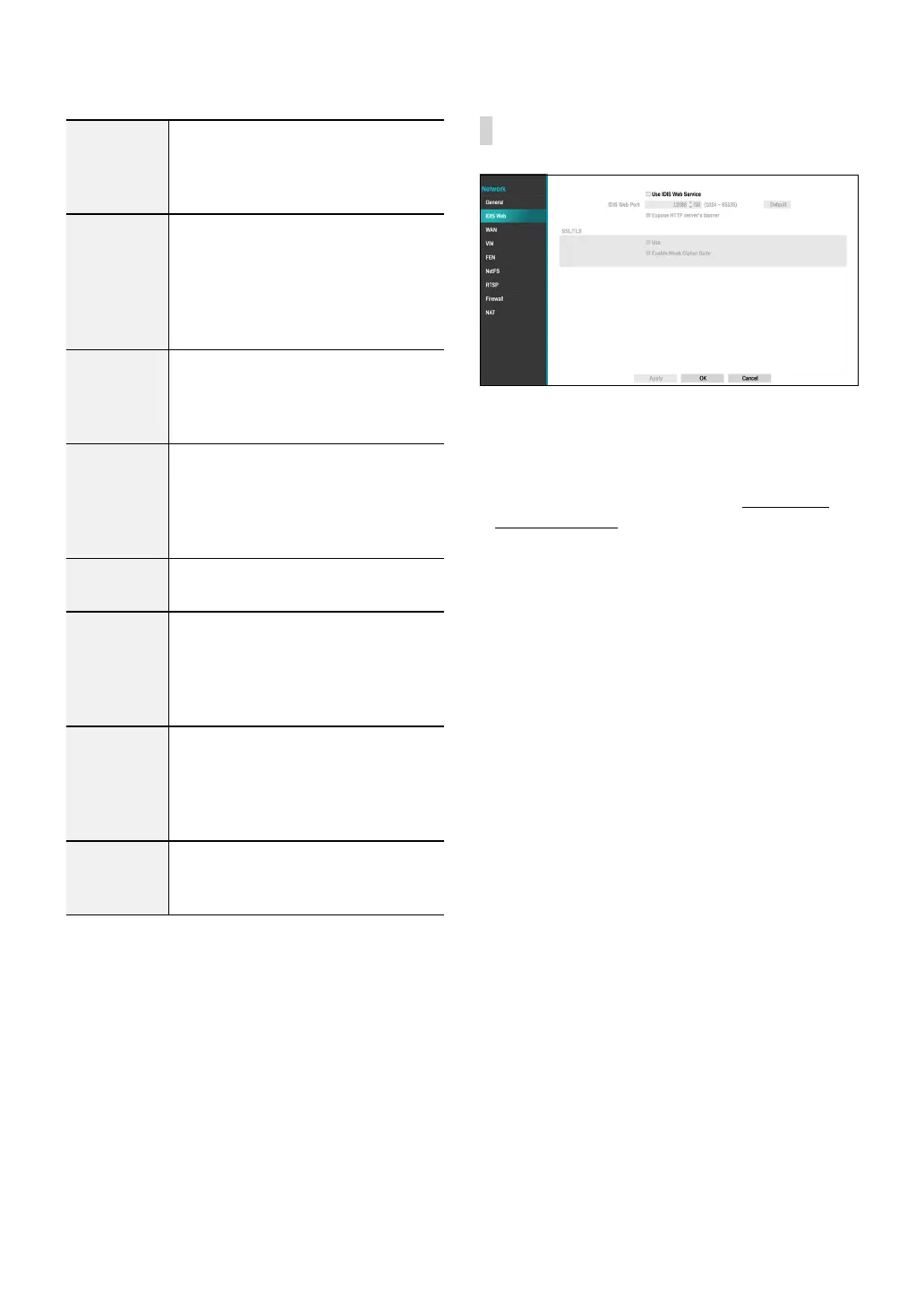
IDIS Web
● Use IDIS Web Service: If you wish to use IDIS Web,
select IDIS Web - Use IDIS Web Service. Select IDIS
Web - IDIS Web Port and choose a port number
between 1024 and 65535. The port number can also
be entered using the virtual keyboard. For more
information on IDIS Web, refer to the Part 4 - IDIS
Web on page 128.
● Expose HTTP server's banner: Expose server
information in HTTP headers.
● SSL/TLS
– USE : When connecting to IDIS Web, the way of
HTTPS communication is enabled.
– Enable Weak Cipher Suite: Select or deselect
Enable Weak Cipher Suite function.



 To Next Page