Part 2 - Conguration
46
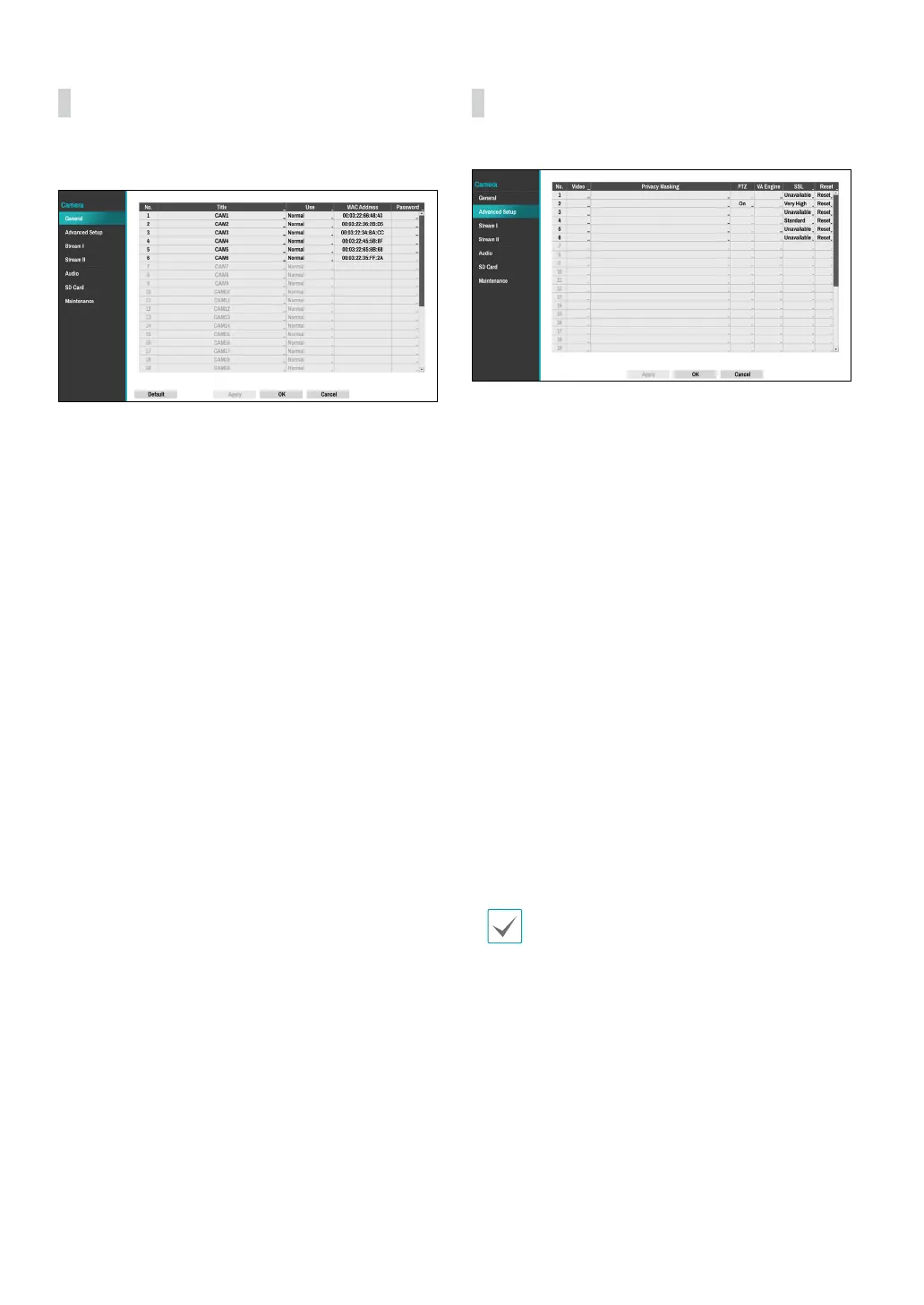
General
Enable/disable the covert view and rename cameras.
● Title: Edit the camera’s name.
● Use: Set the camera as Normal, Covert 1, or Covert 2.
Live images and video recordings from cameras that
have been set as Covert 1 or Covert 2 will not be
available to users who do not have covert camera
access. Setting a camera as Covert 1 hides its images
but does display OSD information about the camera.
Setting a camera as Covert 2 hides its images as well
as ODS information about the camera as if it has been
deactivated completely.
● MAC Address: Displays the camera MAC address.
● Password: Set the camera password.
Advanced Setup
Congure security and other advanced camera settings.
● Video: Adjust the camera image sensor settings such
as white balance and exposure. Conguration options
may dier depending on the camera model.
● Privacy Masking: Enable/disable and congure
privacy masking for the camera.
● VA Object Calibration: Congure detailed settings
for object detection and face detection. VA Object
Calibration aects Object Detection, Intrusion,
Loitering, Line Crossing and Face Detection events.
The following four functions may dier depending on
the actual camera type.
– Maximum/Minimum : Limit the maximum and
minimum size of the object to be detected.
– Mount Type : Set the environment in which the
camera records video.
– Sensitivity
:
Adjust the object detection sensitivity.
– Object/Face Engine Daytime/Nighttime
Threshold : Adjust the day/night threshold for
object detection and face detection engine.
● SSL: Set the camera’s security level as Unavailable,
Standard, High, or Very High. Standard, High and
Very High settings apply SSL (Secure Sockets Layer)
protection to the camera.
The more cameras security level is set to Very High,
the more the device loads may occur due to the
decoding of received data such as video and audio.
This may cause the total recording performance to
decrease and not work as you set it to. In this case,
you must improve the load by lowering the security
level or by lowering the recording bitrate.
● Reset: Resets the port or cameras.
– PoE Reset : Control the PoE Switch’s port. This
option is available when connecting to Video In/
PoE port or using a DirectIP PoE Switch (optional).
Select PoE Reset to reboot the camera. It is not
supported by video encoders.
– Soft Reset : Reboots the camera.



 To Next Page