Part 2 - Conguration
81
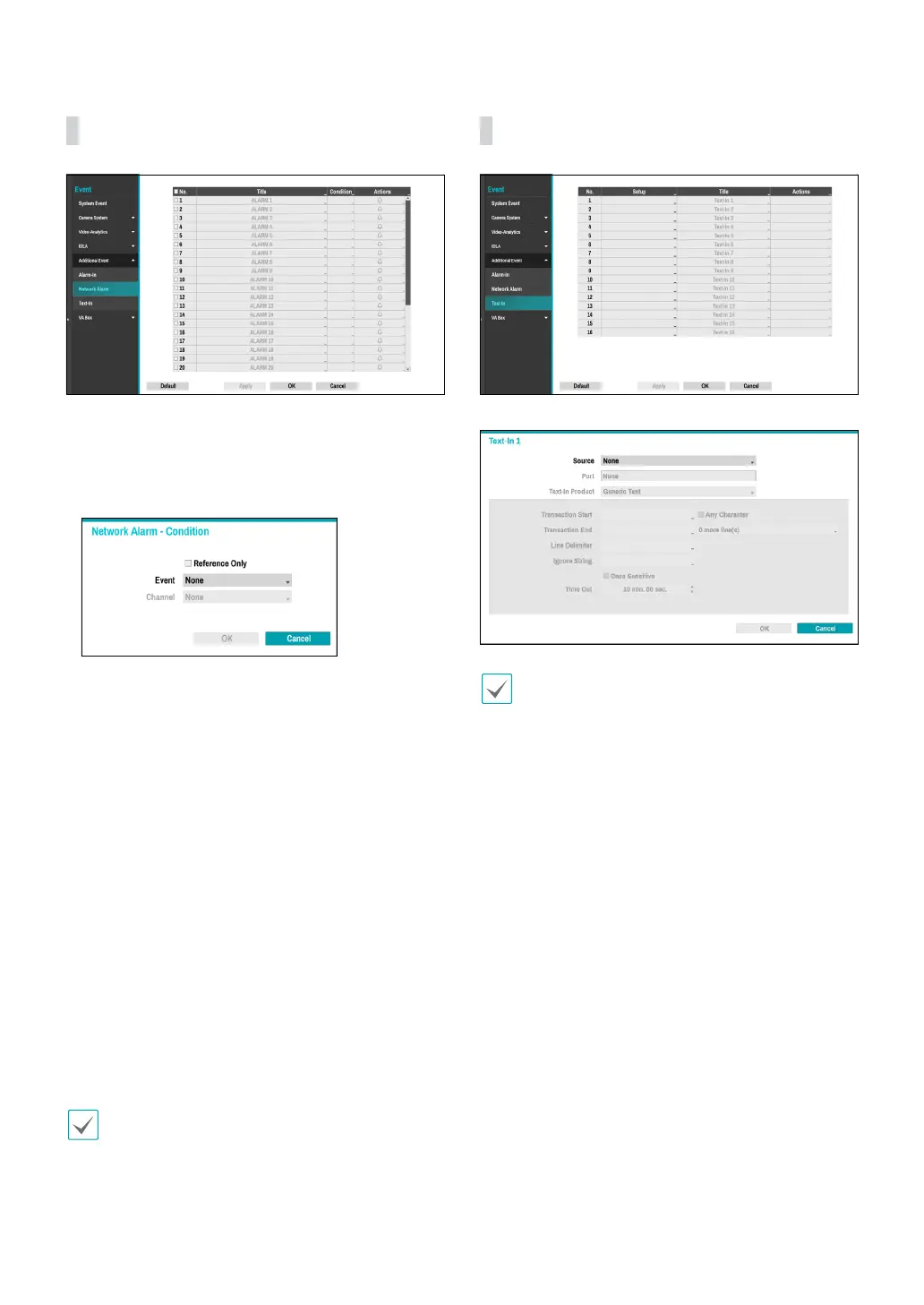
Additional Event_Network Alarm
● No.: Enable or disable network alarm.
● Title: Use the virtual keyboard to enter titles.
● Condition: When a specic event occurs, you can set
the condition that determines whether to operate
motion according to the status of other events.
– Reference Only: Set the event to be the subject of
a reference.
– Event: Set the reference event.
– Channel: Set the reference channel.
● Actions: Specify which actions to take when Alarm-In
is detected.
– Record: Specify which cameras to begin linked
recording on when an event occurs. If the schedule
is set to Event or Time & Event mode, the selected
cameras will begin linked recording when an event
occurs.
– Alarm-Out: Designate event-triggered alarm-out
channels (each for the NVR and camera) and beeps.
– Notify: Congure to be notied of events by Mail,
LAN1 through 5, Push, FTP, and/or Alert Window.
– PTZ: Moves the PTZ camera to a specic preset
position when an event occurs.
– Event Monitoring: Selects the cameras to monitor
when an event occurs.
In order to use the Callback feature, the NVR must be
registered on the remote program.
Additional Event_Text-In
● Setup: Congure text-in devices.
• It's possible to batch congure all text-in devices
with the exception for source settings.
• An inux of large amounts of text-in data from
multiple channels can hinder system performance.
● Source: Set the connected device to use Text-in
events.
● Port: Indicates text-in device connected in the
Connectors tab.
● Text-In Product: The setup window is updated so
that the portion below the port setting matches the
corresponding text-in device. Displayed screenshot
illustrates Generic Text settings.
● Transaction Start: Once Transaction Start has been
designated, the system will recognize the specied
string as the beginning of a transaction. You can
choose the Any Character setting. Under this setting,
any character will trigger the system into recognizing
the start of a new transaction.
● Transaction End: Once Transaction End has been
designated, the system will recognize the specied
string as the end of a transaction. Select 0 more
line(s) next to Transaction End and specify a value
between 1 and 10. The system will recognize the
specied Transaction End string plus the number of
lines as being the end of a transaction.



 To Next Page